Printer Connection and Software Installation 55
Connecting Printer to Your Computer
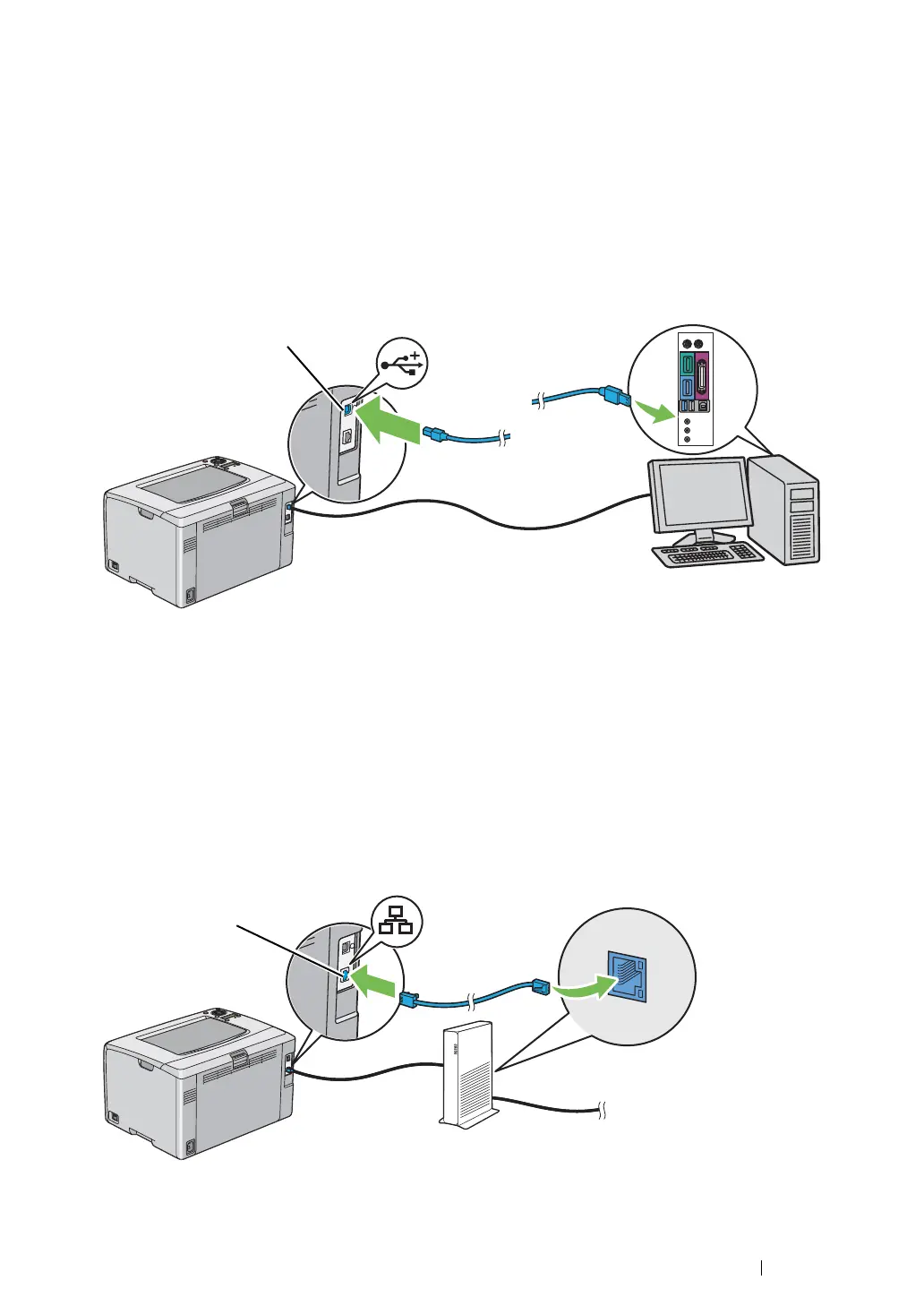
USB Connection
To connect the printer to a computer via USB:
1 Make sure that the printer is turned off and unplugged from the power source.
2 Connect the smaller USB connector into the USB port at the rear of the printer and the other end
of the cable into a USB port of the computer.
NOTE:
• Do not connect the printer USB cable to the USB slot available on the keyboard.
Ethernet Connection
To connect the printer to a computer via Ethernet:
1 Make sure that the printer is turned off and all cables have been disconnected.
2 Connect one end of the Ethernet cable into the Ethernet port at the rear of the printer, and the
other end to an Ethernet port of a router or hub.
NOTE:
• Connect the Ethernet cable, only if you need to setup a wired connection. Connecting the Ethernet cable
stops some features or functions for Wireless network.



 To Next Page
 Loading...







