System expansions
32 A26361-K675-Z120-1-7619, edition 3
Opening the casing
► Switch the PC off. The PC must not be in the energy-saving mode!
!
Please take note of the safety information in the "Important notes" chapter.
Pull the power plug out of the mains outlet!
► Remove all cables from the casing.
► Place the casing in a convenient working position.
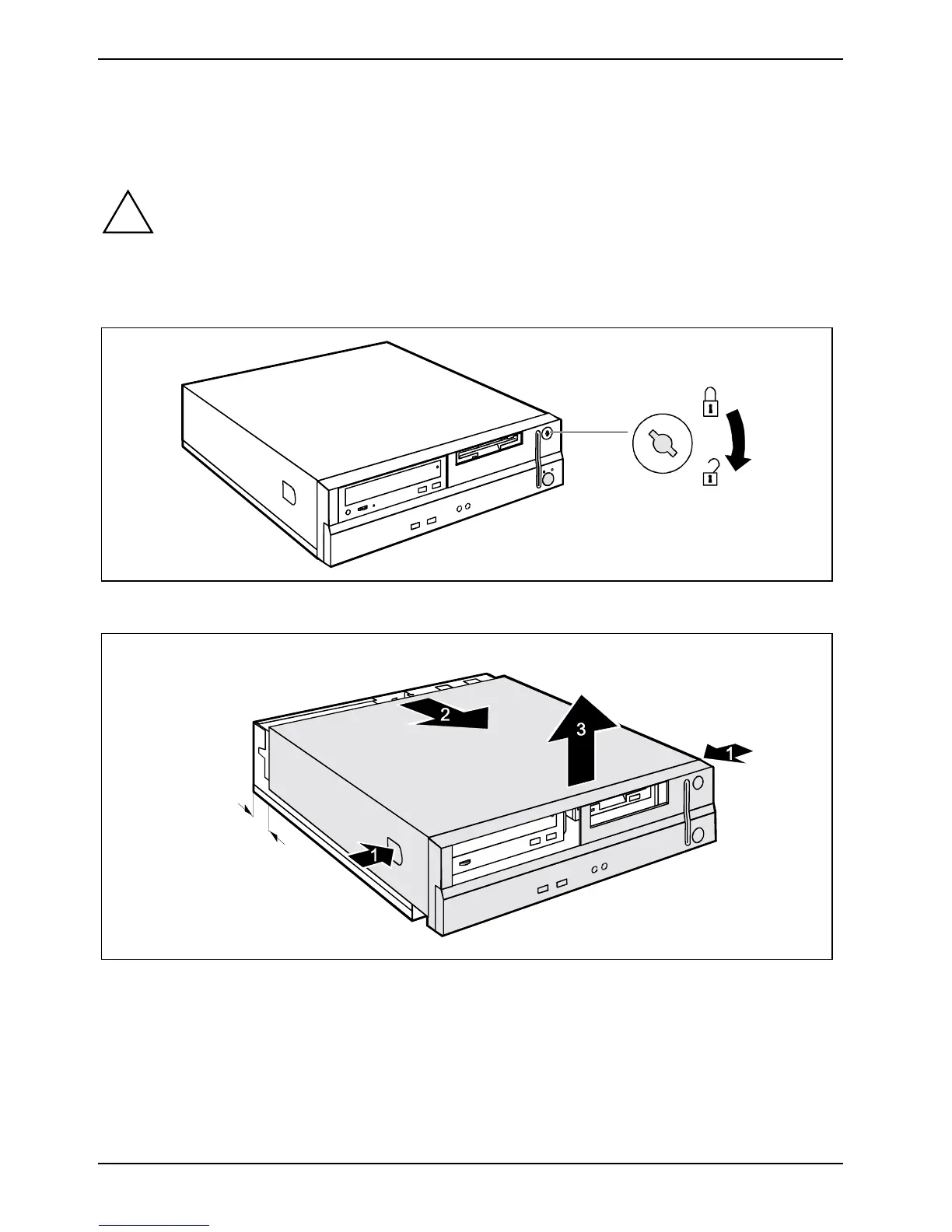
► Turn the key in the direction of the arrow to unlock the casing.
a
► Press the two locking catches (1), hold them pressed and slide the upper casing in the
direction of the arrow (2) until the spacing (a) is approximately 2 cm.
► Lift off the top cover in an upward direction (3).



 To Next Page