System expansions
50 A26361-K675-Z120-1-7619, edition 3
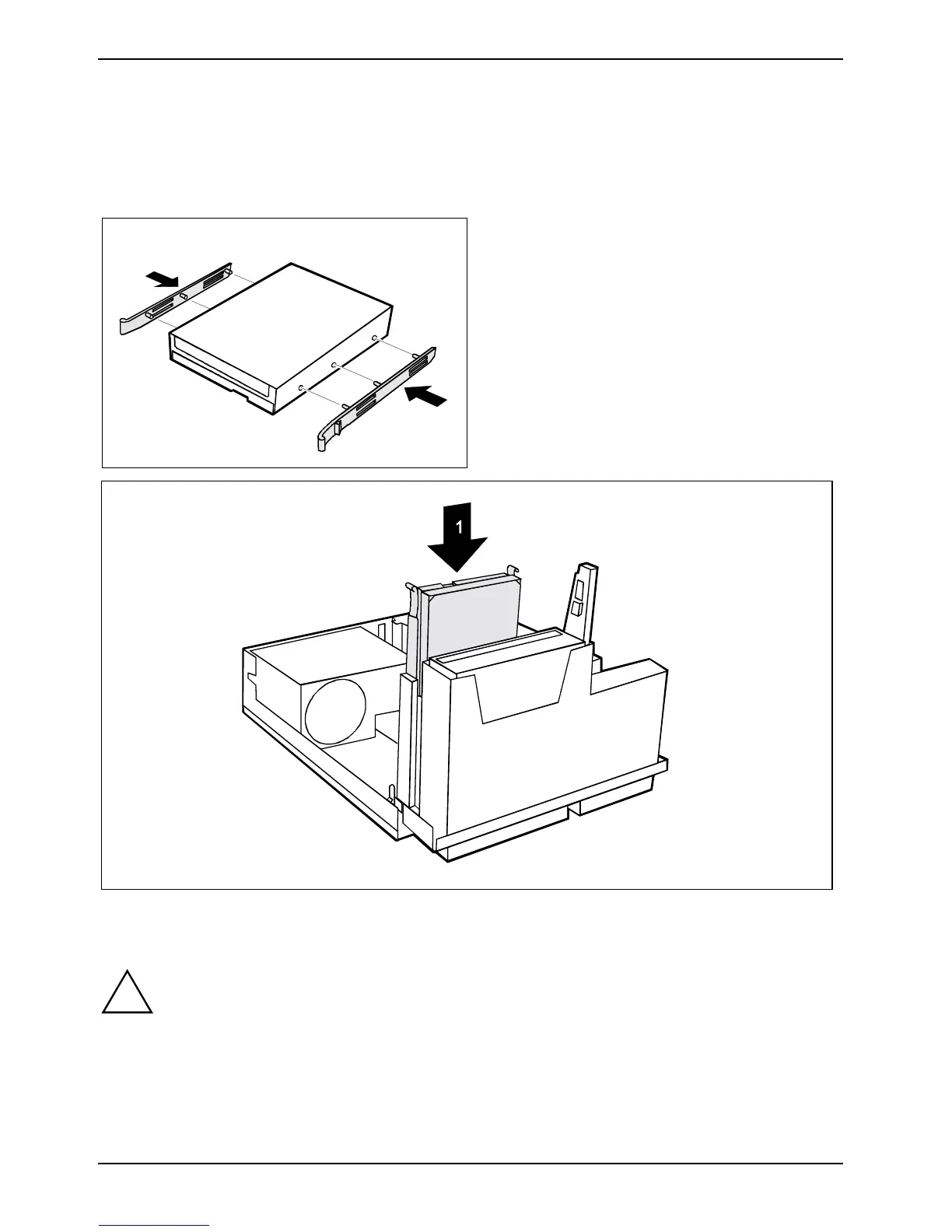
Installing a hard disk drive
► Take the new hard disk drive out of its packaging.
► Make the required settings on the drive if necessary (e.g. Master/Slave/CableSelect with IDE
drives).
► Secure the EasyChange rails on the side
of the hard disk by inserting the upper pins
of the EasyChange rail in the
corresponding holes of the hard disk.
► Push the hard disk drive into the casing (1) until the EasyChange rails engage.
► Connect the data and power supply cables to the hard disk drive or to the hard disk drives.
!
Even if your serial-ATA has two power supply connectors you may use only one.
Otherwise damages may result.
Observe the vendors operating manual.



 To Next Page