145
7.2 Cleaning the Main Unit
Cleaning the Color-Density Sensors
If you have image quality problems such as print or color density, missing parts, or blurred
background on printed outputs, clean the color-density sensors.
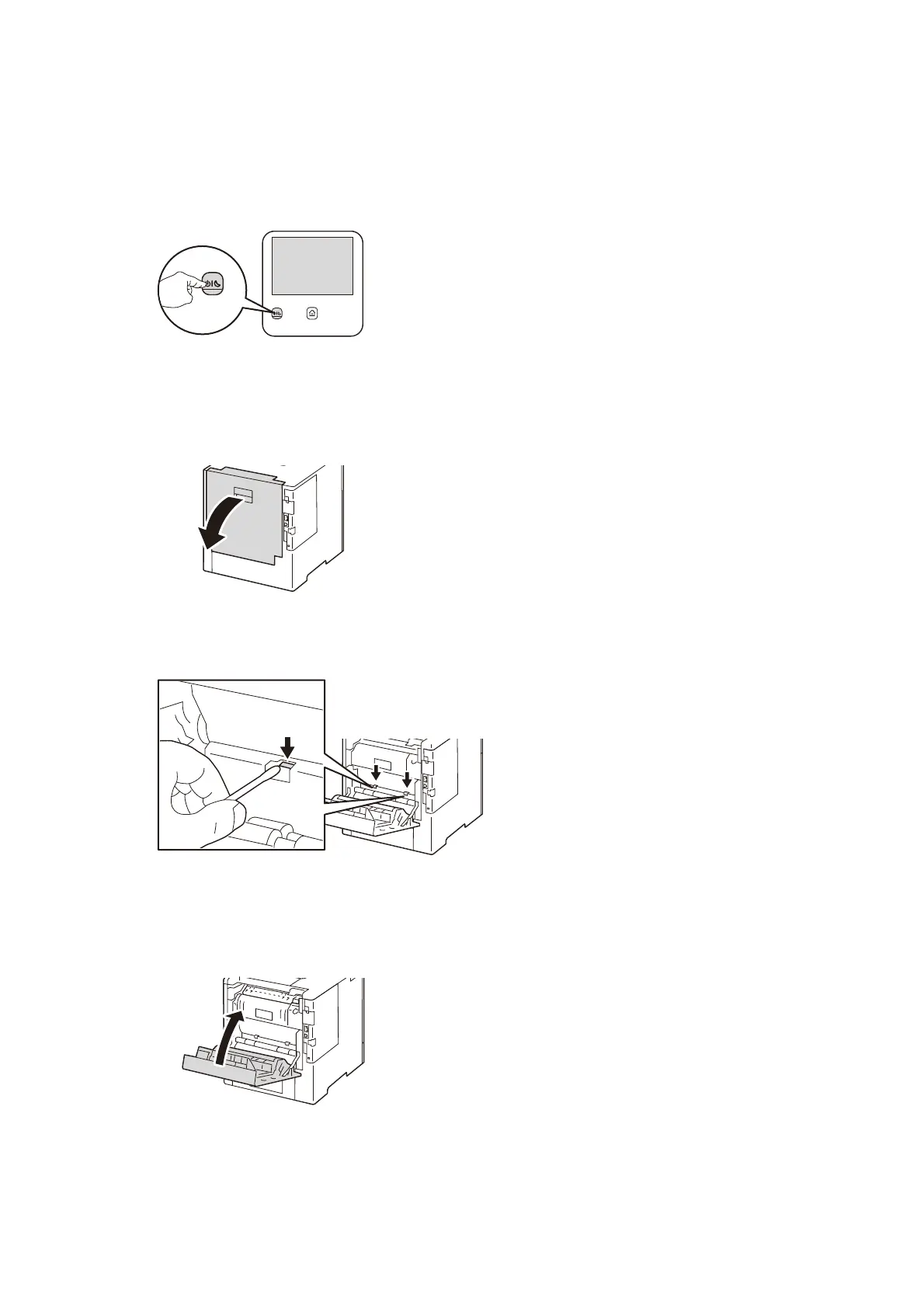
1. Press the <Power/Power Saver> button.
2. Tap on [Power Off Device] and turn off the power.
3. Pull the rear door release and open the door.
4. Use a dry cotton swab to clean the color-density sensors (2 places).
5. Close the rear door.



 To Next Page
 Loading...








