4
1 Before Beginning
"XPS" stands for "XML Paper Specification".
The printing speed, paper tray capacity, and so on described in this manual are values when using
80 g/m
2
paper.
"Heavy weight paper" indicates paper whose weight is 106 g/m
2
or more.
"Long paper" indicates paper whose is 355.7 mm landscape or larger.
1.3 About the Machine
The manuals for this product may include descriptions about the models, features, and separately-
sold accessories that are unavailable depending on the country. For details, contact your local
representative.
Items appearing on the touch panel display will vary depending on authentication status and
installed options.
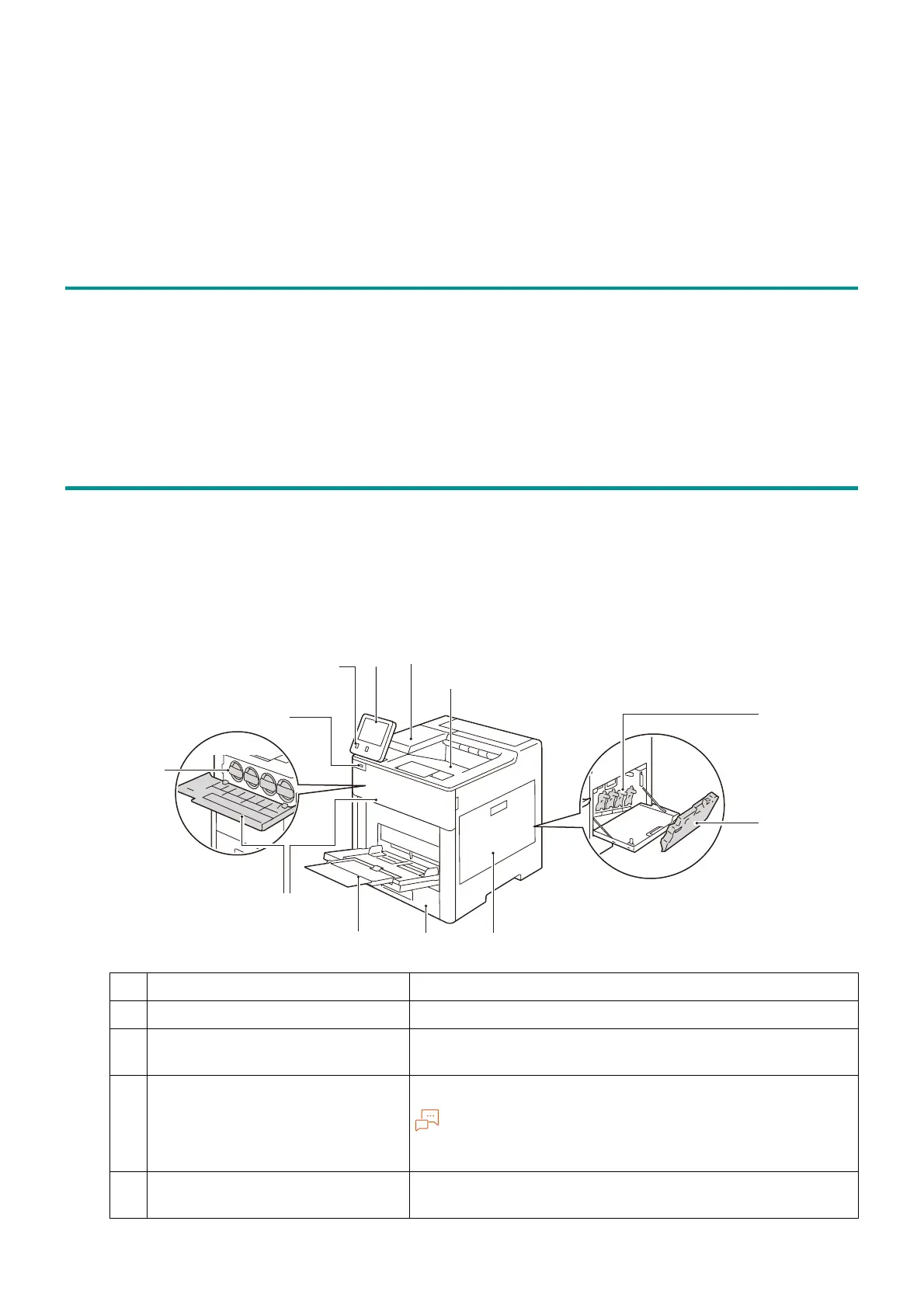
1.4 Machine Overview
Main Unit
Front and Right Side
1 Control panel Operate with this touch panel.
2 <Power/Power Saver> button Switches the power on/off.
3 Embedded IC Card Reader
(optional)
When you touch the IC Card to the IC Card reader, the
machine authenticates the user.
4 USB memory slot Insert the USB memory device into this slot directly.
You cannot connect the memory card reader or USB
memory cable.
5 Toner cartridges Contains toners of black (K), cyan (C), magenta (M) and
yellow (Y).



 To Next Page
 Loading...








