En-20
8-3-3. Selection of the day of the week
The day of the week for schedule timer operation can be
selected.
1
Select “Day” with the [Cursor button (Up/Down)] and
press the [Enter button].
Mo 10:00AM
Schedule 1
Cancel:
Setting:
Su Mo Tu We Th Fr Sa
Time
End
Room 1
1 – –
:
– –
AM
– – –
2 – –
:
– –
AM
– – –
3 – –
:
– –
AM
– – –
4 – –
:
– –
AM
– – –
Enable
Schedule 2
Day
2
Current day of the week is selected.
Mo 10:00AM
Schedule 1
Cancel:
Select:
OK
:
Day
Sa
Time
End
Room 1
1 – –
:
– –
AM
– – –
2 – –
:
– –
AM
– – –
3 – –
:
– –
AM
– – –
4 – –
:
– –
AM
– – –
Enable
Schedule 2
Su Mo Tu We Th Fr
3
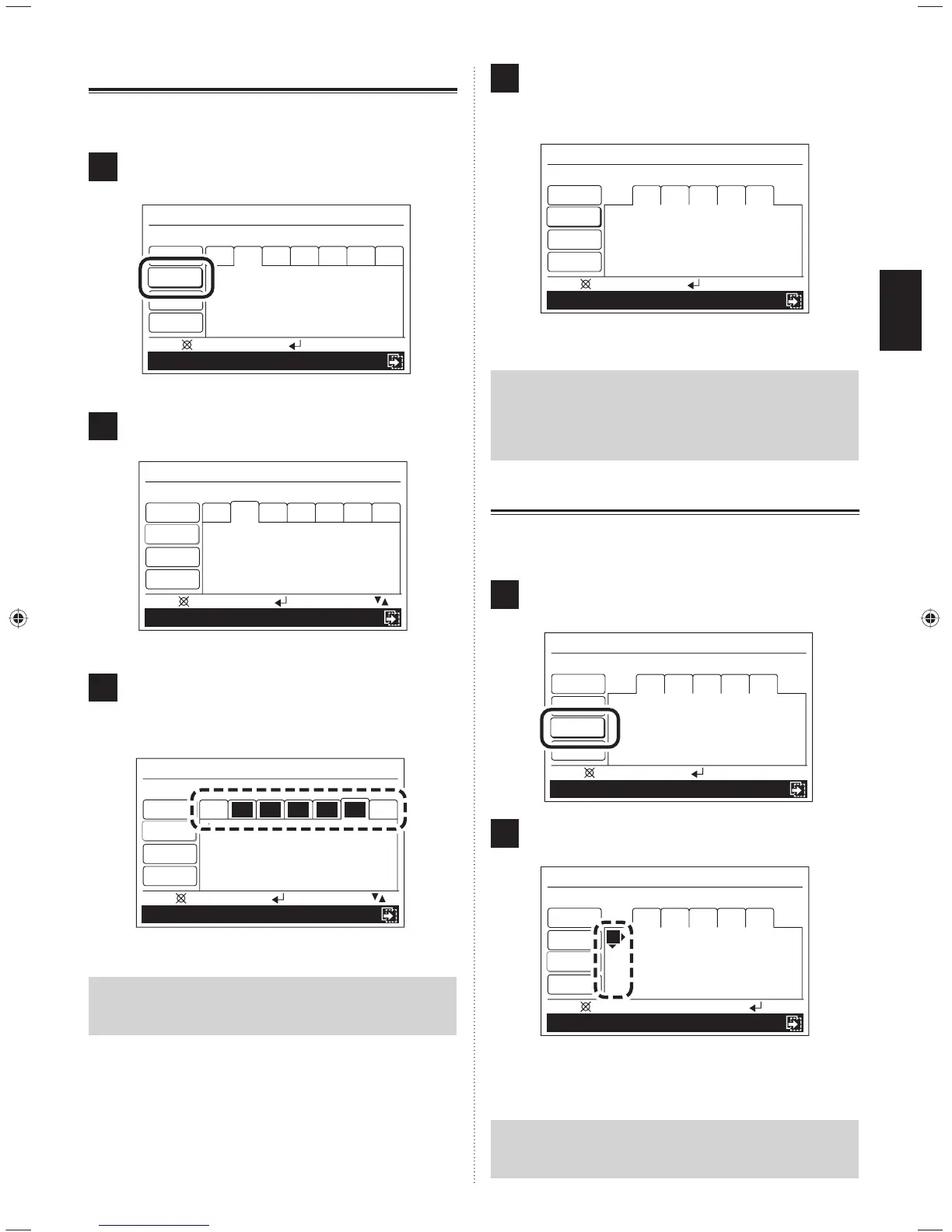
Select the day of the week for the schedule timer ope-
ration with the [Cursor button (Left/Right)] and set with
the [Cursor button (Up/Down)]. The setting day of the
week is highlighted.
Mo 10:00AM
Schedule 1
Cancel:
Select:
OK
:
Day
Sa
Time
End
Room 1
1 – –
:
– –
– – – – – – – –
°F
2 – –
:
– –
AM
– – –
3 – –
:
– –
AM
– – –
4 – –
:
– –
AM
– – –
Enable
Schedule 2
Su Mo Tu We Th Fr
Note
Set all the applicable days of the week for the same
schedule operation.
4
When the selection of the day of the week is completed,
press the [Enter button].
Reversed display is released, and only the selected
days of the week are displayed.
Cancel:
Setting:
Mo 10:00AM
Schedule 1
Room 1
2 – –
:
– –
AM
– – –
3 – –
:
– –
AM
– – –
4 – –
:
– –
AM
– – –
Schedule 2
Mo Tu We Th Fr
1 – –
:
– –
AM
– – –
Time
End
Enable
Day
Proceed to [8-3-4. Setting of the time and operation].
Note
If changing a previous scheduled setting, setting of the
time is required again if the days of the week (or the day
of the week if the time is not set) with a different time
setting are selected at the same time.
8-3-4. Setting of the time and operations
Time and operations can be set. Operation at 4 times in a day
can be set.
1
Select “Time” with the [Cursor button (Up/Down)] and
press the [Enter button].
Cancel:
Setting:
Mo 10:00AM
Schedule 1
Day
End
Room 1
2 – –
:
– –
AM
– – –
3 – –
:
– –
AM
– – –
4 – –
:
– –
AM
– – –
Enable
Schedule 2
Mo Tu We Th Fr
1 – –
:
– –
AM
– – –
Time
2
“1” is highlighted. The time and operation can be set to
1 ~ 4.
Mo 10:00AM
Schedule 1
Delete: Push for two seconds
OK
:
Day
Time
End
Room 1
2 – –
:
– –
AM
– – –
3 – –
:
– –
AM
– – –
4 – –
:
– –
AM
– – –
Enable
Schedule 2
Mo Tu We Th Fr
1 – –
:
– –
AM
– – –
Move to “Hour” by pressing the [Cursor button (Right)].
Note
If 1 ~ 4 is selected, all data already stored is erased when
the [Cancel button] is pressed for 2 seconds or longer.
9380221012-03_OM_en.indd 209380221012-03_OM_en.indd 20 30/11/2553 15:25:0330/11/2553 15:25:03



 To Next Page
 Loading...