14
Before You Start
EN
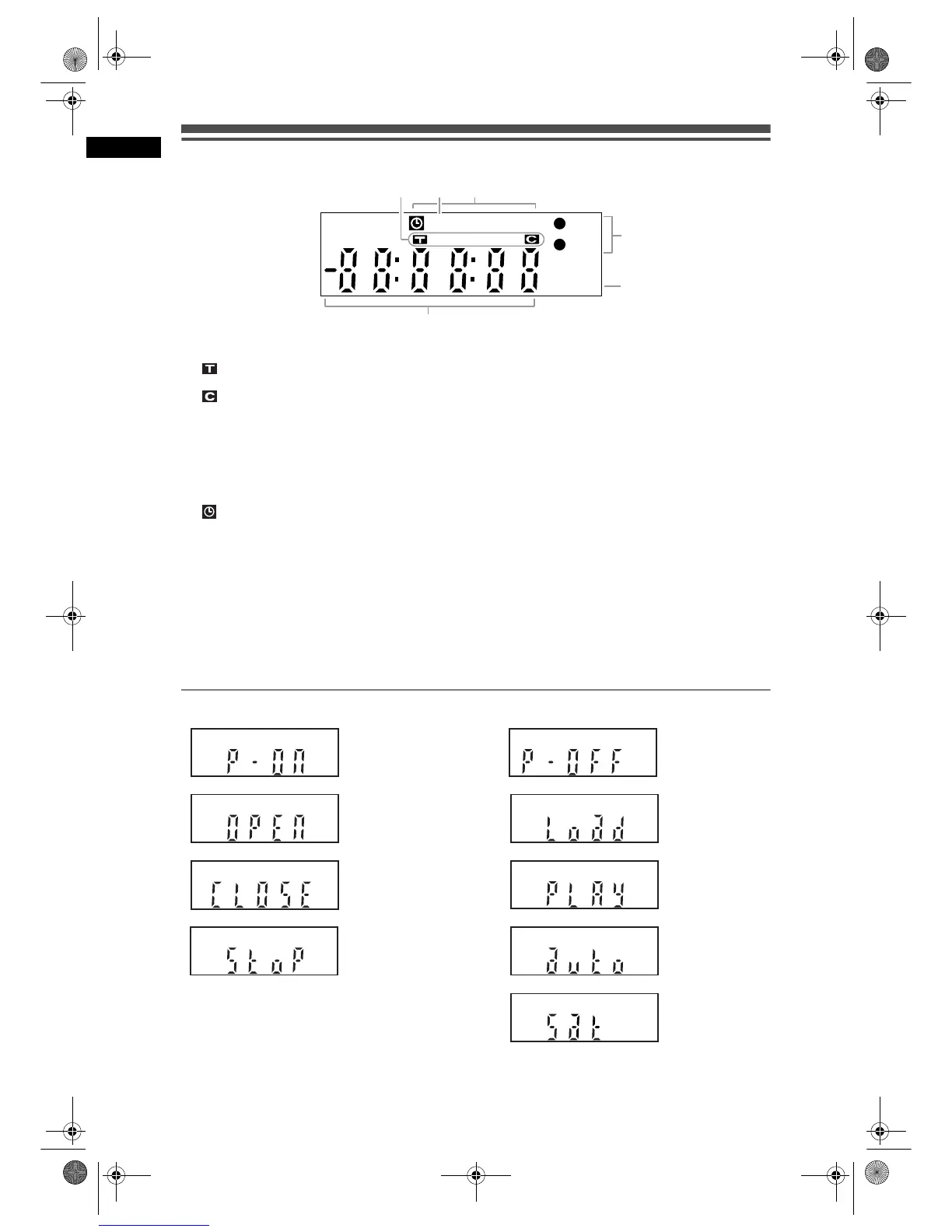
Front Panel Display Guide
1 Title / Track and Chapter mark
: Appears when indicating a title / track
number.
: Appears when indicating a chapter
number.
2 P.SCAN
Appears when the progressive scan system is
activated.
3 Current status of the unit
: Appears when Timer Recording is in
Standby, or is proceeding.
Disappears when all the Timer
Recordings are finished.
(Does not appear while in the Satellite
Link standby mode or the Satellite Link
Recording is in progress.)
DB : Lights up during a dubbing process.
4
I HDD : Lights up during HDD recording.
I DVD : Lights up during DVD recording.
5 Disc type and current status of the unit
CD
: Appears when an Audio CD or a disc with
MP3 / JPEG / DivX
®
files is on the disc tray.
R : Appears when a DVD-R disc is loaded on
the disc tray.
RW : Appears when a DVD-RW disc is loaded on
the disc tray.
6 Displays the following
• Played-back time
• Current title / chapter / track number
• Recording time
•Clock
• Channel number
• Remaining time for a One-touch Timer
Recording
Display Messages
Appears when the
unit is turning on.
Appears when the
disc tray is opening.
Appears when the
disc tray is closing.
Appears when
recording is
stopped.
Appears when the
unit is turning off.
Appears when a
disc is loaded on
the disc tray.
Appears when the
DVD-Video is
playing its menu.
Appears when the
Auto Tuning is
functioning.
Appears when the
Satellite Link
Recording is in
standby.
DBP-SCAN
HDD
DVD
CD R W
3
4
5
1
2
6
E2B21BD_E2B28BD_EN.book Page 14 Monday, August 21, 2006 5:05 PM



 To Next Page