75
Other Setups
EN
Initial Setting
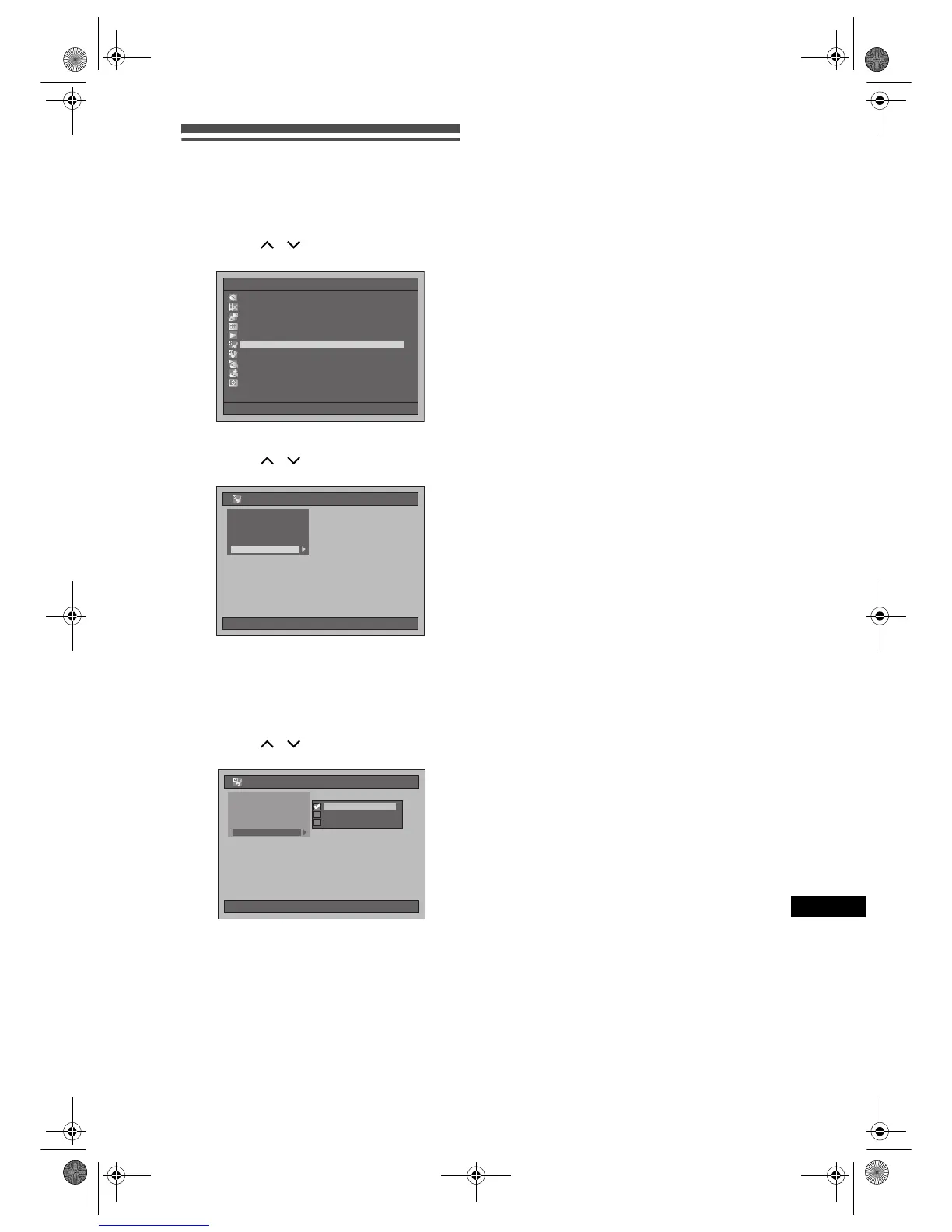
1 Press [SETUP] in stop mode.
Setup Menu will appear.
2 Select “Initial Setting” using
[Cursor
/ ], then press [ENTER].
3 Select “Video Out” using
[Cursor
/ ], then press [ENTER].
Video Out (Default: SCART(RGB))
Set the video output signal to be fixed accordingly to
your TV set.
4 Select the desired setting using
[Cursor
/ ], then press [ENTER].
The selected setting will be checked and
activated.
SCART(RGB):
Select “SCART(RGB)” if your TV has a scart
terminal and connected to it.
Component (Progressive):
If your TV is compatible with progressive
scanning, select “Component (Progressive)” and
make sure the connection indicated by each jack
(Y / P
B
/ P
R
) properly.
Component (Interlace):
If your TV has component jacks, select
“Component (Interlace)” and make sure the
connection indicated by each jack (Y / C
B
/ C
R
)
properly.
5 When you finish with the setting,
press [SETUP] to exit.
Setup Menu
10/04/06(Mon) 19:34
Disc Management
Editing
Dubbing
Timer Programme
Title List
Initial Setting
Digital Audio Setting
Playback
Recording
Display
10/04/06(Mon) 19:34
Initial Setting
Clock Setting
Channel Setting
TV Aspect
Select Video
Video Out
10/04/06(Mon) 19:34
Initial Setting
Clock Setting
Channel Setting
Select Video
TV Aspect
Component(Progressive)Component(Progressive)
Component(Interlace)Component(Interlace)
RGBRGB
Video Out
E2B21BD_E2B28BD_EN.book Page 75 Monday, August 21, 2006 5:05 PM



 To Next Page