45
Playback
EN
Basic playback
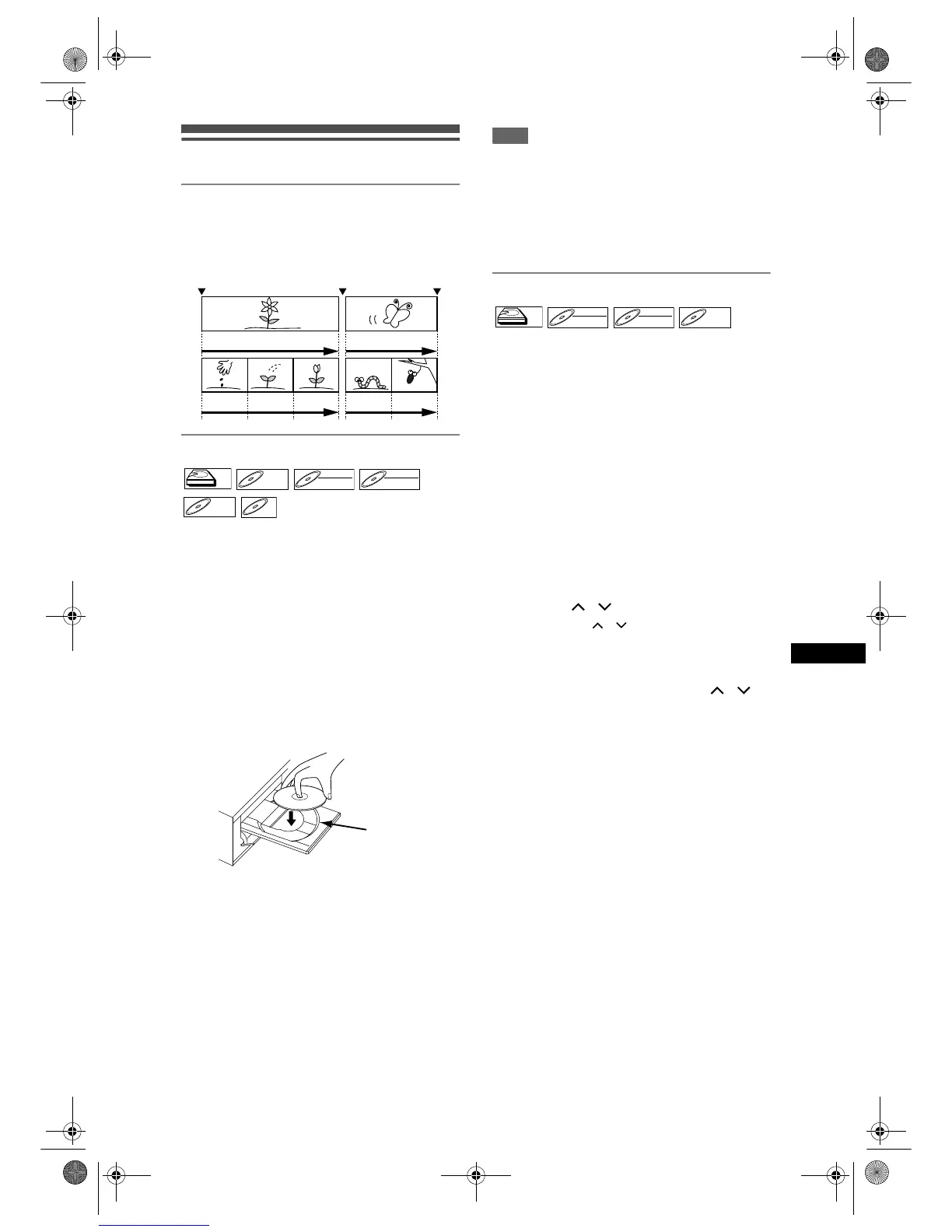
Hint for HDD / DVD playback
The contents of a HDD / DVD are generally divided
into titles. Titles are sometimes further subdivided into
chapters.
Direct Playback
If you are playing the HDD, press [HDD] first.
If you are playing a disc, press [DVD] first.
1 Turn on the TV. Select the
appropriate external input channel.
(See pages 15 to 16.)
• If you are playing the HDD, proceed to step 5.
2 Press [OPEN / CLOSE O] to open the
disc tray.
3 Place the disc on the disc tray with
its label facing up. Be sure to align
the disc with the disc tray guide.
4 Press [OPEN / CLOSE O] to close
the disc tray.
5 Press [PLAY P] to start playback.
Playback will start.
• Depending on the media, the playback may start
from a resume point. (See page 53.)
• If you are playing back a DVD-Video, a Disc
Menu may appear. Refer to page 51 for more
details about the Disc Menu.
6 Press [STOP S] to stop playback.
Note
• Some discs may start playback automatically.
• If no resume point is set when you stop HDD or DVD
playback, it will start from beginning of the last title.
• If playback and recording are in progress at the
same time, select the appropriate device by
pressing [HDD] or [DVD] before you press
[PAUSE p] or [STOP S] to pause or stop the
operation.
Playback from the Title List Menu
(Not available for the DVD-Videos, the finalised Video
mode DVDs, or the Video mode discs made on other
unit)
If you are playing the HDD, press [HDD] first.
If you are playing a disc, press [DVD] first.
1 Follow steps 1 to 4 in “Direct
Playback” on the left.
• If you are playing the HDD, follow step 2.
2 Press [TOP MENU].
Title List Menu will appear.
Press [SYSTEM] to switch Original / Playlist if
necessary.
• To exit the Title List Menu, press [RETURN R]
or [SETUP] twice.
3 Select a desired title using
[Cursor
/ ], then press [ENTER].
•Use [Cursor / ] to move among the titles
one by one, and use [SKIP F] or
[SKIP B] to jump to the next / previous Title
List page.
4 Select “Play” using [Cursor / ].
Then press [ENTER].
Playback will start. For HDD, if any resume point
has been set, the playback will start from the
resume point.
5 Press [STOP S] to stop playback.
Start Rec. Stop/Start Stop Rec.
Title 1 Title 2
Chapter 1 Chapter 2 Chapter 3 Chapter 1 Chapter 2
HDDHDD
DVD-VDVD-V DVD-RWDVD-RW
VR
DVD-RWDVD-RW
Video
DVD-RDVD-R
CD



 To Next Page