82
Other Setups
EN
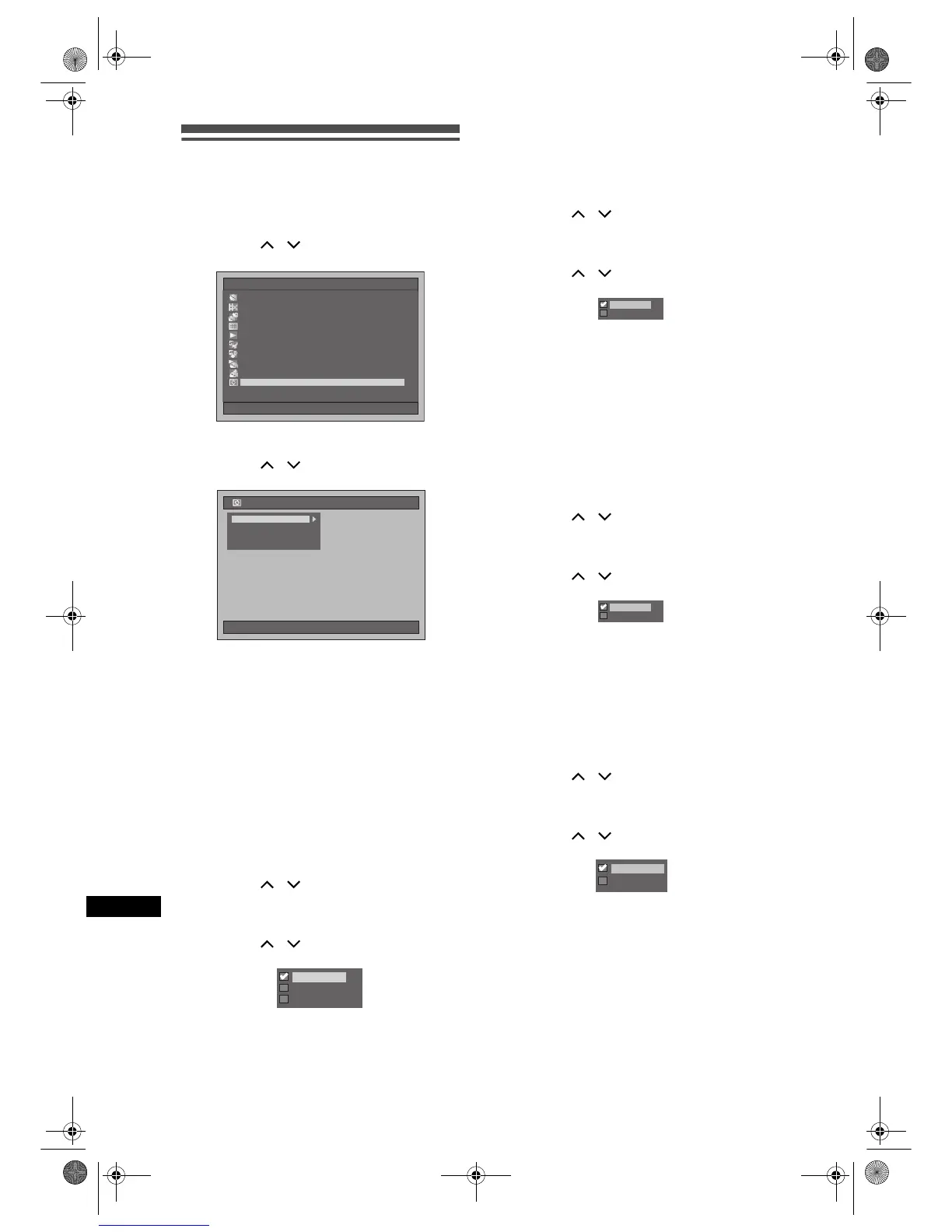
Display
1 Press [SETUP] in stop mode.
Setup Menu will appear.
2 Select “Display” using
[Cursor
/ ], then press [ENTER].
3 Select a desired item using
[Cursor
/ ], then press [ENTER].
4 Refer to 1. to 4. on this page and set
the selected item.
5 When you finish with the setting,
press [SETUP] to exit.
1. FL Dimmer (Default: Auto)
Set the front panel display brightness.
You can choose one from “Auto,” “Bright” and “Dark”.
If “Auto” is selected, the display gets dark when the
power is off.
(Follow steps 1 to 2 above.)
Select “FL Dimmer” using
[Cursor
/ ], then press [ENTER].
Option window will appear.
Select the desired setting using
[Cursor
/ ], then press [ENTER].
The selected setting will be checked and
activated.
2. Display Device Status (Default: On)
Set the operating display.
(Follow steps 1 to 2 on the left.)
Select “Display Device Status” using
[Cursor
/ ], then press [ENTER].
Option window will appear.
Select the desired setting using
[Cursor
/ ], then press [ENTER].
The selected setting will be checked and
activated.
On: Shows the operating display.
Off: Does not show the operating display.
3. Background Colour (Default: On)
Set the background colour.
When there is no signal for the picture signal input,
the screen changes to blue background.
(Follow steps 1 to 2 on the left.)
Select “Background Colour” using
[Cursor
/ ], then press [ENTER].
Option window will appear.
Select the desired setting using
[Cursor
/ ], then press [ENTER].
The selected setting will be checked and
activated.
4. Screen Saver (Default: On)
You can set to “On” to activate the Screen Saver after
10 minutes of no activity.
(Follow steps 1 to 2 on the left.)
Select “Screen Saver” using
[Cursor
/ ], then press [ENTER].
Option window will appear.
Select the desired setting using
[Cursor
/ ], then press [ENTER].
The selected setting will be checked and
activated.
Setup Menu
10/04/06(Mon) 19:34
EditingEditing
Disc ManagementDisc Management
DubbingDubbing
Timer ProgrammeTimer Programme
Title ListTitle List
Initial SettingInitial Setting
Digital Audio SettingDigital Audio Setting
PlaybackPlayback
RecordingRecording
Display
10/04/06(Mon) 19:34
Display
Display Device Status
Background Colour
Screen Saver
FL Dimmer
Bright
Dark
Auto
Off
On
Off
On
Off
On
E2B21BD_E2B28BD_EN.book Page 82 Monday, August 21, 2006 5:05 PM



 To Next Page