71
Editing
EN
10
Select “Yes” using [Cursor / ],
then press [ENTER] to exit.
Note
• If the number of chapter marks in the combined title
exceeds 999 (99 for HDD), the combination will be
rejected.
• If one of two titles in the Original is deleted, the
combined new title will be deleted.
• The name of the title selected first will become the
name of the combined title.
• The title selected first will be the first half of the
combined title.
• If the length of the title exceeds 12 hours after
combined, the combination will be rejected.
• You only can combine the titles in the same folder.
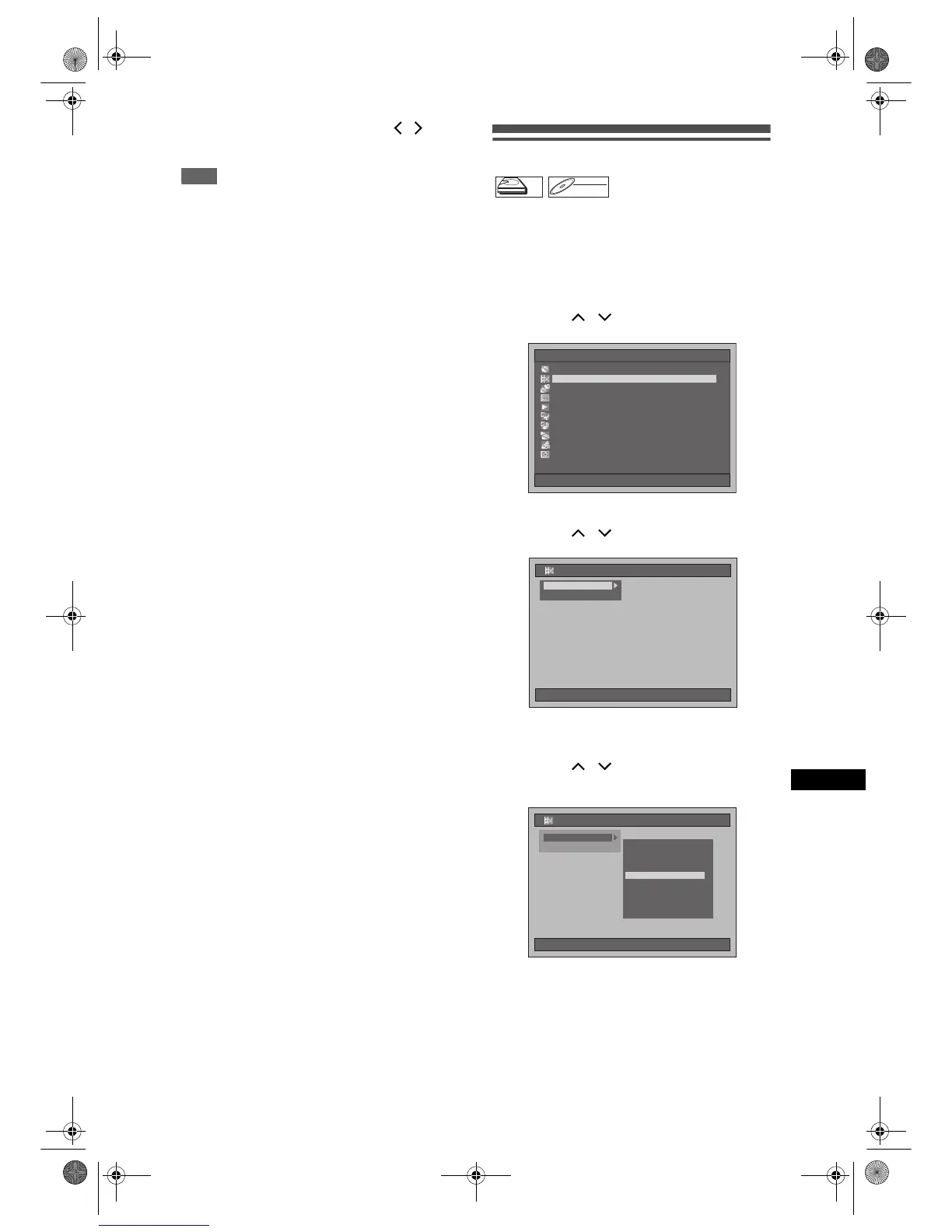
Dividing a title
You can divide a title into two new titles.
1 Press [SETUP] in stop mode.
Setup Menu will appear.
2 Select “Editing” using
[Cursor
/ ], then press [ENTER].
3 Select “Playlist” using
[Cursor
/ ], then press [ENTER].
4 Select “[HDD PL] Title Divide” or
“[DVD PL] Title Divide” using
[Cursor
/ ], then press [ENTER].
Example: Playlist
HDD
DVD-RW
VR
Playlist
Setup Menu
10/04/06(Mon) 19:34
Disc Management
EditingEditing
DubbingDubbing
Timer ProgrammeTimer Programme
Title ListTitle List
Initial SettingInitial Setting
Digital Audio SettingDigital Audio Setting
PlaybackPlayback
RecordingRecording
DisplayDisplay
10/04/06(Mon) 19:34
Editing
P
Original
Playlist
10/04/06(Mon) 19:34
Editing
Original
Playlist
[HDD PL] Scene Delete[HDD PL] Scene Delete
[HDD PL] Title Combine[HDD PL] Title Combine
[HDD PL] Title Divide
[DVD PL] New
[DVD PL] Scene Delete
[DVD PL] Title Combine
[DVD PL] Title Divide
[HDD PL] New
E2B21BD_E2B28BD_EN.book Page 71 Monday, August 21, 2006 5:05 PM



 To Next Page