19
Initial Setups
EN
• Wait for several minutes to finish channel
storing.
After Auto Tuning has stopped:
•Use [PROG. / ] or [the Number Buttons] to
change the channel.
• When you use [the Number Buttons], press [0]
first for a single digit number.
•Use [INPUT SELECT] or [PROG. / ] to select
an external input channel (“AV1”, “AV2” or “AV3”) of
this unit.
To cancel auto tuning:
Press [RETURN R] during scanning.
Note
• The selection will be affected by how you receive TV
channels in your local area.
• If the auto tuning is cancelled during scanning,
some channels not yet tuned may not be received.
Manual Tuning
You can tune each channel and set their properties
manually.
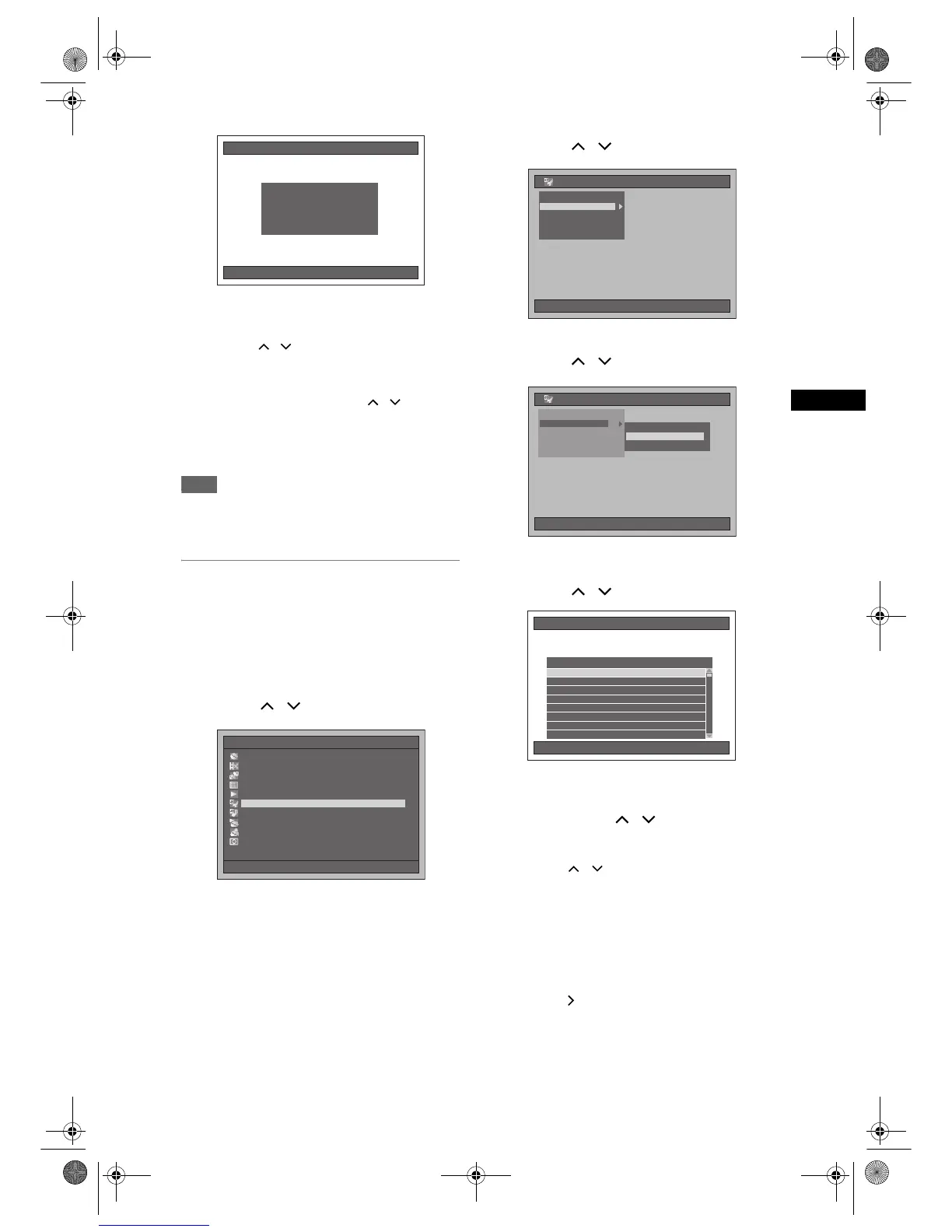
1 Press [SETUP] in stop mode.
Setup Menu will appear.
2 Select “Initial Setting” using
[Cursor
/ ], then press [ENTER].
3 Select “Channel Setting” using
[Cursor
/ ], then press [ENTER].
4 Select “Manual Tuning” using
[Cursor
/ ], then press [ENTER].
5 Select the position number of which
you want to change the setting using
[Cursor
/ ], then press [ENTER].
• You can select position numbers 01 to 99.
• You can jump to the next or the previous page
using [SKIP
F] or [SKIP B].
6 Press [Cursor / ] to start
searching for the available channel.
• Search direction can be switched by pressing
[Cursor
/ ].
• If you already know the channel number, you
can directly enter the channel number using
[the Number buttons]. Refer to the following
Channel Plan table and press the three digits to
select the channel number.
(To select channel 4, press [0] first and then
press [0] and [4]. Or press [4]. And when “4”
appears, wait for 2 seconds.)
• If this is the channel you want, press
[Cursor ].
Auto Tuning
Auto Tuning Now
Wait for a moment.
Auto Tuning Now
Wait for a moment.
10/04/06(Mon) 19:34
Setup Menu
10/04/06(Mon) 19:34
Disc Management
Editing
Dubbing
Timer Programme
Title List
Initial Setting
Digital Audio Setting
Playback
Recording
Display
Initial Setting
Clock Setting
TV Aspect
Select Video
Video Out
Channel Setting
10/04/06(Mon) 19:34
10/04/06(Mon) 19:34
Initial Setting
Clock Setting
TV Aspect
Select Video
Video Out
Channel Setting
MoveMove
Auto Tuning
Manual Tuning
10/04/06(Mon) 19:34
Manual Tuning
Pos. Channel Decoder Skip Station
P02 45
P03 63
P04 80
P05 88
P06 95
P01 21
P08 2
P07 110
Off
Off
Off
Off
Off
On
Off
Off
Off
Off
Off
Off
Off
Off
On
Off
---
---
---
---
---
BBC
---
---
E2B21BD_E2B28BD_EN.book Page 19 Monday, August 21, 2006 5:05 PM



 To Next Page