28
Recording
EN
Formatting a disc
Auto Format
Whenever you load a brand new DVD-RW disc, the
unit will ask you to format the disc.
1 Select the recording format you
prefer using [Cursor
/ ]. Then
press [ENTER] to format the disc.
• Brand new DVD-R disc is formatted in Video
mode. But limited to the brand new DVD-R disc
only, you can re-format the disc. Refer to
“Reformatting a disc (Disc Format)” below.
Note
• You cannot mix two formats on one DVD-RW disc.
When you load a disc once recorded before, the
recording format cannot be changed even if you
change it in the Setup Menu.
Reformatting a disc (Disc Format)
If you format a pre-recorded DVD-RW disc, all the
data contained in it will be erased and the disc will
return to the blank media status. This feature is only
available for the DVD-RW disc.
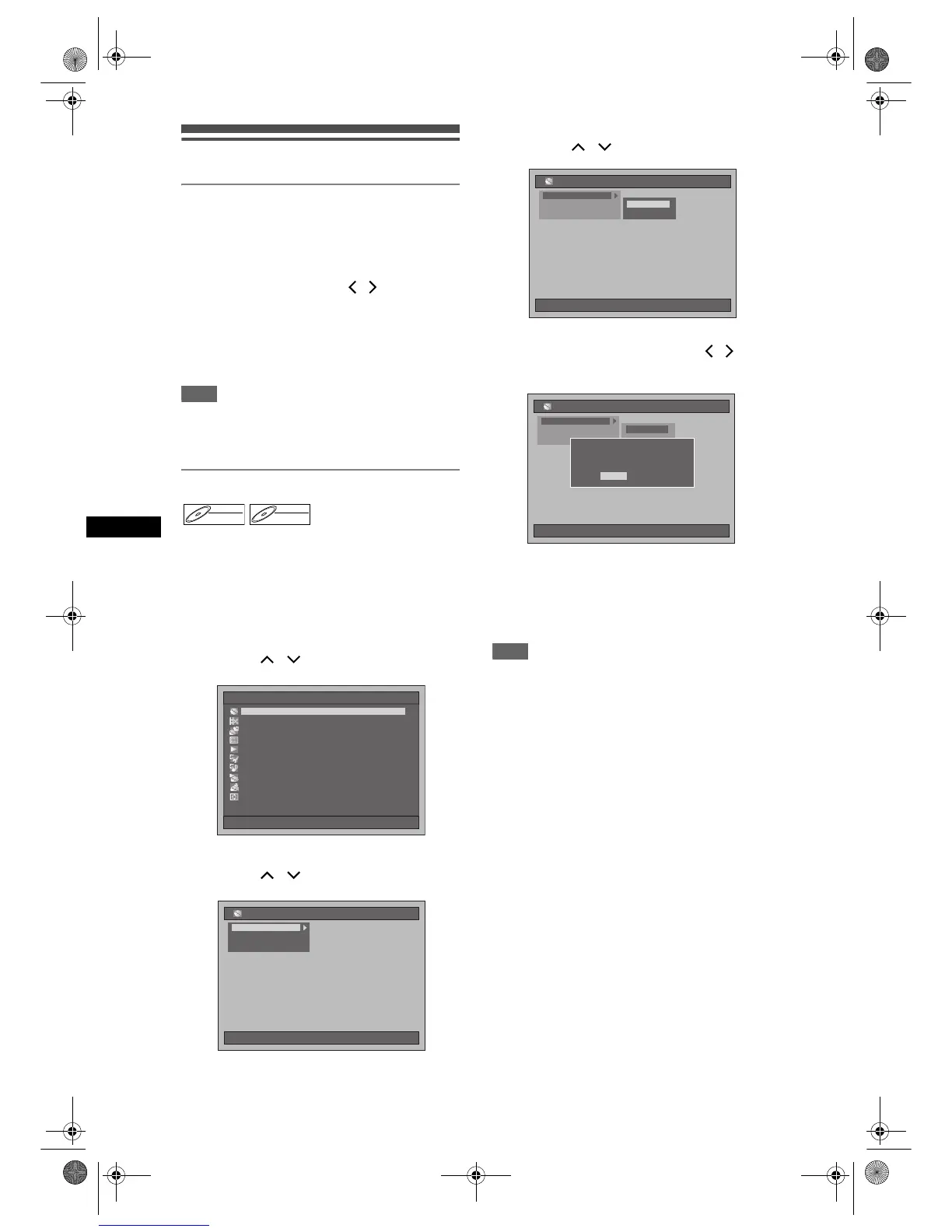
1 Press [SETUP] in stop mode.
Setup Menu will appear.
2 Select “Disc Management” using
[Cursor
/ ], then press [ENTER].
3 Select “DVD Format” using
[Cursor
/ ], then press [ENTER].
4 Select the desired setting using
[Cursor
/ ], then press [ENTER].
• The default setting is “VR Mode”.
5 Select “Yes” using [Cursor / ],
then press [ENTER].
Formatting will start.
Example: VR Format
• The screen returns to normal after formatting is
completed.
• This operation may take awhile to be completed.
Note
• When you reformat the DVD-RW disc, all contents
of the disc will be erased.
• A disc once formatted with this unit cannot be used
on other DVD recorders unless finalised.
DVD-RWDVD-RW
VR
DVD-RWDVD-RW
Video
Setup Menu
10/04/06(Mon) 19:34
Disc Management
EditingEditing
DubbingDubbing
Timer ProgrammeTimer Programme
Title ListTitle List
Initial SettingInitial Setting
Digital Audio SettingDigital Audio Setting
PlaybackPlayback
RecordingRecording
DisplayDisplay
DVD Disc Control
HDD Initialise
10/04/06(Mon) 19:34
Disc Management
DVD Format
DVD Disc Control
HDD Initialise
DVD Format
10/04/06(Mon) 19:34
Disc Management
Video ModeVideo Mode
VR Mode
DVD Disc Control
HDD Initialise
DVD Format
10/04/06(Mon) 19:34
Disc Management
Video ModeVideo Mode
VR Mode
No
Formatting the disc in VR mode.
OK to proceed?
Formatting the disc in VR mode.
OK to proceed?
Yes
E2B21BD_E2B28BD_EN.book Page 28 Monday, August 21, 2006 5:05 PM



 To Next Page