46
Playback
EN
Changing the order of the Title
display
You can display the titles by order of name, date or
unplayed (HDD only).
Press [DVD] or [HDD].
1 Press [TOP MENU] to display the
Title List Menu, then press [ENTER].
2 Select “Title Sorting” using
[Cursor
/ ]. Then press [ENTER].
3 Select the desired setting using
[Cursor
/ ], then press [ENTER].
Note
• When the titles are sorted and displayed by the
names, folders may be created for each names. In
order to display the contents of the files, press
[ENTER] on desired files, and select “Contents
Display” using [Cursor
/ ] and then press
[ENTER].
• The folders created for the title sorted by name will
disappear if you sort the titles by date or by
unplayed titles.
• This feature is not available for finalised Video mode
DVDs.
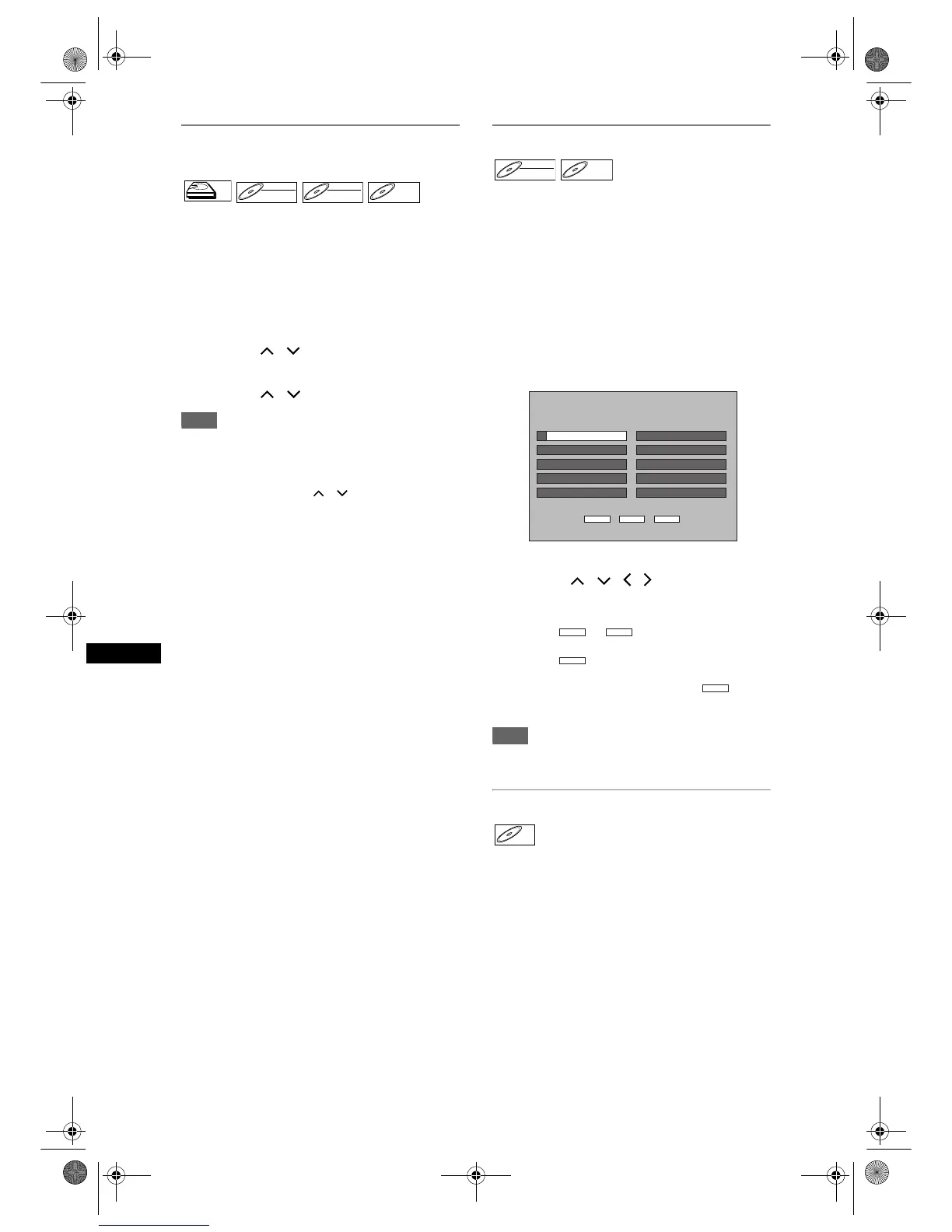
Playback from the DVD Menu
With finalised Video mode DVDs or the Video mode
DVDs made on other units, a DVD Menu may be
appeared instead of the Title List. DVD Menus are
created automatically when you finalise a Video mode
disc. With such discs, Title List is no longer available.
Follow the steps below to play back a disc using the
DVD Menu.
Press [DVD] first.
1 Insert a disc.
DVD Menu may appear automatically. Otherwise,
press [TOP MENU] to call up the DVD Menu.
2 Select a desired title using
[Cursor
/ / / ] then press
[PLAY P] or [ENTER].
Playback will start.
• Select or to jump to the next /
previous Title List page.
• Select , then press [ENTER] to exit. If you
call up the DVD menu during DVD playback, the
playback resume when you select .
3 Press [STOP S] to stop playback.
Note
• DVD Menu and operation may vary depending on
the discs.
Playing back a Video CD
1 Follow steps 1 to 4 in “Direct
Playback” on page 45.
2 Press [PLAY P] to start playback.
Playback will start.
• If a menu appears, see page 52 for details.
3 Press [STOP S] to stop playback.
HDDHDD
DVD-RWDVD-RW
VR
DVD-RWDVD-RW
Video
DVD-RDVD-R
DVD-RWDVD-RW
Video
DVD-RDVD-R
2 (0h02m47s)
3
4
5
6
7
8
9
10
QUIT Fwd.Prev.
DVD VIDEO MENU
1 (0h01m47s)
11:20
12:20
13:20
14:20
10:20
AV3
AV3
AV3
AV3
AV3 SP
SP
SP
SP
SP
(0h03m47s)
(0h04m47s)
(0h05m47s)
(0h07m47s)16:20
17:49
18:01
18:41
AV3
AV3
AV3
AV3
SP
(0h06m47s)15:20AV3 SP
XP
XP
SLP
(0h00m18s)
(0h00m07s)
(0h00m07s)
Prev. Fwd.
QUIT
QUIT
VCDVCD
E2B21BD_E2B28BD_EN.book Page 46 Monday, August 21, 2006 5:05 PM



 To Next Page