56
Playback
EN
Variable replay / Variable skip
During playback, you can skip forward or backward by
the amount of time you set in the Setup Menu.
To set the time amount, refer to “9. V. Replay/Skip
Speed” on page 80.
If you are playing the HDD, press [HDD] first.
If you are playing a disc, press [DVD] first.
Press [VARIABLE SKIP ] if you want
to skip forward.
Press [VARIABLE REPLAY ] if you
want to skip backward.
Zoom
If you are playing the HDD, press [HDD] first.
If you are playing a disc, press [DVD] first.
1 During playback, press
[MODE SELECT].
AV Mode Select Menu will appear.
2 Select “Zoom” using [Cursor / ],
then press [ENTER].
3 Select the desired zoom factor to
zoom using [Cursor
/ ], then
press [ENTER].
Four options are available, “x1.0”, “x1.2”, “x1.5”
and “x2.0”.
The zoom area is displayed.
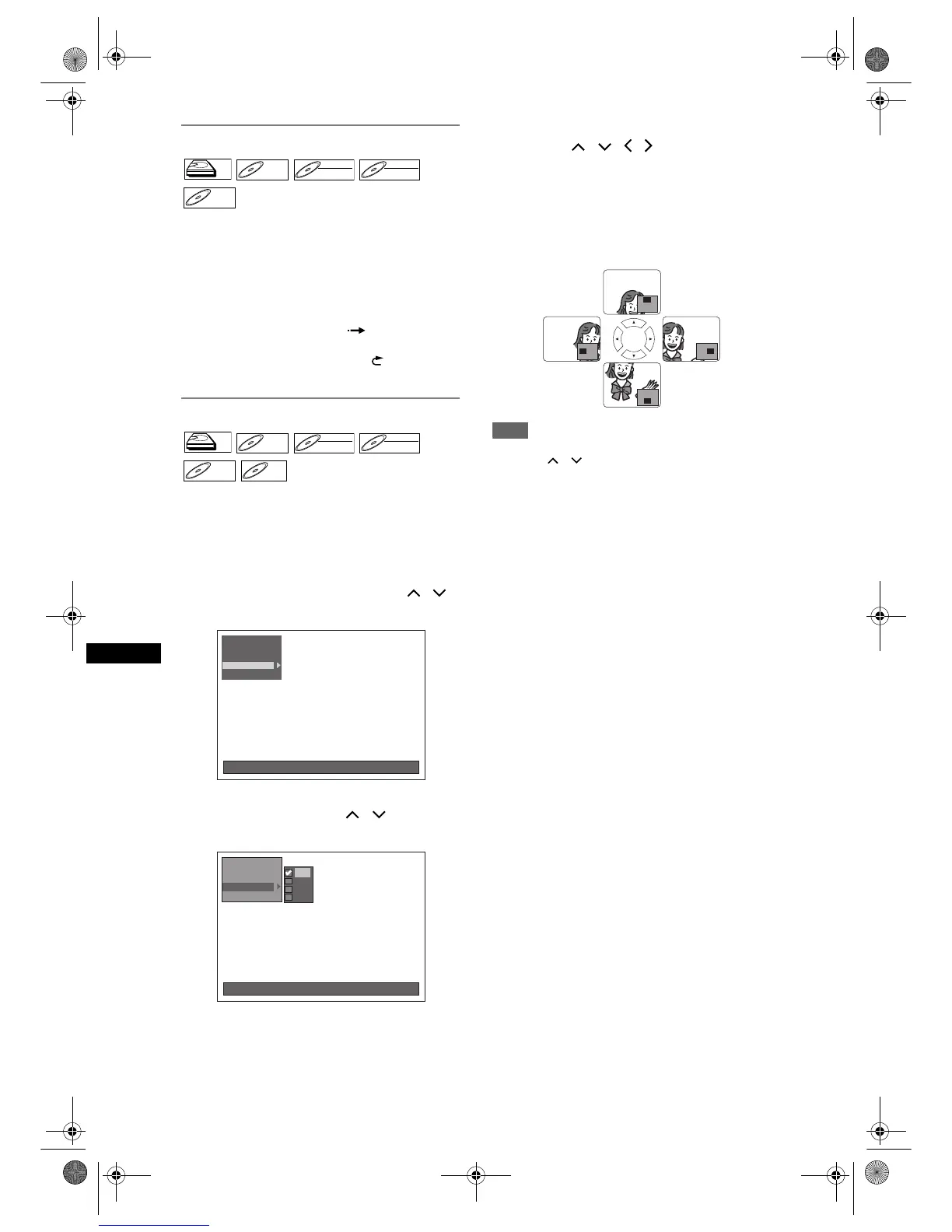
4 While the picture is enlarged, press
[Cursor
/ / / ] to move the
zoomed image up, down, left or right.
The gray box with an inner orange box that shows
during Zoomed Playback is the position guide.
The position of the orange box inside the gray box
indicates the position of the zoomed image within
the overall picture. The position guide disappears
about after 3 seconds if there is no input.
Note
• To cancel the zoom function, select “x1.0” using
[Cursor
/ ], then press [ENTER].
HDDHDD
DVD-VDVD-V DVD-RWDVD-RW
VR
DVD-RWDVD-RW
Video
DVD-RDVD-R
HDDHDD
DVD-VDVD-V DVD-RWDVD-RW
VR
DVD-RWDVD-RW
Video
DVD-RDVD-R
DivX



 To Next Page