64
Editing
EN
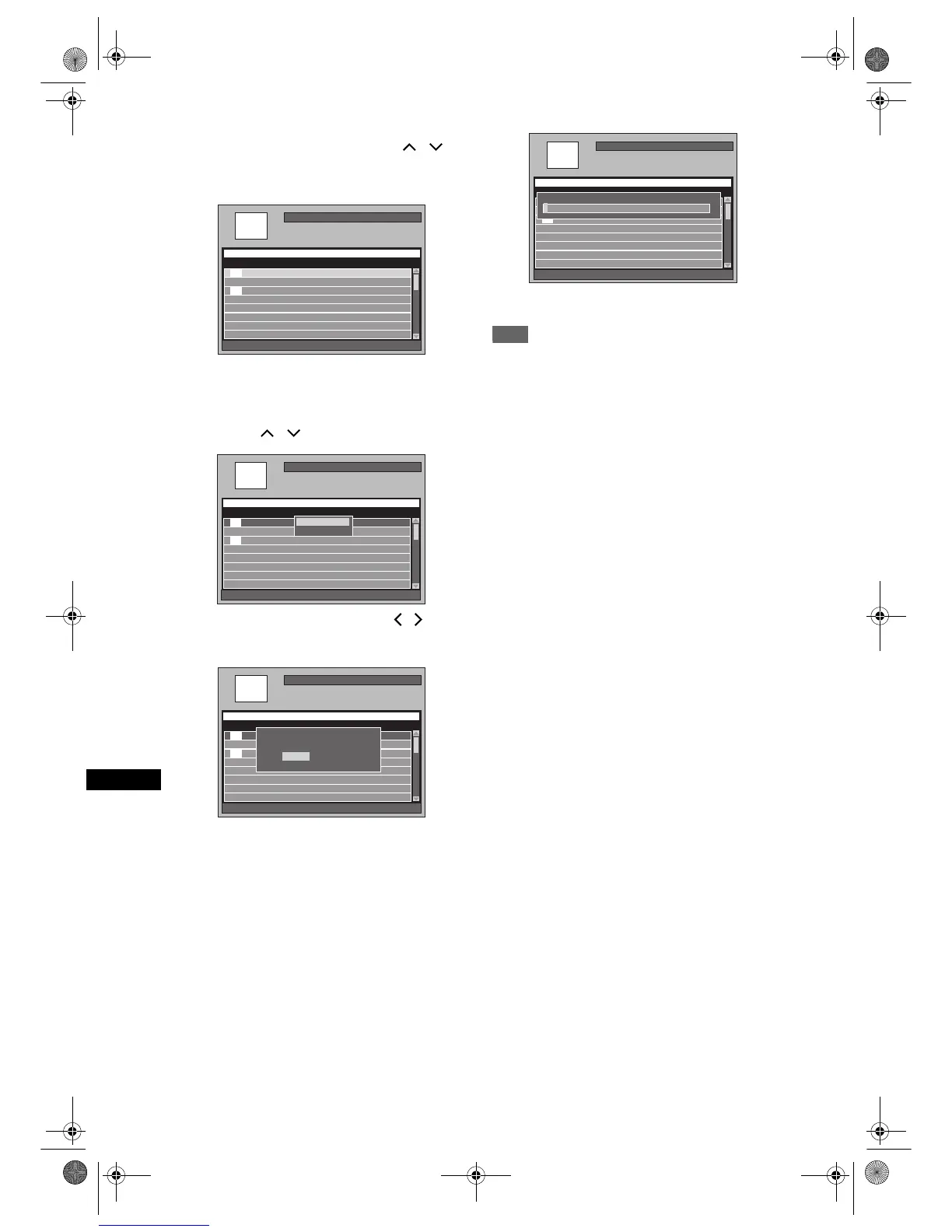
5 Select a desired title you want to add
to the Playlist using [Cursor
/ ],
then press [ENTER].
Example: [HDD PL] New
• The selected title is added to the Playlist.
•Press [SYSTEM] to switch Original and Playlist
if necessary.
6 Select “Select” using
[Cursor
/ ], then press [ENTER].
7 Select “Yes” using [Cursor / ],
then press [ENTER].
8 Input the title name in the Playlist
Title Name window if necessary.
Then press [ENTER]. See “Guide to
Edit Title Name” on page 69.
• If you want to leave the title name as it is, press
[ENTER].
• To create another playlist, repeat steps 3 to 8.
9 Press [SETUP] to exit.
Note
• For VR mode DVD-RW disc, if the Playlist contains
more than 99 titles or 999 chapters, “[DVD PL] New”
cannot be selected.
• For the HDD, if the Playlist contains more than 600
titles, “[HDD PL] New” cannot be selected.
• To delete titles from Playlist, refer to “Deleting titles”
on pages 65 to 66.
HDD Remain 72h00m(SP)
001/016
[HDD PL] New
Title Name Recording Date
P01 11:19 (0:00:06) SP 12/04/06(Wed)
P01 11:22 (0:14:13) XP 11/04/06(Tue)
P02 09:19 (0:22:40) SP 12/04/06(Wed)
Title Name 1 12/04/06(Wed)
Title Name 2 12/04/06(Wed)
Title Name 3 12/04/06(Wed)
Title Name 4 12/04/06(Wed)
P01 12:22 (1:04:40) XP 10/04/06(Mon)
P01 12:22 (1:04:40) XP
New
New
HDD Remain 72h00m(SP)
001/016
[HDD PL] New
Title Name Recording Date
P01 11:19 (0:00:06) SP 12/04/06(Wed)
P01 11:22 (0:14:13) XP 11/04/06(Tue)
P02 09:19 (0:22:40) SP 12/04/06(Wed)
Title Name 1 12/04/06(Wed)
Title Name 2 12/04/06(Wed)
Title Name 3 12/04/06(Wed)
Title Name 4 12/04/06(Wed)
P01 12:22 (1:04:40) XP 10/04/06(Mon)
P01 12:22 (1:04:40) XP
New
New
Title SortingTitle Sorting
Select
HDD Remain 72h00m(SP)
001/016
[HDD PL] New
Title Name Recording Date
P01 11:19 (0:00:06) SP 12/04/06(Wed)
P01 11:22 (0:14:13) XP 11/04/06(Tue)
P02 09:19 (0:22:40) SP 12/04/06(Wed)
Title Name 1 12/04/06(Wed)
Title Name 2 12/04/06(Wed)
Title Name 3 12/04/06(Wed)
Title Name 4 12/04/06(Wed)
P01 12:22 (1:04:40) XP 10/04/06(Mon)
P01 12:22 (1:04:40) XP
New
New
Create a Playlist.
OK to proceed?
Create a Playlist.
OK to proceed?
No
Yes
HDD Remain 72h00m(SP)
001/016
[HDD PL] New
Title Name Recording Date
P01 11:19 (0:00:06) SP 12/04/06(Wed)
P01 11:22 (0:14:13) XP 11/04/06(Tue)
P02 09:19 (0:22:40) SP 12/04/06(Wed)
Title Name 1 12/04/06(Wed)
Title Name 2 12/04/06(Wed)
Title Name 3 12/04/06(Wed)
Title Name 4 12/04/06(Wed)
P01 12:22 (1:04:40) XP 10/04/06(Mon)
P01 12:22 (1:04:40) XP
New
New
Playlist Name
P01 12:22 (1:04:40) XP
P
E2B21BD_E2B28BD_EN.book Page 64 Monday, August 21, 2006 5:05 PM



 To Next Page