1. OPERATION
1-38
cally named with the next sequential waypoint number. If you want to change way-
point name, go to step 4. Otherwise, go to step 6.
Note 1: When one of below setting is selected, the latitude and longitude position
at the cursor position is output to the navigator as set in step 2.
• When [TLL] or [FURUNO-TLL] is selected at [TLL Output] window on the
[NMEA0183] menu (FCV-800 only).
• When [On] is selected at [NMEA output] window on the [NMEA2000] menu.
Note 2: If you attempt to enter more than 20 waypoints, the message "Already en-
tered 20 waypoints. No more waypoint can be entered." appears. In this case,
erase an unwanted waypoint to enable entry. (See subsection 1.23.3 for details.)
However, the L/L position is output to the connected equipment.
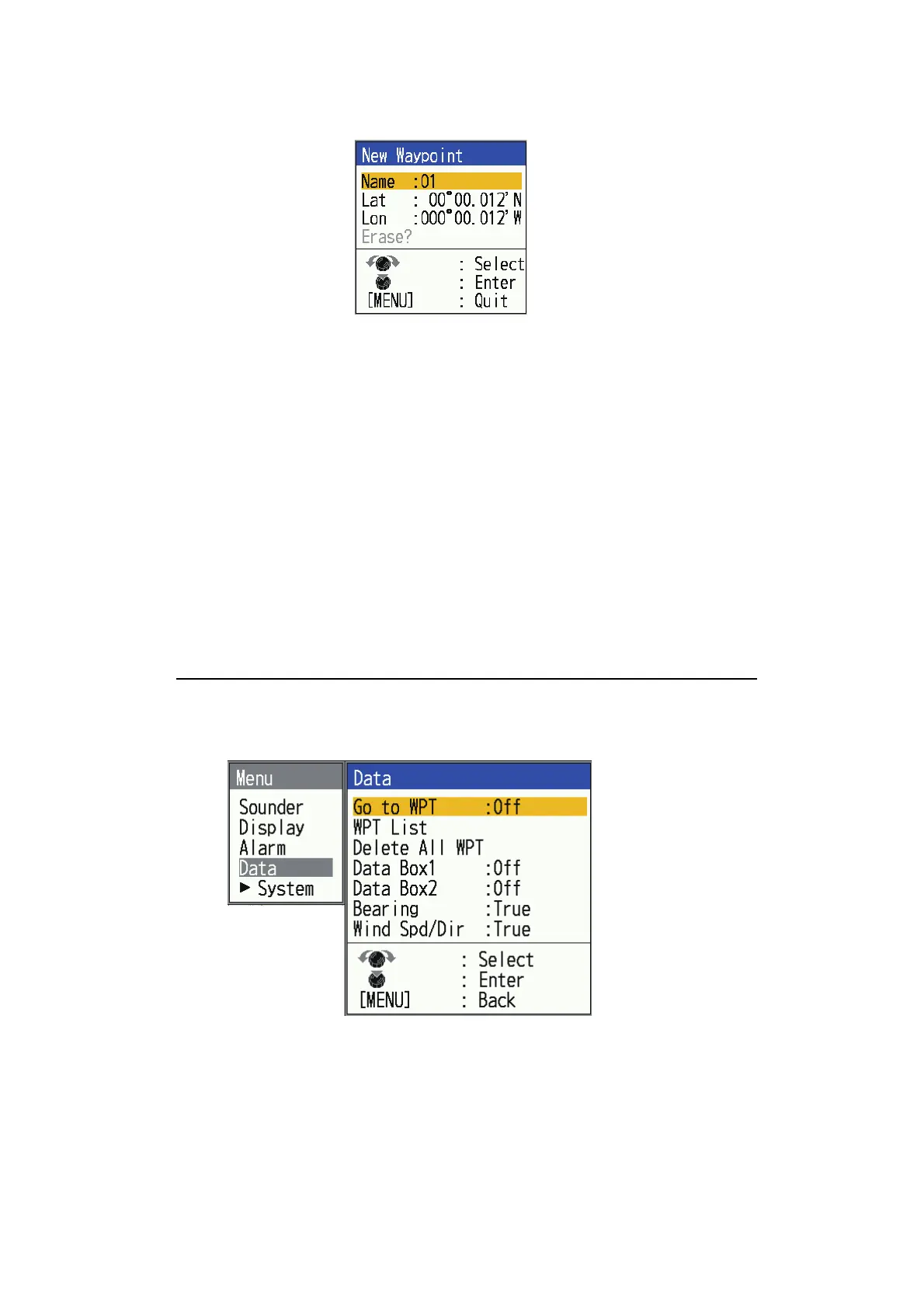
4. Press the KNOB to open the waypoint name entry box.
5. Enter the waypoint name (Max. 8 characters).
See page 1-16 for details.
6. Press the MENU/ESC key to close the window.
How to register a waypoint by manual entry of latitude and longitude
1. Press the MENU/ESC key to open the menu.
2. Select [Data], then press the KNOB.
*
*: Not operative when no position data is input.
*



 To Next Page