Description of Operating Screens
12
3-2. Description of Operating Screens
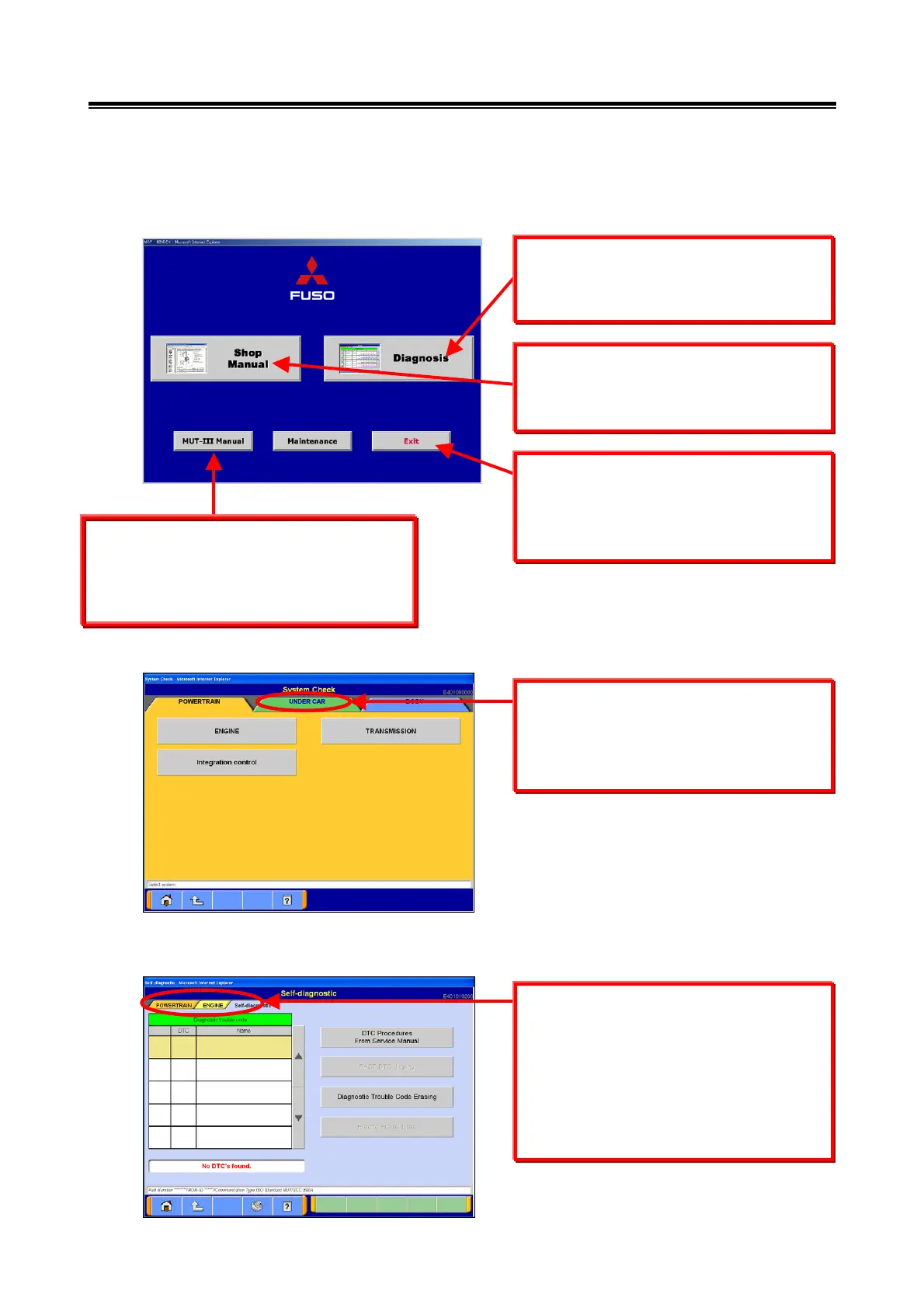
<Start-Up Screen>
<System Selection Screen>
<Diagnostic Screen>
This button is used to activate the Fault
Diagnostics System. Refer to section
3-4 for operating procedures.
This button is used to shut down the
MUT-III System.
Refer to section 3-5 for operating
procedures.
This button is used to view the MUT-III
Instruction Manual on the PC.
Refer to section 3-4-3 for operating
procedures.
On the system selection screen,
different main item categories can be
viewed by selecting the different tabs,
located at the top of the screen.
Service Guide Display
dditional functions will be included
later.
This screen displays titles for 3
hierarchies, in order to allow the user to
understand which operation is currently
running in each system.
Selecting a different tab from the upper
part of the screen will not change the
title displayed.


 To Next Page