Recording with the Drive Recorder
48
5-1-3. Recording by Using the Previous Settings
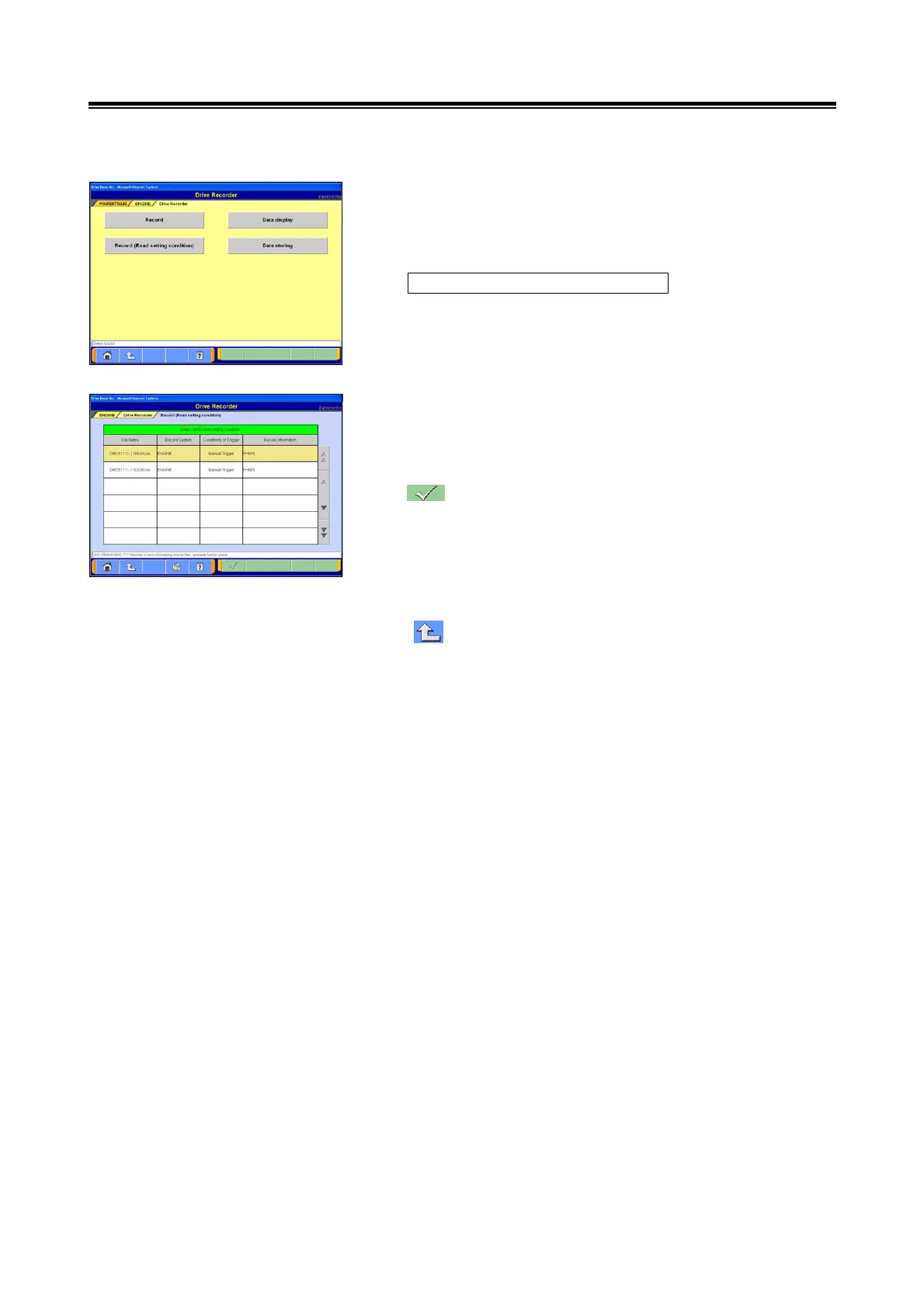
(1) The previous recording settings can be restored to
re-record data under the same conditions as those used for
the previous data file.
Select the
Record (Read Setting Condition) button from the Drive
Recorder menu screen.
(2) Select the data for which settings must be restored, from
the Setting Conditions File list.
After displaying the Setting Conditions File list, the
recording conditions can be reset.
--- OK
When displaying the data recorded with the
stand-alone V.C.I.:
-> go to section 5-1-1.(7).
When displaying data recorded with the PC.
-> go to section 5-1-2.(7).
--- Touch this button to return 1 level: go to section
(1).


 To Next Page