Removing a memory card from PC
18
3-6. Removing a memory card from PC
3-6-1. Removal Procedures for a memory card from PC
Before you remove the memory card, make sure to perform
the following procedures to stop the memory card, if the
data has been transferred between PC and memory card.
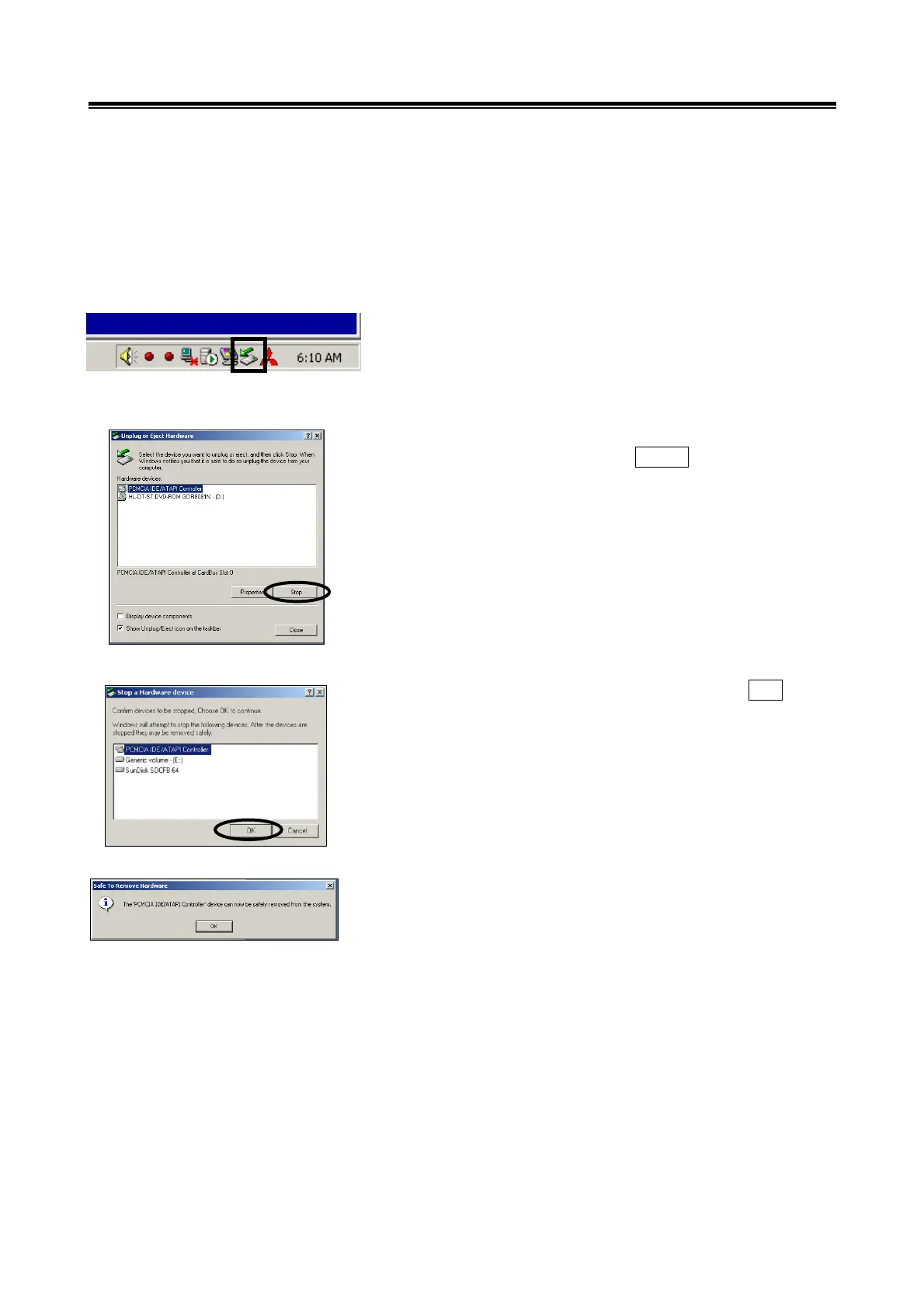
(1) Before you remove the memory card, double-click the icon
for removal of adaptor displayed on the bottom-right corner.
(2) Select [PCMCIA IDE/ATAPI Controller] or the other
appropriate device, then press Stop button.
(3) Verify the contents of the selection, then press
OK button.
(4) After displayed the message “The device can now be
safely removed from the system”, push the lever on the
side of PC m-card slot and remove the memory card.
Caution:
Do not remove the memory card away unless complete
above method or turn off the PC.
Double click here


 To Next Page