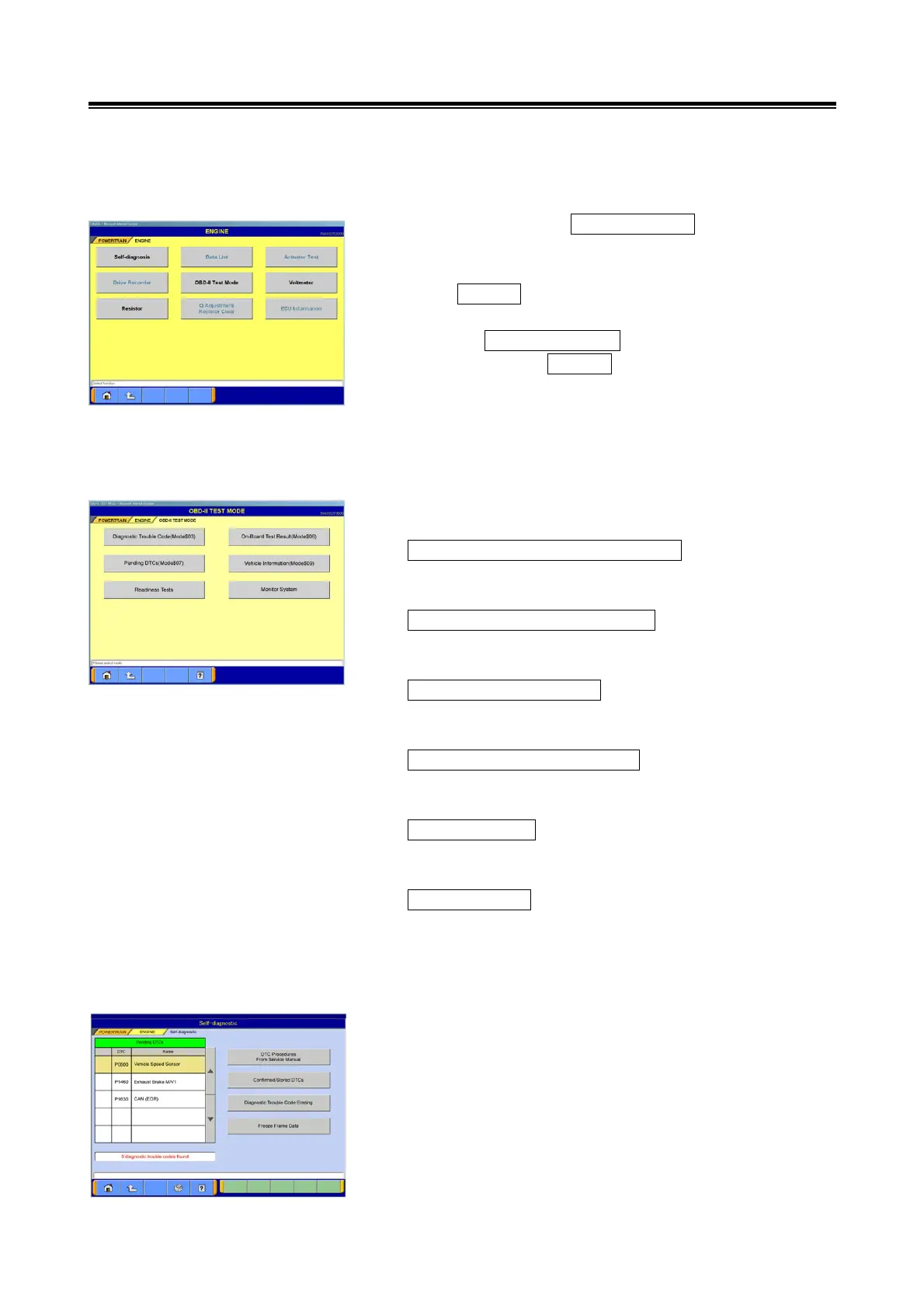
Operating Procedures for the OBD-II Test Mode menu
76
7-5 Operating Procedures for the OBD-II Test Mode menu
7-5-1. OBD-II Test Mode menu
(1) Change the screen to POEWERTRAIN by selecting its tab
located on the upper side of system selection menu
screen.
Select ENGINE from the POWERTRAIN-related menu.
Select the OBD-II Test Mode button from the function
selection screen of ENGINE.
(2) Function selection screen of ODB-II Test Mode is
displayed.
Diagnostic Trouble Code(Mode$03)
Diagnostic Trouble Code displaying screen is displayed.
→ go to section 7-5-2.
On-Board Test Result(Mode$06)
Monitor System selection screen is displayed.
→ go to section 7-5-3.
Pending DTCs(Mode$07)
Pending DTCs displaying screen is displayed.
→ go to section 7-5-4.
Vehicle Information(Mode$09)
Vehicle Information selection screen is displayed.
→ go to section 7-5-5.
Readiness Tests
Readiness Test result displaying screen is displayed.
→ go to section 7-5-6.
Monitor System
Monitor System displaying screen is displayed.
→ go to section 7-5-7.
7-5-2. Diagnostic Trouble Code(Mode$03)
Self-diagnostic displaying screen is displayed.
Usable buttons are the same as ones on section 4-1-1.


 To Next Page