Operating Procedures for the Data List
21
4-2. Operating Procedures for the Data List
4-2-1. Displaying the Data List
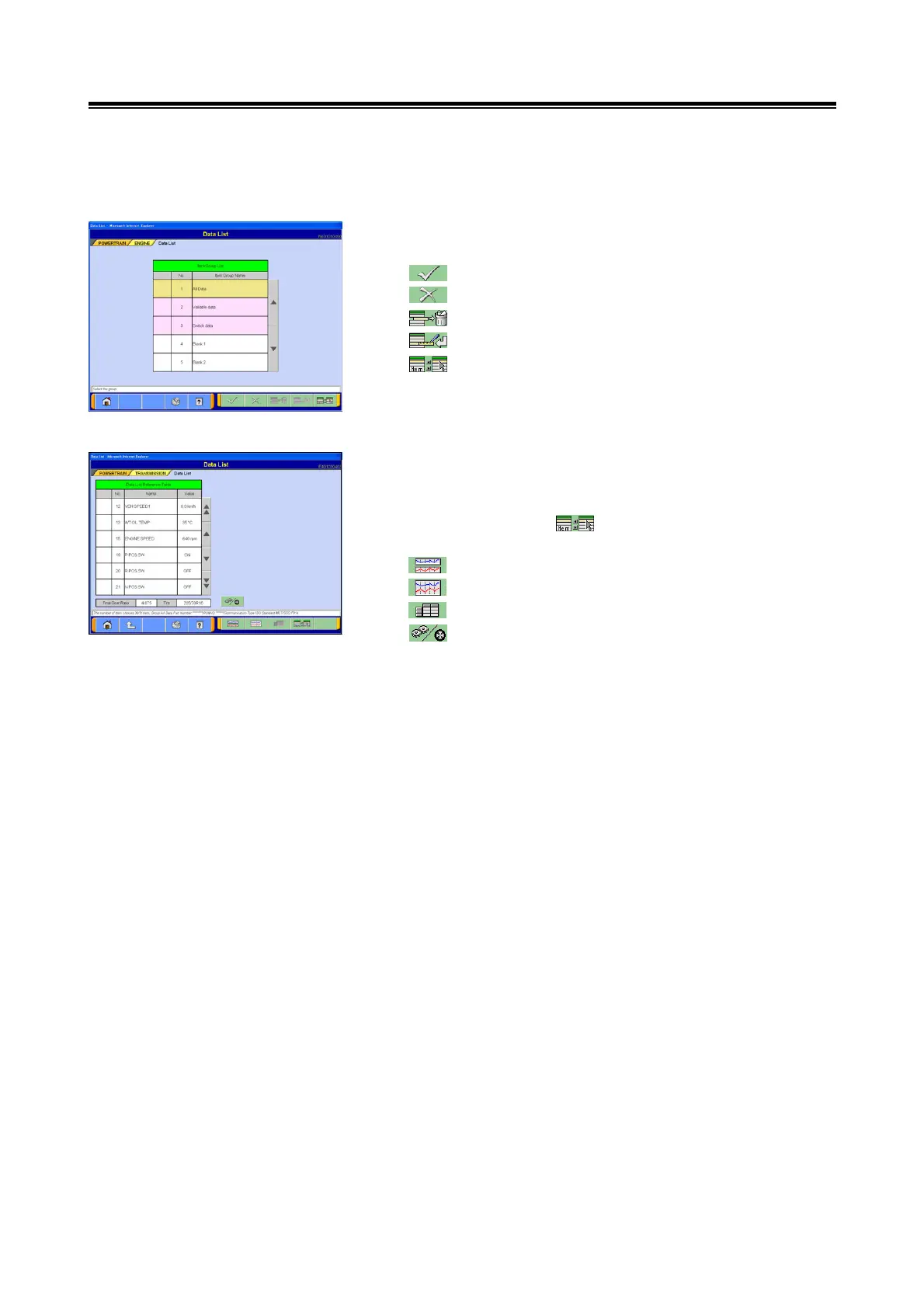
(1) Select item group
Select the desired item group to be displayed.
--- Text View: refer to section (2).
--- Screen will return to the calling screen.
--- Registered select group is cleared.
--- Group Registration: refer to section 4-2-4.(1).
--- Select display item: refer to section (5).
(2) Text View
When the number of items displayed must be reduced or
when the order in which items are displayed must be
changed, use the button to forward to the item
selection screen: refer to section (4).
--- Graph View 1: refer to section (2).
--- Graph View 2: refer to section (3)
--- Text View
--- Select this button to move forward to the display
screen showing the final gear ratio setting and
tire information refer to section 4-2-4.(4).
<Note>
The order in which items are displayed can be changed:
refer to section 4-2-4.(1).


 To Next Page