Operating Procedures for the Data List
22
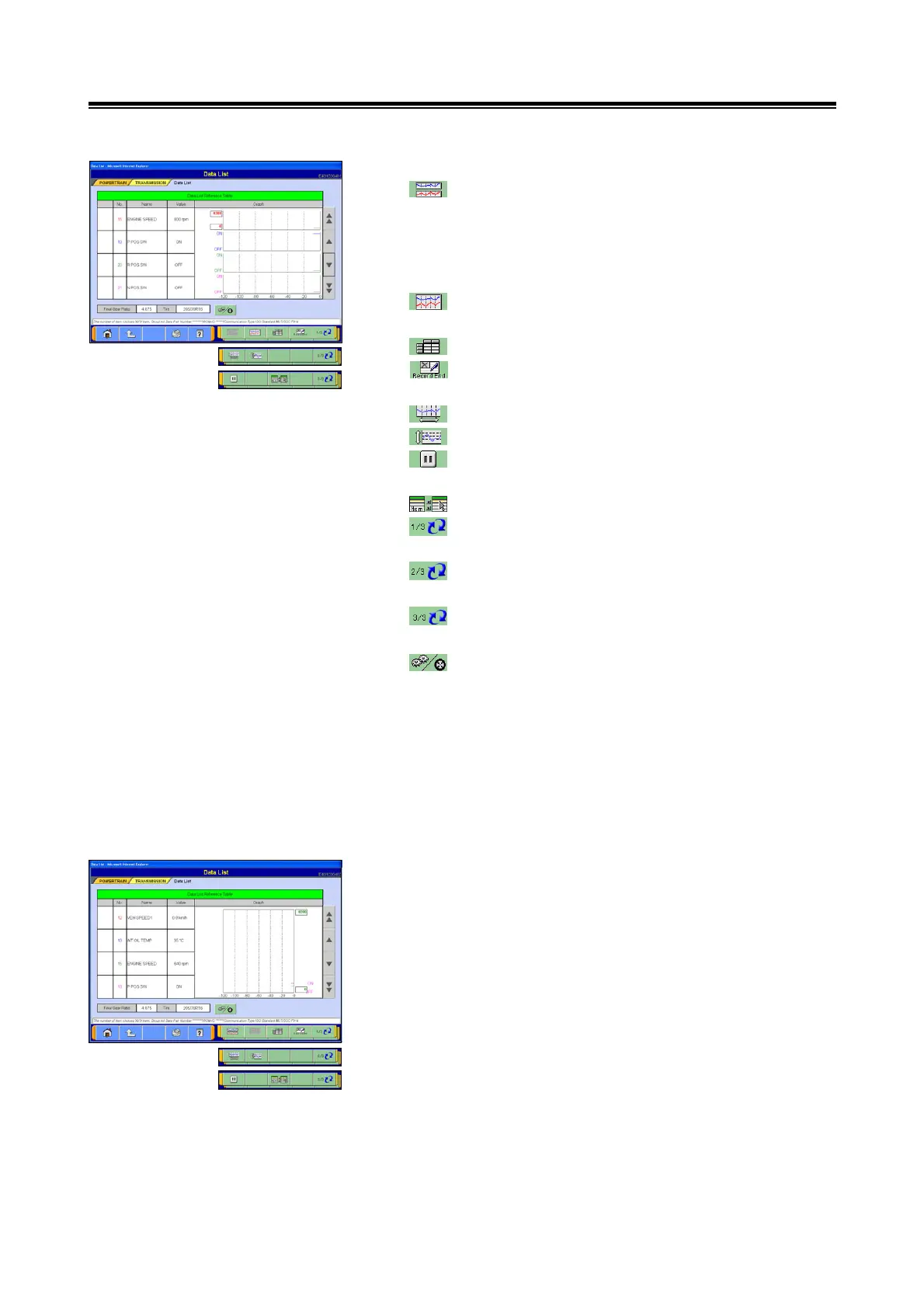
(3) Graph View 1
--- Graph View 1 (The graph height area will
change in accordance with the number of items
displayed. For example, if 3 items are
displayed, the graph height area will be divided
into 3.)
--- Graph View 2 (overlay graph view): refer to
section (3).
--- Text View: refer to section (1).
--- Save and regenerate Data List: refer to section
4-2-2.(1).
--- Change time scale
--- Change data scale
--- Graph View pause / resume: refer to section
4-2-4.(3).
--- Select display item: refer to section (4).
--- Switch displays of individual function button (1/3
view)
--- Switch displays of individual function button (2/3
view)
--- Switch displays of individual function button (3/3
view)
--- Select this button to move forward to the display
screen showing the final gear ratio setting and
tire information refer to section 4-2-4.(4).
<Note>
• The order in which items are displayed can be changed:
refer to section 4-2-4.(1).
• The data range can be changed to user-specified values:
refer to section 4-2-4.(2).
(4) Graph View 2
The buttons available for use with Graph View 2 are the
same as those used for Graph View 1.


 To Next Page