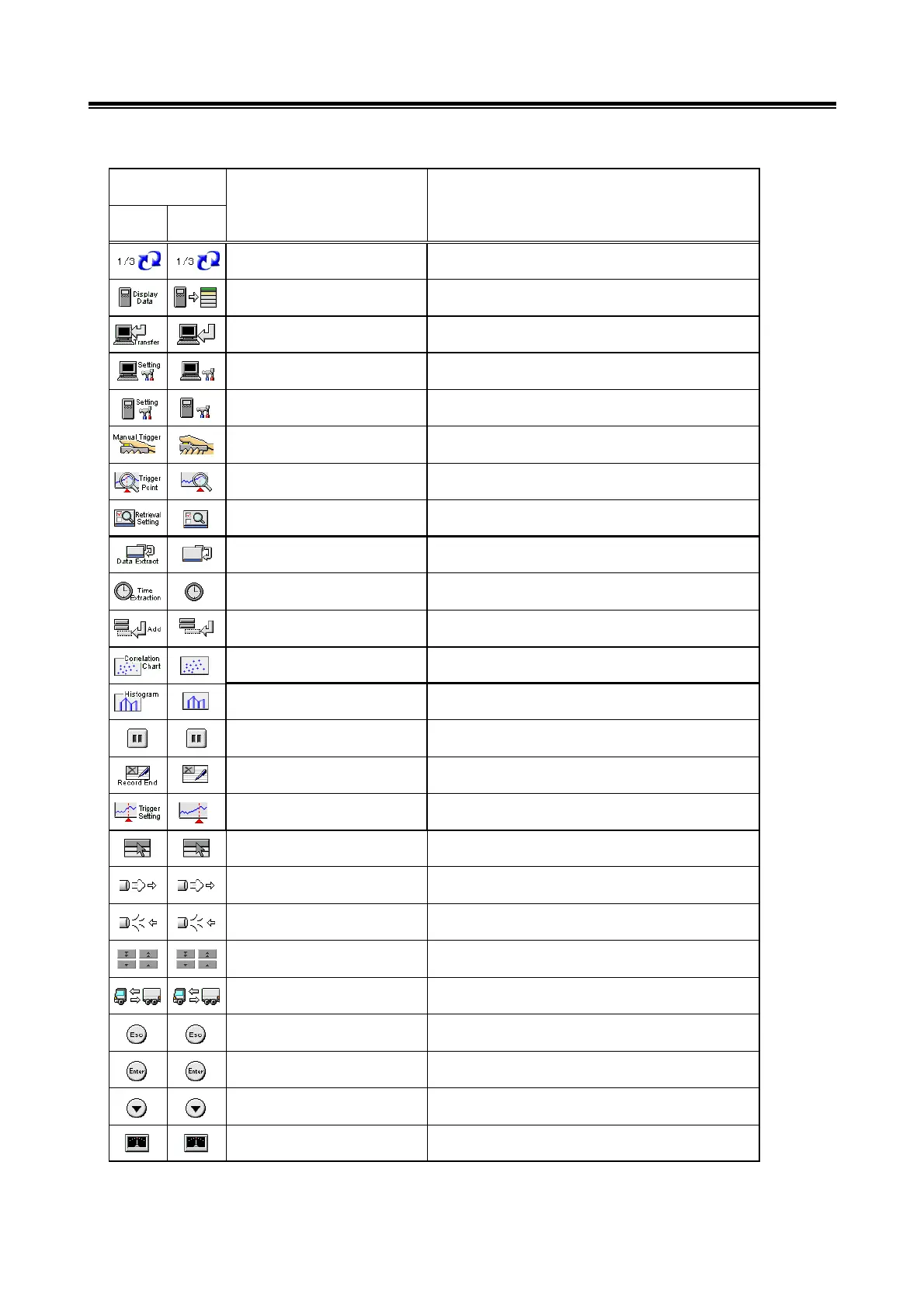
Description of Buttons on the Operating Screens
14
English
Except
English
1/3 Change of function button
(1/3 display)
View V.C.I.
Regeneration data
Displays a list of V.C.I.
Regeneration data.
Button Name Button Function
Button Image
Data transfer Transmits the data of the selected block to the PC.
Open setting screen (PC) Opens the setting screen used to record information
on the PC.
Open setting screen (V.C.I.) Opens the setting screen used to record information
on the V.C.I..
Manual trigger Generates a manual trigger.
Trigger point data Jumps to the trigger point.
Data Retrieval Opens the search condition settings screen.
Data extraction settings Opens the extraction condition (data) screen.
Time setting Opens the extraction condition (time) screen.
Add Adds items.
Correlation chart Opens the correlation chart settings screen.
Distribution map Opens the distribution chart settings screen.
Pause Pause
Record finish Record finish
Trigger setting Trigger setting
Systems select Systems select.
Exhaust Exhaust
Air intake Air intake
4 button Shows an enlarged view of the
4 buttons.
Front/Rear change Front/Rear change
Esc ESC Key function of V.C.I.
Enter Enter Key function of V.C.I.
Down arrow Down arrow Key function of V.C.I.
Zero point calibration Corrects the measurement function.


 To Next Page