Recording with the Drive Recorder
50
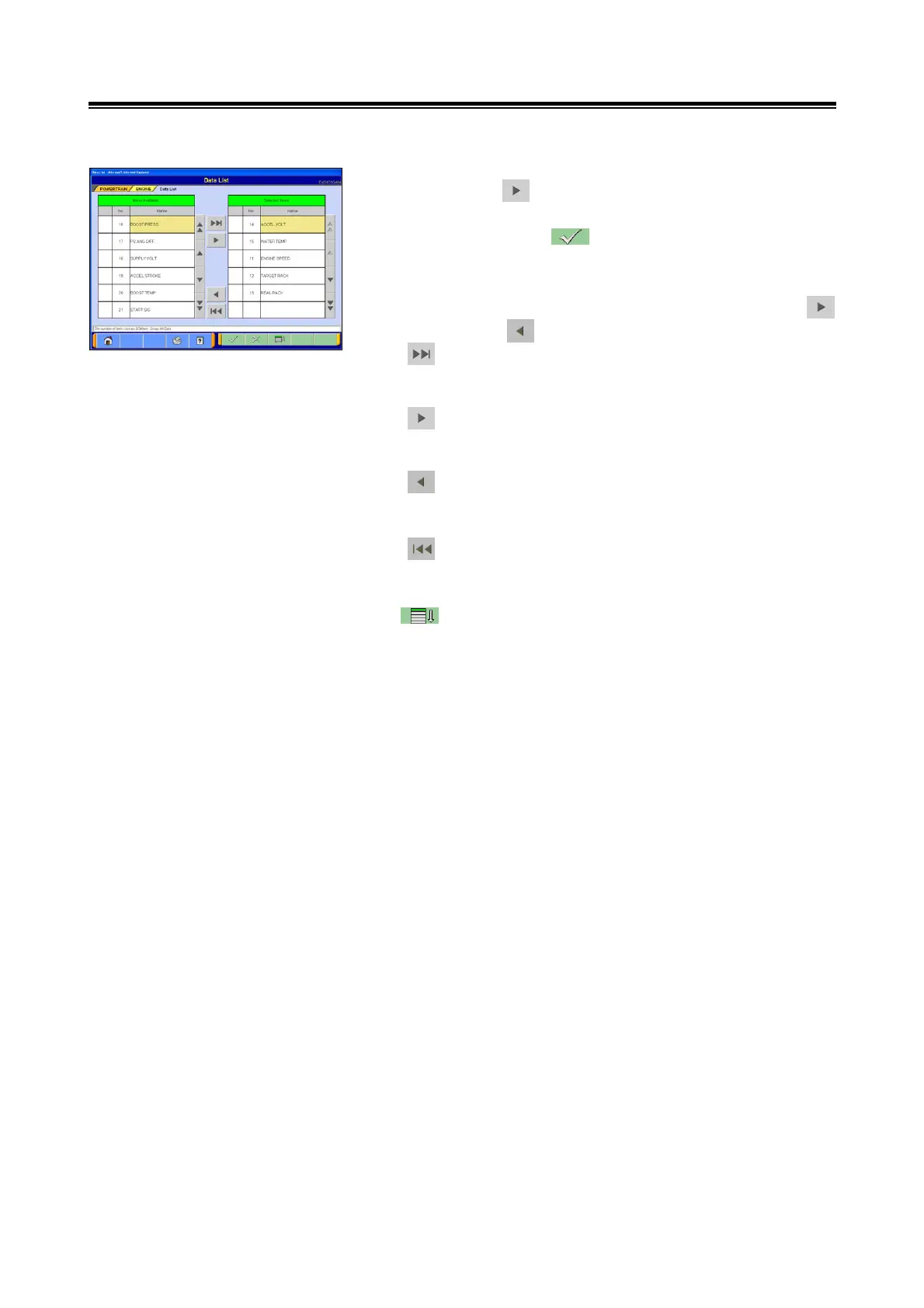
(3) Selecting registered item
Pressing the button moves desired items to be
registered as a group, to the Selected item list.
After you press the button, Item group is registered,
then the screen returns to section (1).
<Note>
Items can be moved back and forth by using either the
button or the button as necessary.
--- Touch this button to insert all the items from the
Selectable Item list into the desired positions on the
Selected Item list.
--- Touch this button to insert the item currently chosen
from the Selectable Item list into the desired
position on the Selected Item list.
--- Touch this button to move the item currently chosen
from the Selected Item list to the very bottom
position on the Selectable Item list.
--- Touch this button to move all the items from the
Selected Item list to the very bottom of the
Selectable Item list.
--- Touch this button to change the order of items on
both the Selectable Item list and the Selected Item
list, in accordance with the specified default setting.


 To Next Page