EasyManua.ls Logo

FUTABA FX40 - HW Setting

FUTABA FX40
129 pages
Print Icon
To Next Page IconTo Next Page
To Previous Page IconTo Previous Page
Loading...
37
<System Menu>
O
perat
i
on d
i
rect
i
on reversal method
7RXFKWKHVHWW
L
QJEXWWRQFRUUHVSRQG
L
QJWR
W
KH+:
+DUGZDUH
\RXZDQWWRUHYHUVH
5HYHUVHWKH+:E\WRXFK
L
QJ><HV@
:KHQ
\
RXZDQWWRVWRSRSHUDW
L
RQWRXFK>1R@
>
1RUPDO@1RUPDORSHUDW
L
RQG
L
UHFW
L
RQ
>
5HYHUVH
@
5HYHUVHVWKHR
S
HUDWLRQGLUHFWLRQ
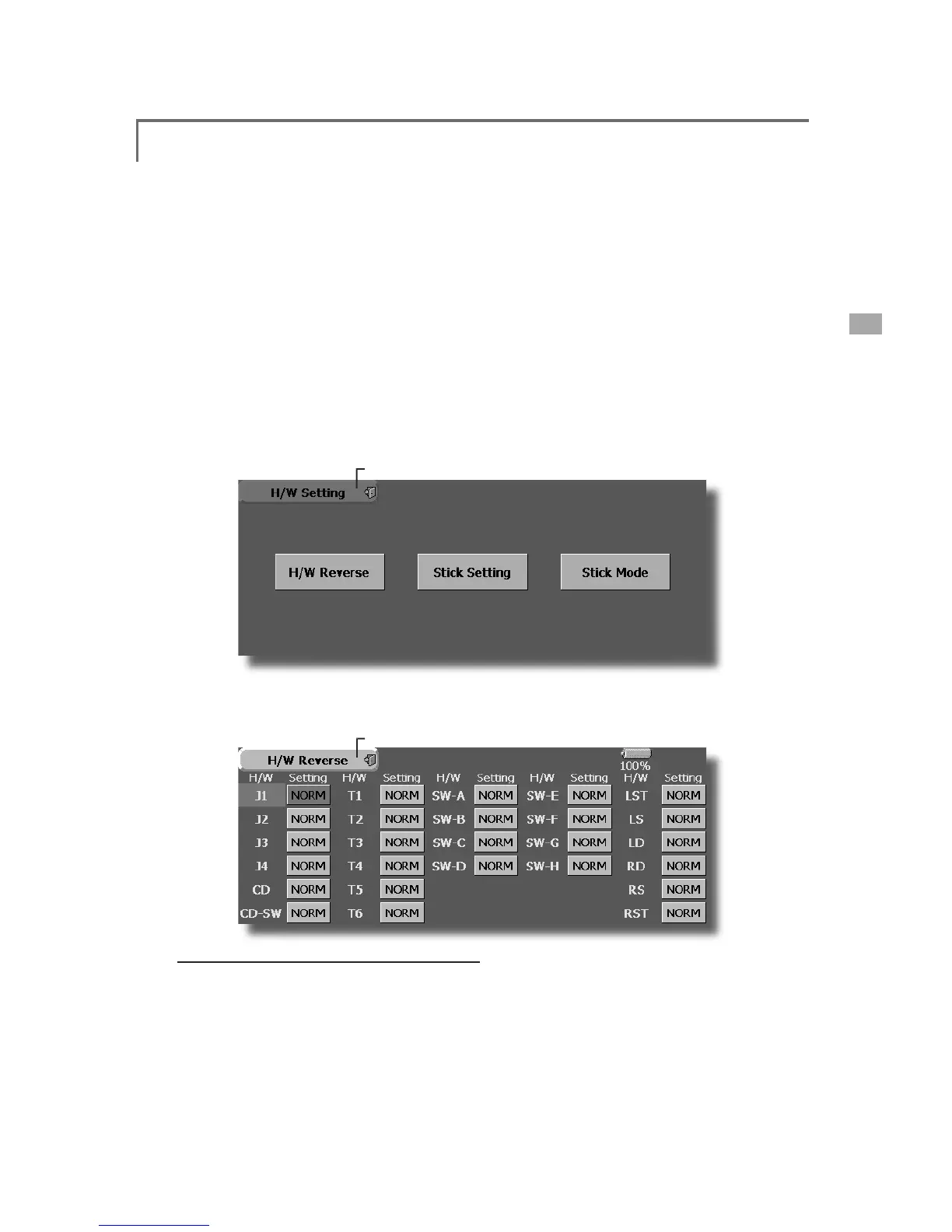
H/W Setting
6WLFNVZLWFKWULPOHYHUDQGNQRERSHUDWLRQGLUHFWLRQUHYHUVDO
+DUGZDUH
UHYHUVH
6W
L
FNUHVSRQVHDQGK
L
VWHU
L
V
L
VDG
M
XVWPHQW
6W
L
FN6HWW
L
QJ
H
/
W Revers
e
T
his function reverses the operation si
g
nal of the
s
ticks
,
switches
,
trimmer levers
,
and knobs
.
Note: This settin
g
reverses the actual operation
si
g
nal, but does not chan
g
e the display of
the indicators on the dis
p
la
y
. Use the Normal
mode as lon
g
as there is no special reason to
use
t
he
R
e
v
e
r
se
m
ode.
S
tick Settin
g
Thi
s funct
i
on sets t
h
e servo response an
d
hy
steres
i
s for st
i
c
k
operat
i
on for eac
h
con
di
t
i
on.
The control feelin
g
of the stick can be ad
j
usted to
mat
ch
t
he
a
e
r
ob
at
ics.
ŏ
7RXFKWKH>+:6HWWLQ
J
@EXWWRQDWWKH6\VWHP
0HQXWRFDOOWKHVHWX
S
VFUHHQVKRZQEHORZ
ŏ5HWXUQWR6\VWHP0HQ
X
S
t
i
ck mode
The stick mode of the FX40 is set to mode 1 or 2
(
factory setting). It can be changed to mode 2 or 1
.
Note: It may be necessary to change the stic
k
m
ode before settin
g
the model data. The
m
ode of an alread
y
set model and the mode
o
f the currently used model are not chan
g
ed.
T
he model mode is a
pp
lied to models added
af
ter the model mode change, or to models
whose operat
i
on data has all been reset by
d
ata reset
f
unct
i
on.
Note: Set the throttle st
i
ck ratchet mechan
i
sm
b
y referrin
g
to [Stick ad
j
ustment].
ŏ7RXF
K
W
K
H
>
+
:5HYHUVH
@
E
XWWRQDWW
K
H+
:
6HWW
L
QJ0HQXWRFDOOWKHVHWXSVFUHHQVKRZQ
E
H
O
RZ
ŏ5HWXUQWR+:6HWWLQ
J
0HQ
X

Table of Contents

Related product manuals