EasyManua.ls Logo

FUTABA FX40 - Data Reset

FUTABA FX40
129 pages
Print Icon
To Next Page IconTo Next Page
To Previous Page IconTo Previous Page
Loading...
72
<Linkage Menu>
ŏ
5HWXUQWR/LQND
J
H0HQ
X
ŏ7RXFKWKH>'DWD5HVHW@EXWWRQ
L
QWKH/
L
QNDJH0HQX
W
RFD
OO
W
K
HVHWXSVFUHHQV
K
RZQ
E
H
O
RZ
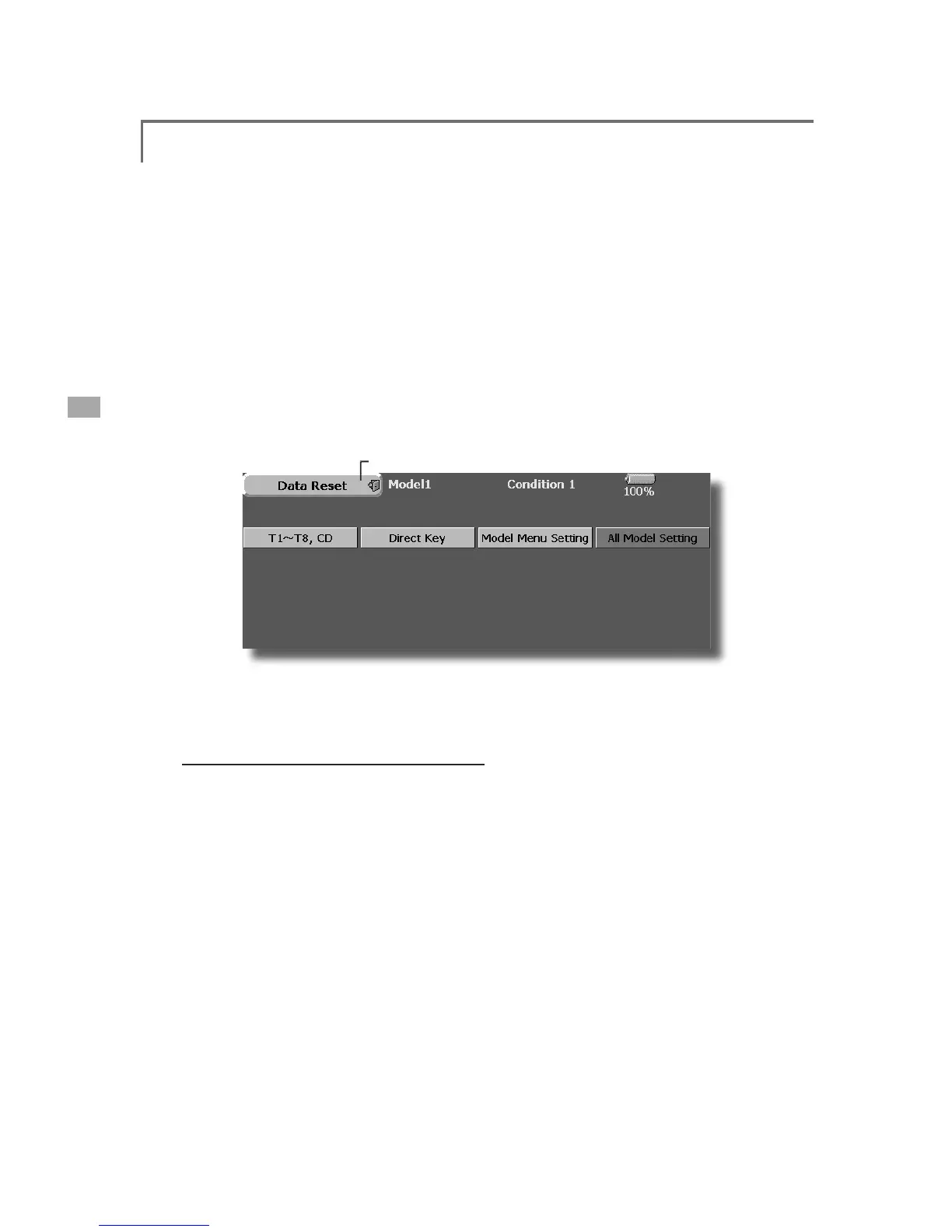
Data Reset
0RGHOPHPRU\VHWW
L
Q
J
GDWDUHVHW
E\
L
WHP
Thi
s funct
i
on
i
s
d
es
i
gne
d
to a
ll
ow you to reset
s
elected portions or all of the settin
g
s saved in
the active model memory. You may individually
c
h
oose to reset t
h
e fo
ll
ow
i
ng sets of
d
ata;
T1~T8, CD:
R
eset the digital trim setting.
*All the conditions, or the condition currentl
y
bein
g
displa
y
e
d
(
t
h
e ent
i
re
g
roup for
g
roup sett
i
n
g)
, can
b
e se
l
ecte
d
.
Di
rect ke
y:
R
esets direct key assignment
.
D
ata Resettin
g
7
RXF
KWK
H
GHV
LU
HG
EX
WW
R
QW
R
U
HVH
WWK
H
VH
W
R
I
GD
W
D
3HUIRUPWKHGDWDUHVHWWLQ
J
DFFRUGLQ
J
WRWKH
L
QVWUXFWLRQVGLV
S
OD
\
HGRQDVFUHHQ:KHQ
F
RP
S
OHWHWRXFKWKH'DWD5HVHWEXWWRQ WR
H
[
L
W
Model menu sett
i
ng
:
R
esets all the functions in the Model Menu
e
xce
p
t Con
di
t
i
on Se
l
ect
.
All model sett
i
ng
:
R
esets all Linka
g
e and Model Menu functions
e
xcept for Frequency, Mo
d
e
l
Se
l
ect, an
d
Mo
d
e
l
Ty
pe.

Table of Contents

Related product manuals