EasyManua.ls Logo

FUTABA FX40 - Airbrake

FUTABA FX40
129 pages
Print Icon
To Next Page IconTo Next Page
To Previous Page IconTo Previous Page
Loading...
99
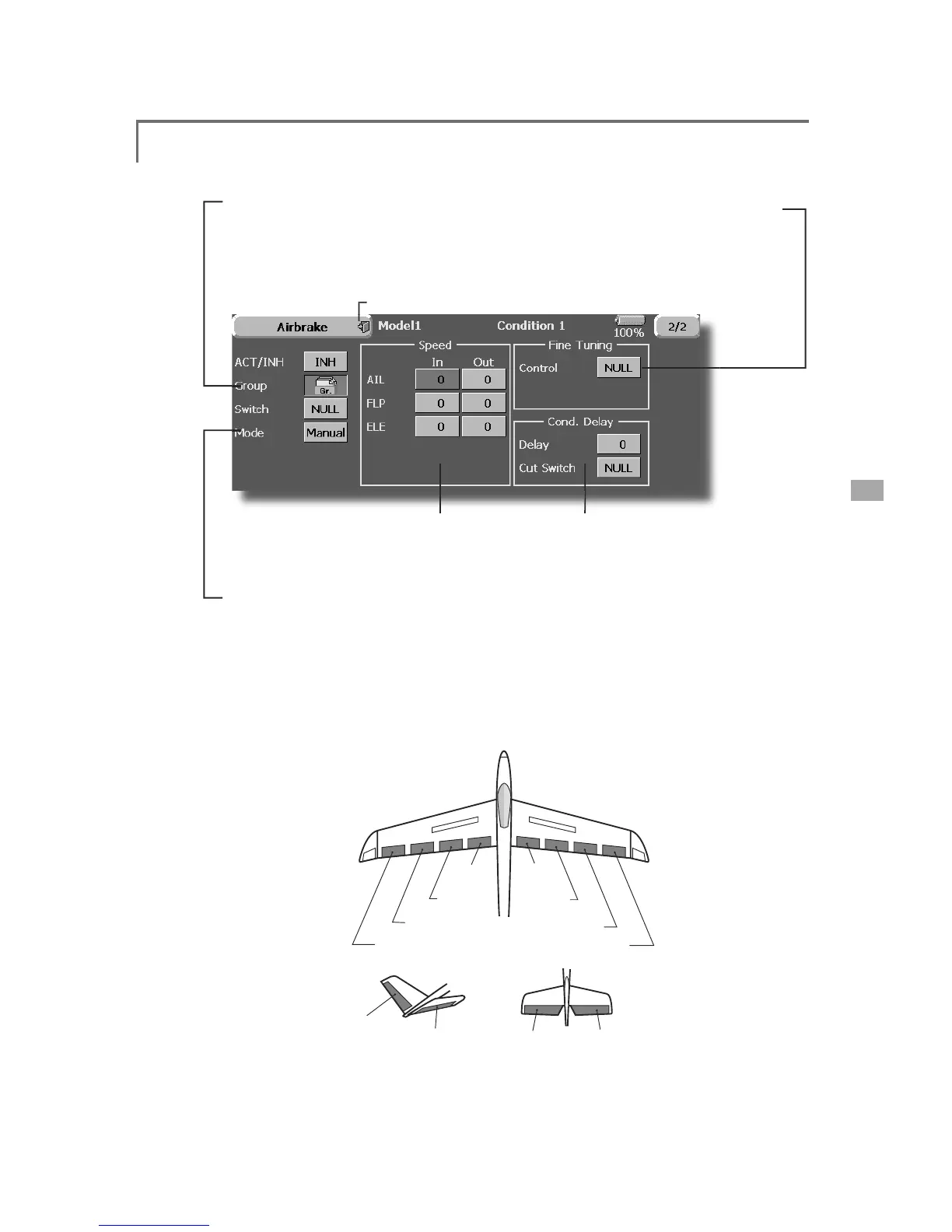
<Model Menu (Airplane/Glider Functions)>
AIL 3
(Chip Aileron)
AIL 4
(Chip Aileron)
AIL1
(Main Aileron)
AIL 2
(Main Aileron)
FLP 2
(Camber Flap)
FLP 1
(Camber Flap)
FLP 3
(Brake Flap)
FLP 4
(Brake Flap)
ELEVATOR
ELEVATOR 2
V-TAIL
ELEVATOR
ELEVATOR 2
AILEVATOR
ŏ5
H
W
X
UQW
R
0
RGH
O0
H
Q
X
ŏ
*URXSVLQ
J
OHPRGHVZLWFKLQ
J
(
Gr./Sn
g
l
)
(
For more
i
nformat
i
on, see t
h
e
description at the back of this manual.
)
ŏ:KHQXVLQ
J
DILQHWXQLQ
J
95WRXFKWKLV
button to call the <
S
witch> screen
.
ŏ
&RQG
L
W
L
RQGHOD\VHWW
L
QJ
I
RUD
d
escr
i
pt
i
on o
f
the sett
i
ng method,
s
ee the descr
i
pt
i
on at the back o
f
t
his manual
)
and cut switch settin
g
.
ŏ
$
L
OHURQV
I
ODSVDQHOHYDWRUVVHUYR
speed sett
i
n
g
(For a description of the setting method, see the
descri
p
tion at the back of this manual.
)
ŏ
0DQXDO
$XWRPRGHVHOHFWLRQ
0DQXDO6Z
L
WFKHVWKH
I
XQFW
L
RQ212))E
\
VZ
L
WFK
A
uto: Trim mix function call can be linked to a stick
,
etc. A stick switch, etc. se
p
arate from the function
21
2))VZLWFKLVVHW
(
Airbrake setup screen 2/2
)

Table of Contents

Related product manuals