EasyManua.ls Logo

FUTABA FX40 - Servo Reverse

FUTABA FX40
129 pages
Print Icon
To Next Page IconTo Next Page
To Previous Page IconTo Previous Page
Loading...
63
<Linkage Menu>
ŏ5HWXUQWR/LQND
J
H0HQ
X
ŏ7RXFKWKH>6HUYR5HYHUVH@EXWWRQLQWKH/LQND
J
H
0HQXWRFD
OO
W
K
HVHWXSVFUHHQV
K
RZQ
E
H
O
RZ
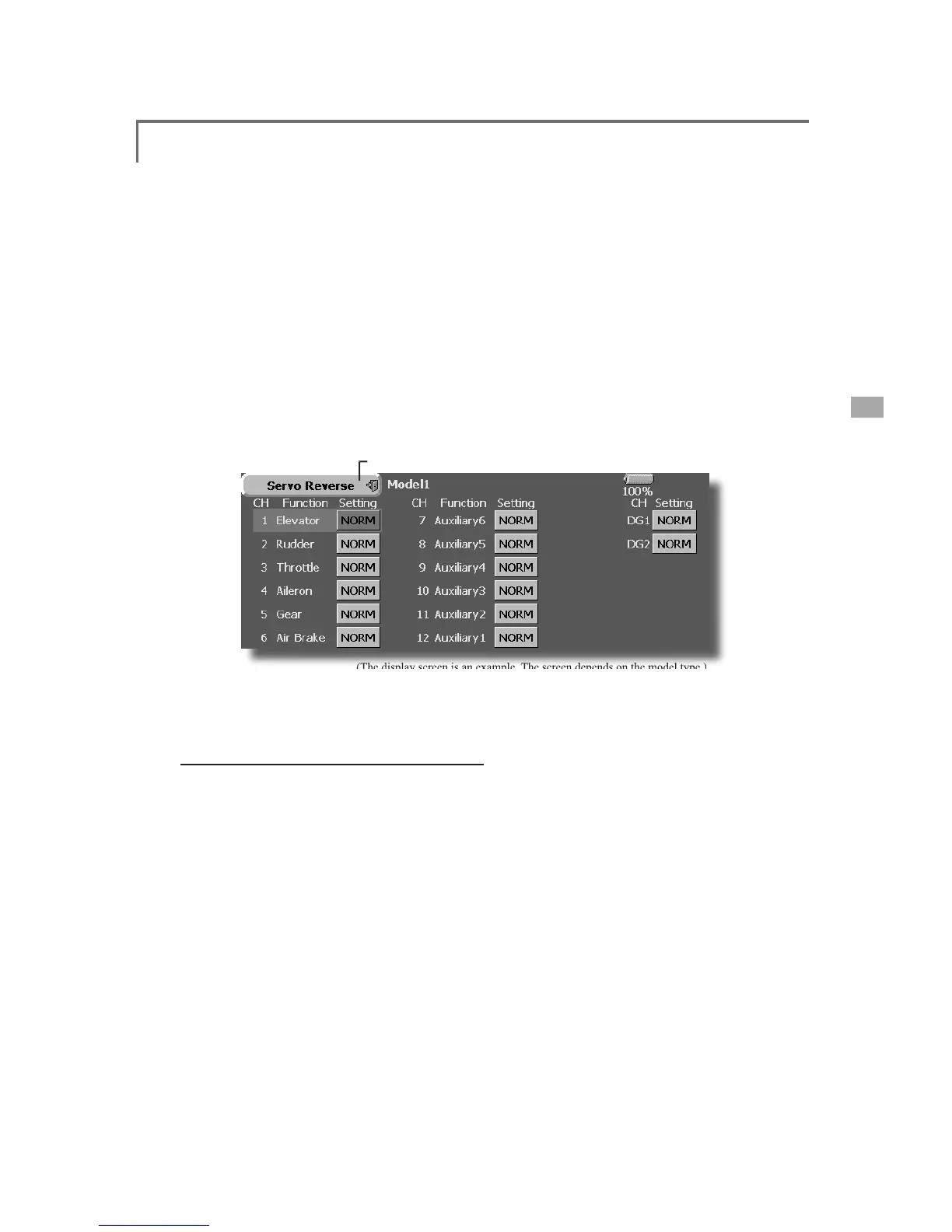
Servo Reverse
8
VHWRUHYHUVHWKHWKURZGLUHFWLRQ
(The
display
screen
is
an
example
.
The
screen
depends
on
the
model
type
.
)
Servo Reverse c
h
anges t
h
e
di
rect
i
on of an
individual servo’s response to a control stick
m
ove
m
e
nt
.
For CCPM
h
e
li
copters,
b
e sure to rea
d
t
h
e
sect
i
on on Swas
h
AFR
b
efore revers
i
n
g
an
y
servos.
With CCPM helicopters, always complete your
servo revers
i
ng pr
i
or to any ot
h
er programm
i
ng.
I
f
y
ou use pre-
b
u
il
t A
i
rp
l
ane
/
Sa
il
p
l
ane funct
i
ons
S
ervo reversin
g
procedur
e
After sett
i
ng up a new mo
d
e
l
,
b
e sure to
d
ef
i
ne a
ll
spec
i
a
l
menus. Be sure t
h
at a
ll
servos
a
re plu
gg
ed into the proper receiver channels.
Now,
d
eterm
i
ne w
h
et
h
er you nee
d
to reverse any
ch
anne
l
s
by
mov
i
n
g
eac
h
st
i
c
k
an
d
o
b
serv
i
n
g
t
h
e
c
orrespondin
g
movement in the model’s controls.
7RXFKWKHGHVLUHGFKDQQHO·V6HWWLQ
J
EXWWRQ
WRFKRRVHWKH
S
UR
S
HUGLUHFWLRQIRUWKHVHUY
R
7
RXF
K´<
HV
µLQWK
H
Q
H
[W
VF
U
HH
Q
5HSHDWIRUHDFKVHUYRQHHGLQ
J
UHYHUVDO
:KHQGRQH
WRXFK´ 6HUYR5HYHUVHµWRUHWXUQWR
WKH/LQND
J
H0HQX
t
h
at contro
l
mu
l
t
i
p
l
e servos,
i
t may
b
e confus
i
ng
to tell whether the servo needs to be reversed or a
setting in the function needs to be reversed. See the
i
nstruct
i
ons for eac
h
spec
i
a
li
ze
d
funct
i
on for furt
h
er
d
etails. Alwa
y
s check servo direction prior to ever
y
ÀLJKWDVDQDGGLWLRQDOSUHFDXWLRQWRFRQ¿UPSURSHU
mo
d
e
l
memory,
h
oo
k
ups, an
d
ra
di
o funct
i
on
.

Table of Contents

Related product manuals