EasyManua.ls Logo

FUTABA FX40 - Page 73

FUTABA FX40
129 pages
Print Icon
To Next Page IconTo Next Page
To Previous Page IconTo Previous Page
Loading...
73
<Model Menu (Common Functions)>
MODEL MENU (COMMON FUNCTIONS)
Thi
s sect
i
on
d
escr
ib
es t
h
e AFR, program m
i
x
i
ng,
a
nd other functions common to all model t
y
pes
.
Before settin
g
the model data, use the Model
Type funct
i
on of t
h
e L
i
n
k
age Menu to se
l
ect t
h
e
mo
d
e
l
t
y
pe matc
h
e
d
to t
h
e a
i
rcraft. W
h
en anot
h
er
model t
y
pe is selected thereafter, the AFR, pro
g
ram
m
i
x
i
ng, an
d
ot
h
er sett
i
ng
d
ata are reset.
Th
e funct
i
ons
i
n t
h
e Mo
d
e
l
Menu can
b
e set fo
r
each fli
g
ht condition. When
y
ou want to use the
system
b
y sw
i
tc
hi
ng t
h
e sett
i
ngs for eac
h
con
di
t
i
on
by
sw
i
tc
h
, st
i
c
k
pos
i
t
i
on, etc., use t
h
e Con
di
t
i
on
S
elect function to add fli
g
ht conditions. (Up to 8
c
on
di
t
i
ons can
b
e use
d)
Note: The FX-40
i
s des
i
gned so that the a
i
rplane
and gl
i
der
(i
nclud
i
ng EP gl
i
der
)
model types are
compatible with aircraft of similar type wings
.
This section outlines the relationshi
p
between the
f
unctions common to airplanes and gliders, except
s
ome dedicated functions, and model type.
The settin
g
items depend on the number of servos
and other d
iff
erences accord
i
n
g
to the w
i
n
g
type
used, but reread them. The setup screens
i
n the
i
nstruct
i
on manual are t
ypi
cal exam
p
les.
ŏ5H
W
XUQ
W
R+RPHVFUHH
Q
ŏ7RXFKWKH0RGHO0HQXEXWWRQR
I
WKH+RPHVFUHHQWRFDOOWKH
0R
G
H
O
0HQX
ŏ:KHQWKHEXWWRQRIWKHIXQFWLRQ\RXZDQWWRVHWLVWRXFKHGD
setu
p
screen a
pp
ears
.
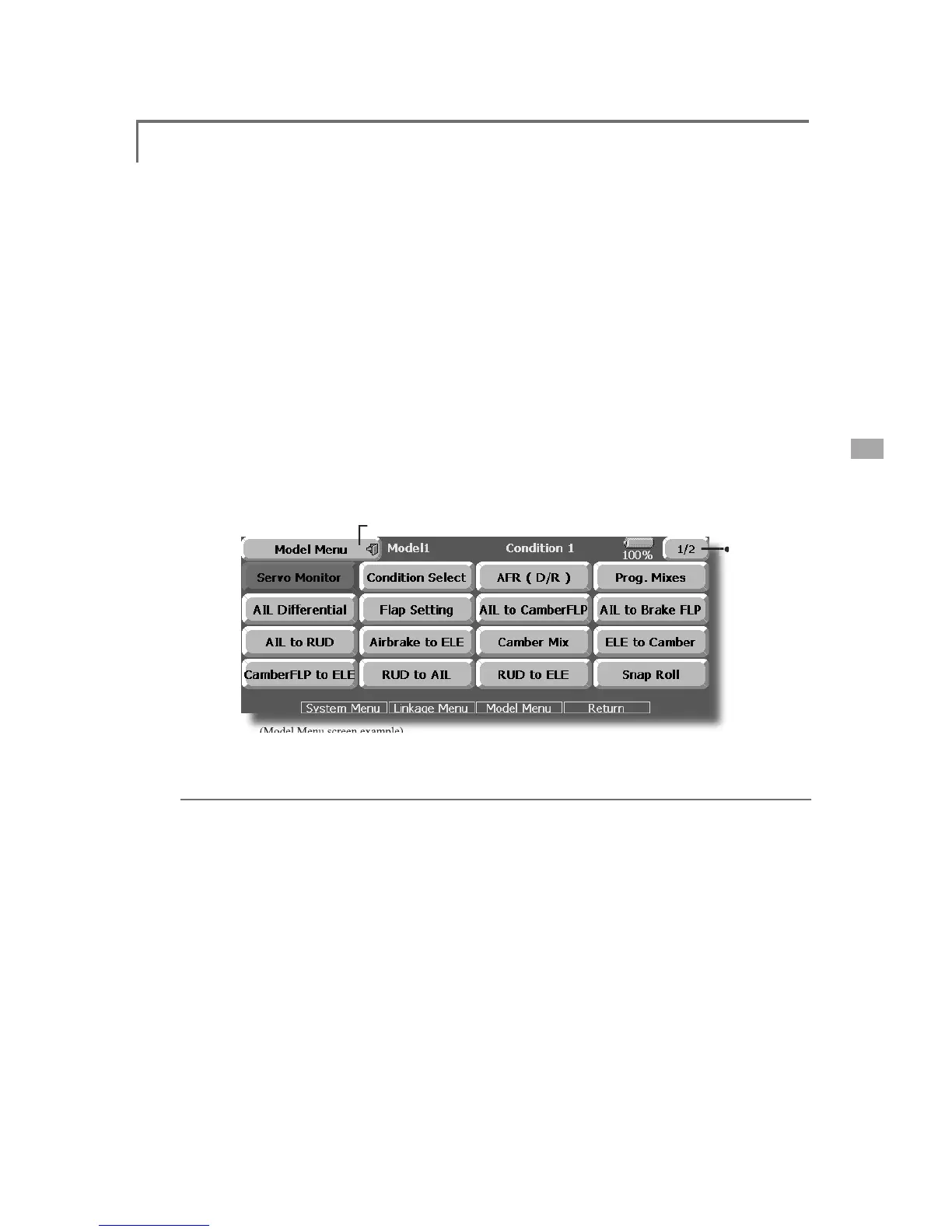
(Model
Menu
screen
example)
*The Model Menu screen depends on the model type. This screen is for model type 4AIL+4FLP.
ŏ
7RQH[
W
SDJ
H
Model Menu
f
unct
i
ons
(C
ommon
)
l
i
s
t
Ɣ6
HUYR0RQ
L
WRU
Servo test and servo position displa
y
(For a
d
escription of its functions, see the Linkage Menu
sect
i
on.
)
Ɣ&
RQG
L
W
L
RQ
6
HOHFW
Flight conditions addition, deletion, copy,
c
on
di
t
i
on renam
i
ng, an
d
con
di
t
i
on
d
e
l
ay can
b
e set.
Ɣ
$)5
'
5
Sets the angle and curve of all the operation
f
u
n
c
t
io
n
s.
A D
/
R
cu
r
ve
which
c
an
be
a
c
t
iv
at
ed
wi
t
h
a
switch, etc. can also be added.
Ɣ
3URJ0
L
[HV
Pro
g
ram mixin
g
which can be freel
y
customized.
Up
to 10 mixes can be used for each condition

.
Ɣ
)
XH
O0
L
[W
X
U
H
Mixin
g
used in needle ad
j
ustment of en
g
ines
w
hi
c
h
use
a f
ue
l mixt
u
r
e
co
ntr
o
l
c
ar
bu
r
e
t
o
r
.
[A
i
rp
l
ane,
h
e
li
copter]

Table of Contents

Related product manuals