Rear A/C control
*
Switch the AV sy
stem to the A/C system control
interface. Click “Rear” soft key ①
to switch the
A/C interface to the rear A/C interface. The A/C
system will enable the rear control function.
– Adjust the rear temperature via the main unit.
Clicking “Exit Rear A/C Control” soft key in the
rear A/C interface or no operation within a certain
time will turn off the rear A/C control function.
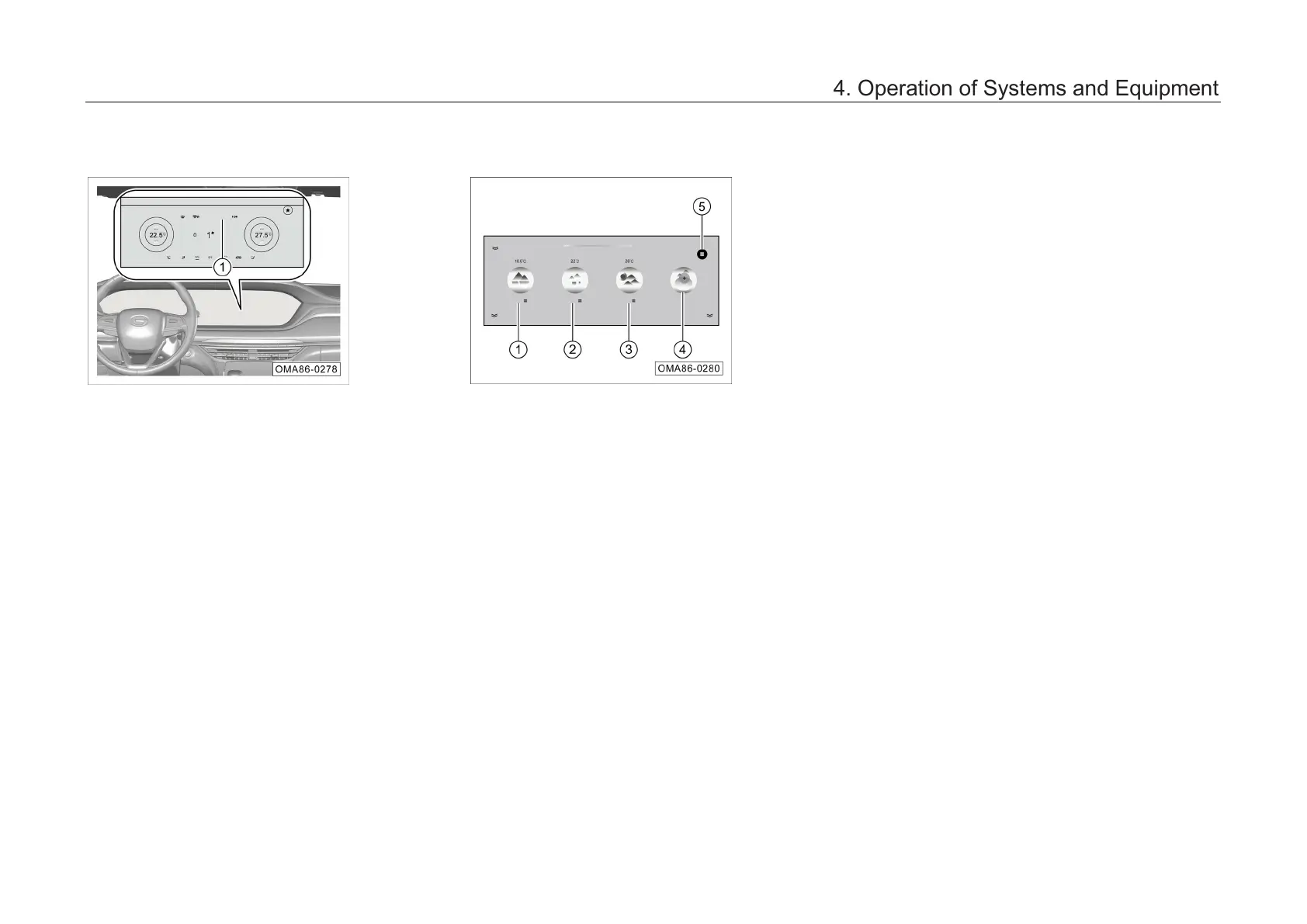
A/C scene*
Switch the AV sy
stem to the A/C system control
interface, and click “Scene” soft key to enter the
A/C scene interface.
1. Preset scene 1
– Fast Cooling: 18℃
, AUTO: On, the A/C curve
is “Fast”, and the temperature is rapidly
decreased until the target temperature is
reached.
2. Preset scene 2
– Comfort: 22℃
, AUTO: On, the A/C curve is
“Normal” until the target temperature is
reached.
3. Preset scene 3
– Fast Warm-up: 28℃
, AUTO: On, the A/C
curve is “Fast”, the temperature is rapidly
increased, and the maximum power is
maintained until the target temperature is
reached.
4. Add custom items
–
Click the button to add up to 9 custom
scenes.
5. Edit scene
– Click the button to adjust the seq
scenes, delete a scene, and edit scene name.
4. Operation of Systems and Equipment



 To Next Page