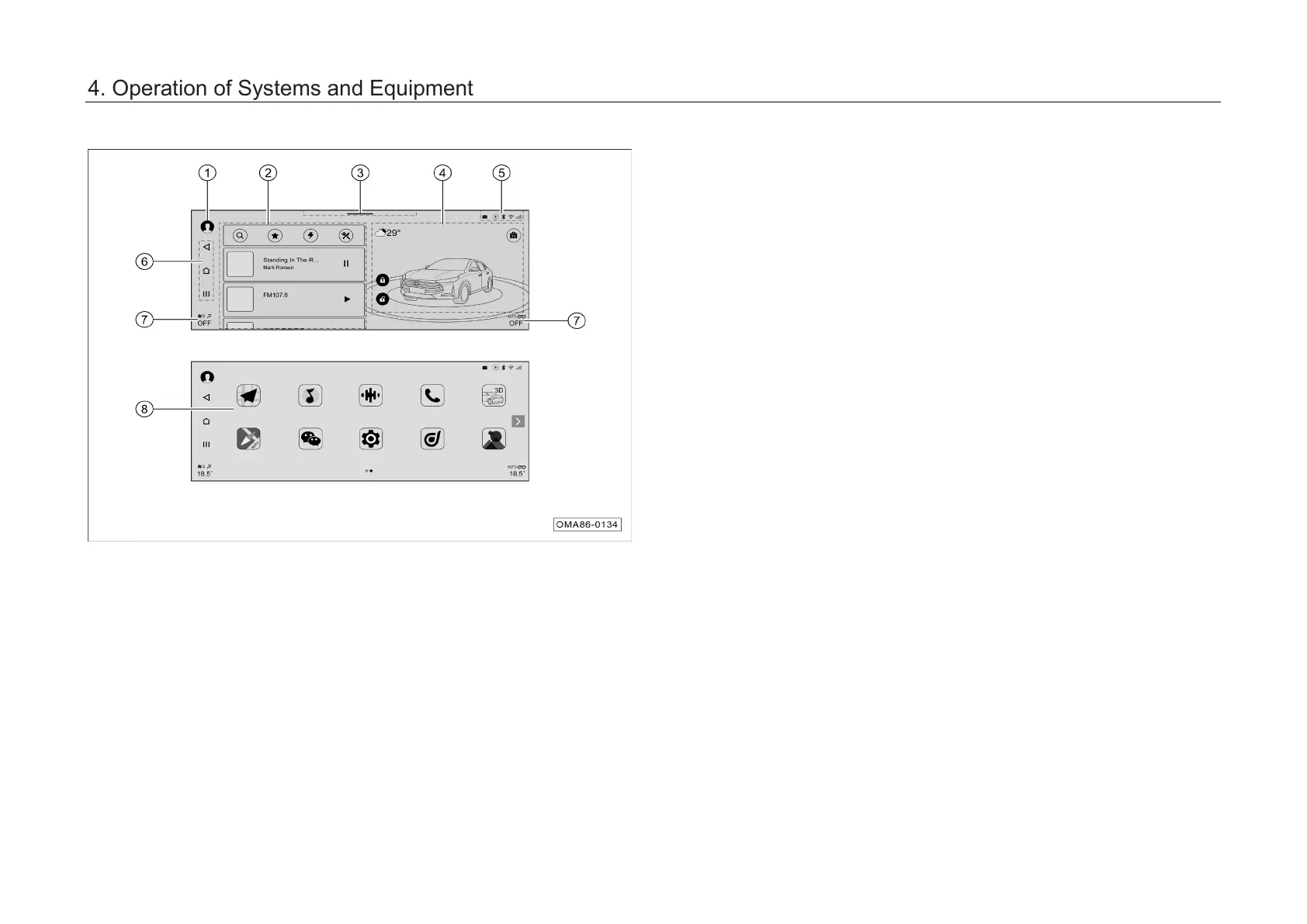
Description of function
areas in main
interface:
① Entrance to Personal center
–
Click to enter the Personal
Center Settings interface.
② Smart card area
–
Click the cards to quickly enter
the corresponding function
interfaces.
–
Additional cards can be added
and sorted on your own.
③ Drop-down menu schematic area
– Swipe down to enter the drop-
down menu bar control interface.
④ Smart scene area
– Click the Scene switching button
to switch between the scene
Body and scene Cruise.
–
In the scene Body interface,
swipe le
ft and right to drag the
car model to rotate it left and
right; click the car model to enter
"My Car" application interface.
– In the scene Cruise interface, you
can perform simple operations in
the Map interface.
Bluetooth Phone is not Connected
4. Operation of Systems and Equipment



 To Next Page