GAGGIA ANIMA 05 TROUBLESHOOTING
Pag. 3/9
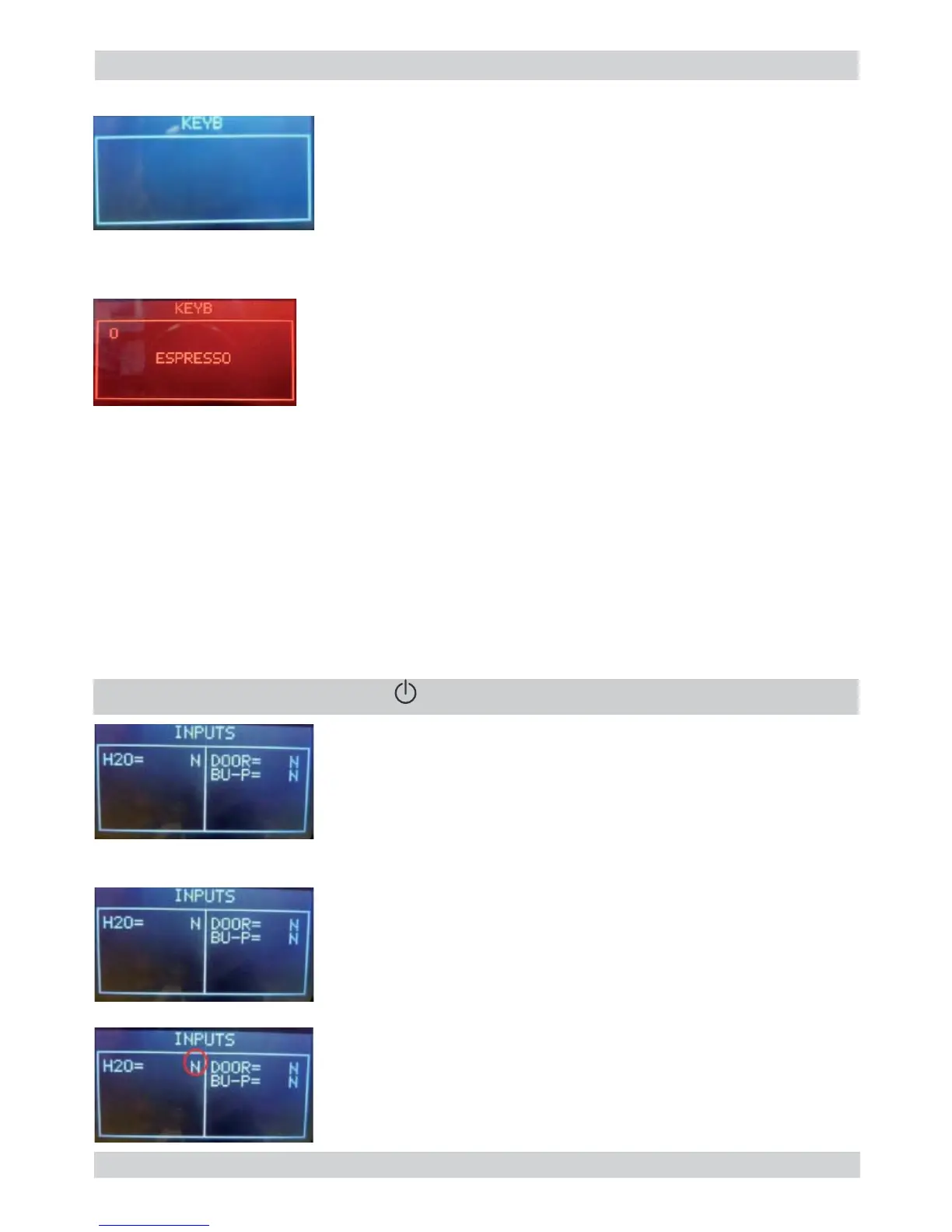
Press buttons from 1 to 7
Press buttons from 1 to 7
Only when a button is pressed a O appears on the relative position
of button pressed.
In the middle of display appears the name of the button pressed and
the backlight color changes from WHITE to RED.
When a button is pressed, also the Stand-By led (RED) turn ON.
Note: Press button Z7 as the last once, since it makes
change the test page.
Note: If 2 or more buttons are pressed the name that appears
on display could be wrong.
If nothing appears on display; check the interface board and the fl at cable (JP21).
If nothing appears on display; check the interface board and the fl at cable (JP21).
If during the movement the backlight remain WHITE check the wiring (JP1) from the
If during the movement the backlight remain WHITE check the wiring (JP1) from the
interface board and the display.
interface board and the display.
The name displayed is wrong; check the position of jumper in interface in JP5. It must
The name displayed is wrong; check the position of jumper in interface in JP5. It must
be the same of machine model.
be the same of machine model.
The machine passes to the level 2 (INPUTS)
The machine passes to the level 2 (INPUTS)
Insert a full Water Tank.
Insert a full Water Tank.
The indication H20 changes from “N” to “Y”.
The indication H20 changes from “N” to “Y”.
the switching from “N” to “Y” requires about 1-2 seconds.
the switching from “N” to “Y” requires about 1-2 seconds.
The indication TANK-H2O doesn’t change; check the ca-
The indication TANK-H2O doesn’t change; check the ca-
pacitive sensor (fi xing) and the wiring (JP23)
pacitive sensor (fi xing) and the wiring (JP23)
” to move to the next screen
” to move to the next screen


 To Next Page