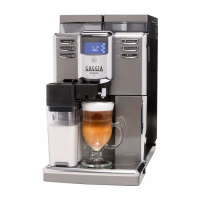
GAGGIA ANIMA 05 TROUBLESHOOTING
Pag. 4/9
removing the BrewUnit the indication from “Y” to “N” requires
removing the BrewUnit the indication from “Y” to “N” requires
about 2-3 seconds to switch.
about 2-3 seconds to switch.
ERROR: Check the BU presence Microswitch and the wiring (JP16).
Close the Door and Dreg Drawer
Close the Door and Dreg Drawer
change from “N” to “Y”
ERROR: The indication DOOR does not change; check
the Microswitch for the door and the wiring (JP14).
Note: without the Dreg Drawer correctly inserted the DOOR indica-
tion cannot change!
The machine passes to the Page 3
The machine passes to the Page 3
” to move to the next screen
” to move to the next screen
Press the Z1 button to move the BU to Work
Press the Z1 button to move the BU to Work
IMPORTANT NOTE: If the DREGDRAWER is not inserted or the
DOOR is not closed the BU test cannot be performed. If these 2
inputs are not in the right position, a warning message will be
shown and the display turns to red.
When the BU reaches the work position the indication
When the BU reaches the work position the indication
es from “N” to “Y”, the number of the current is less than 200mA
es from “N” to “Y”, the number of the current is less than 200mA
(without BU) or 300mA (with BU).
(without BU) or 300mA (with BU).
doesn’t change and remain “N”,
doesn’t change and remain “N”,
the display backlight changes from white to red; Check the work
the display backlight changes from white to red; Check the work
microswitch (broken?), the BU motor (blocked?) and the wiring
microswitch (broken?), the BU motor (blocked?) and the wiring
) The absorbed current is more than
) The absorbed current is more than
200mA, the display backlight changes from white to red; check the
200mA, the display backlight changes from white to red; check the


 To Next Page