GNS 430 Pilot’s Guide and Reference
4-5
SECTION 4
DIRECT-TO NAVIGATION
Selecting a Direct-to destination from the Map
Page
Direct-to destinations may also be selected from the
Map Page. If no airport, NAVAID, or user waypoint
exists at the desired location, a waypoint named ‘+MAP’
is automatically created at the location of the panning
pointer.
To select a direct-to destination from the
Map Page:
1) From the Map Page, press the small right knob
to display a panning pointer.
2) T
urn the small and large right knobs to place
the panning
pointer at the desired destination
location.
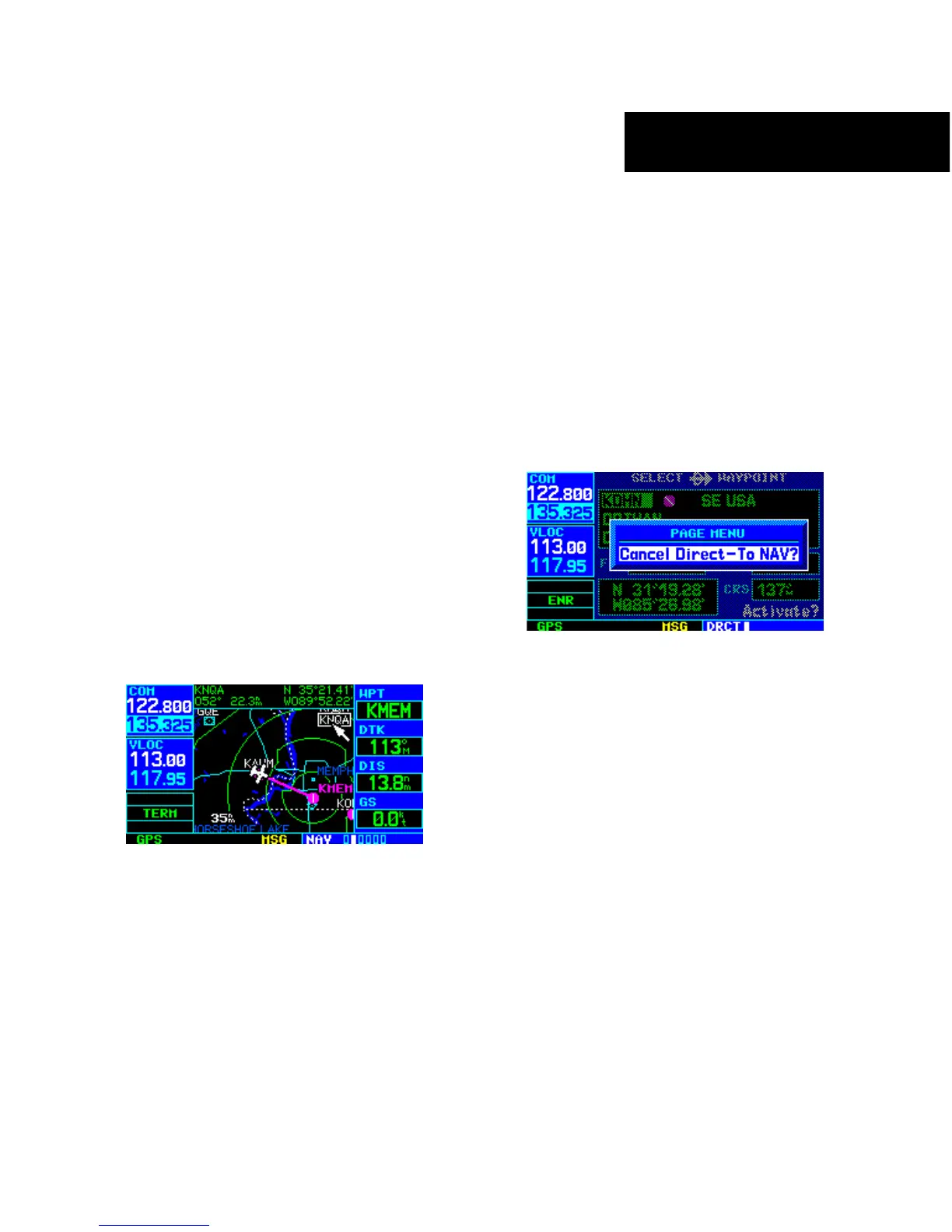
3) If the panning pointer is placed on an existing
airport, NAVAID or user waypoint, the waypoint
name is highlighted (Figure 4-11). Press the
Direct-to Key and the ENT Key twice to
navigate to the waypoint.
Figure 4-11 Panning Pointer Placed on Waypoint
4) If the panning pointer is placed on an open
location, press the Direct-to Key, then
press the ENT Key twice to create a ‘+MAP’
waypoint and navigate to it.
Cancelling Direct-to Navigation
Once a direct-to is activated, the GNS 430 provides
navigation guidance to the selected destination until the
direct-to is replaced with a new direct-to or flight plan,
cancelled, or the unit is turned off.
To cancel a direct-to:
1) Press the Direct-to Key to display the Select
Direct-to Waypoint Page.
2) Press the MENU Key to display the Direct-to
Page Menu (Figure 4-12).
Figure 4-12 Select Direct-to Page Menu
3) With ‘Cancel Direct-to NAV?’ highlighted, press
the ENT Key. If a flight plan is still active, the
GNS 430 resumes navigating the flight plan
along the closest leg.





 To Next Page