GASBOY Series 9800A
5-2 03/07/03
ELECTRONIC COMPONENT ACCESS
Before attempting to start-up the 9800A, it is important to become familiar with the location of
some key components as well as the various switch-selectable operating modes.
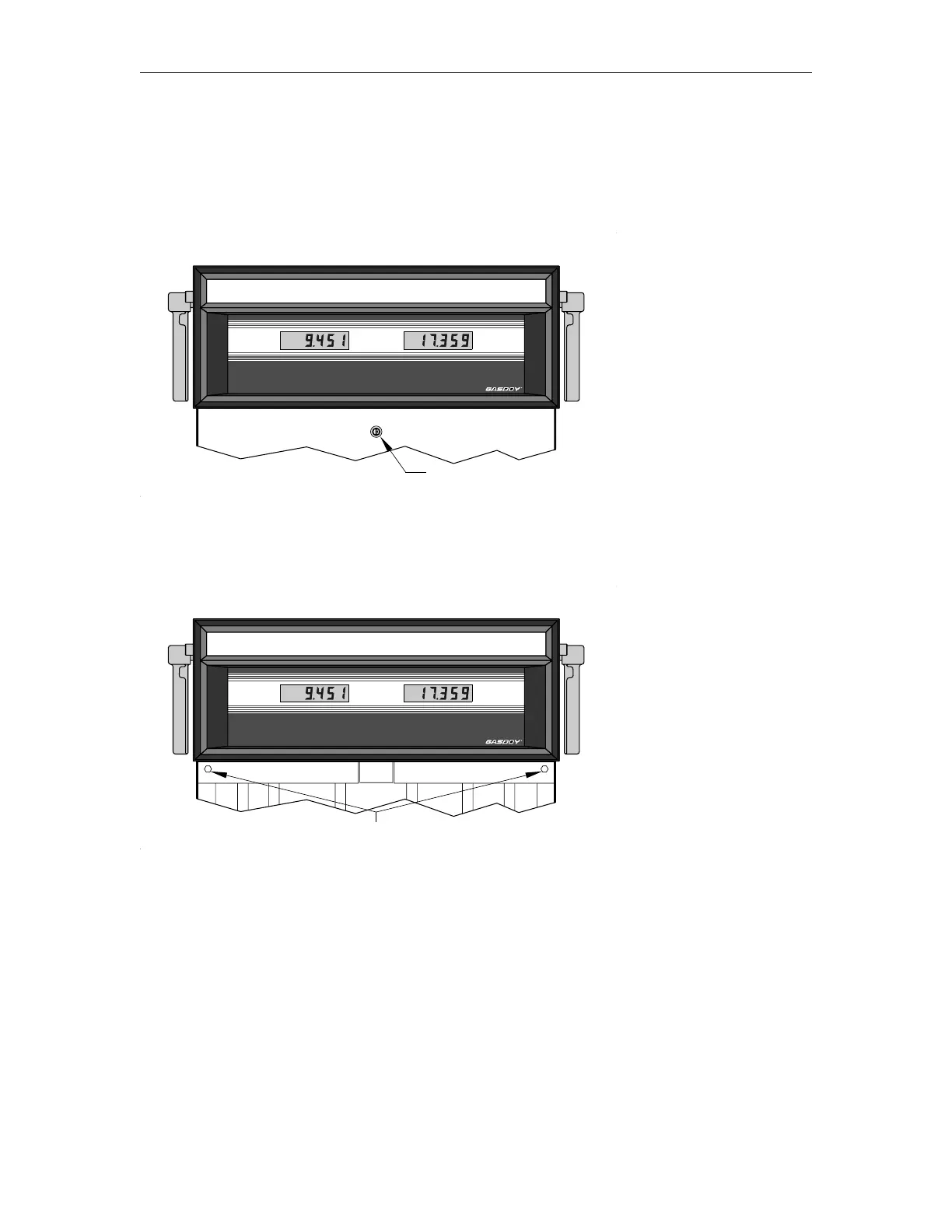
1. Unlock and remove the front panel.
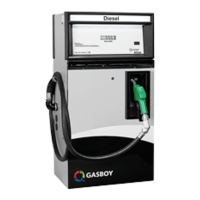
2. Remove the two bolts located over the tabs of the bezel assembly. Lift the bezel assembly
upwards and out to remove. If the model includes the front load nozzle, remove the nozzle
boot plastic shroud (two screws) before removing the bezel assembly.
3. Loosen, and remove if necessary, the two screws located on the left and right door support
brackets and pivot display panel down.
UNLEADEDDIESEL
GALLONS GALLONS
RR
UNLOCK
UNLEADEDDIESEL
GALLONS GALLONS
RR
REMOVE



 To Next Page