Replacement Instructions
03/07/03 5-7
REPLACING THE LCD DISPLAY PCB
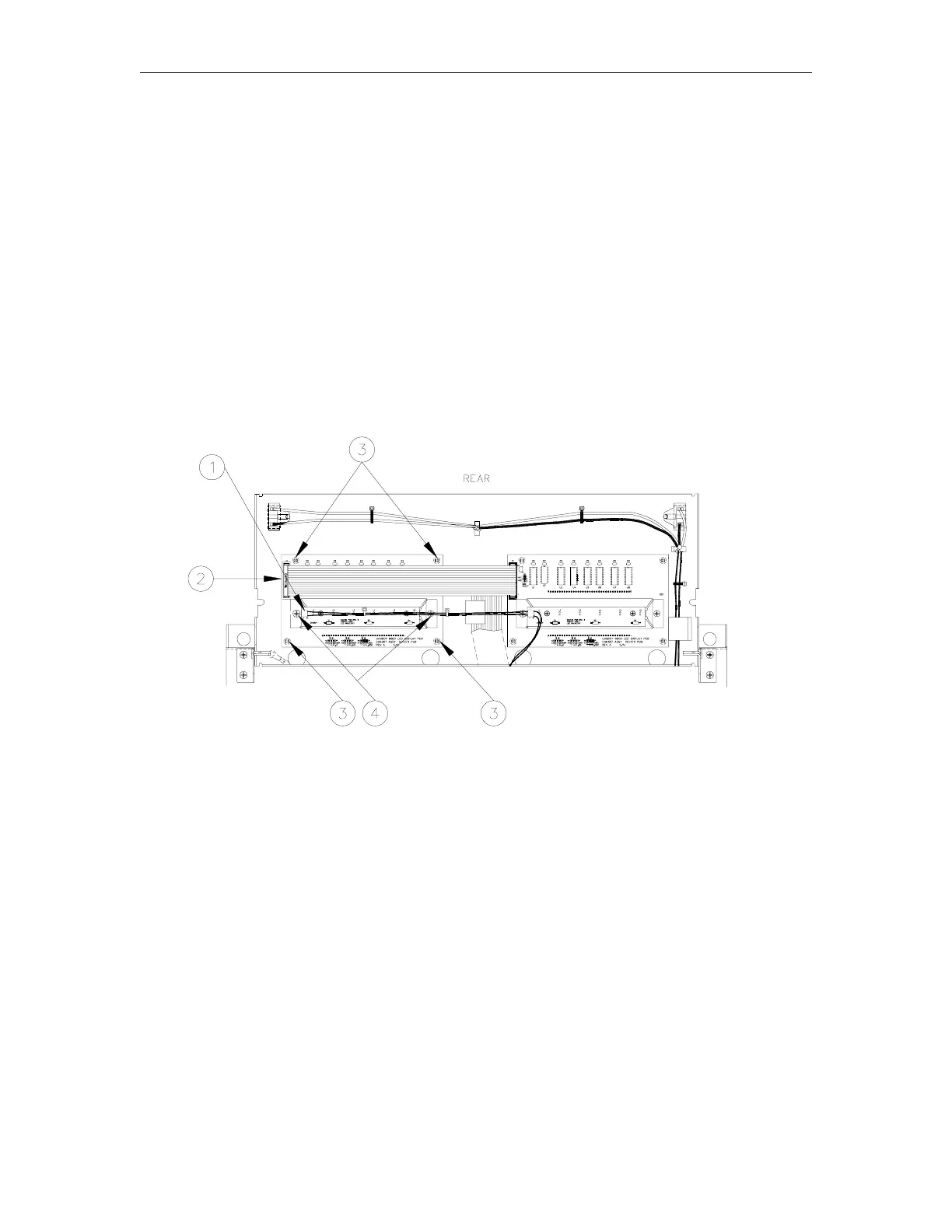
1. Disconnect the cable [1] from the Sale Backlight PCB.
2. Disconnect the ribbon cable [2] from the LCD Display PCB.
3. Unsnap the LCD display PCB from standoffs [3].
4. Remove the two Phillips screws [4] and washers securing the Sale Backlight PCB to the
LCD Display PCB.
5. Reverse Steps 1 through 4 to install the new LCD Display PCB.
6. Verify that the jumper settings on the new LCD Display PCB match the jumper settings from
the defective LCD Display PCB. See the jumper settings in Section 3, Electronic Head
Assembly for verification.



 To Next Page