GASBOY Series 9800A
5-10 03/07/03
REPLACING THE RS-485 OR PUMP I/F PCB
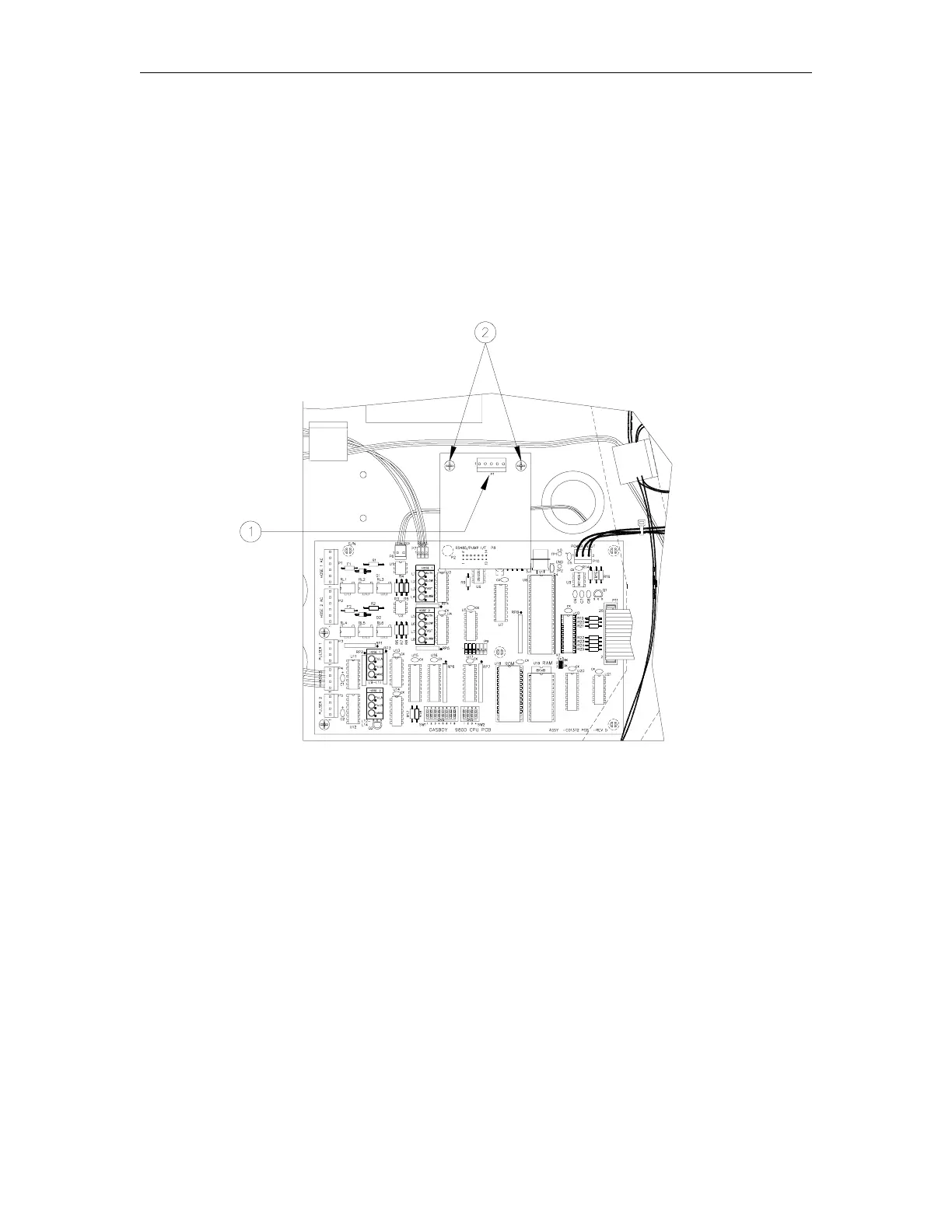
1. Disconnect the connector [1] from the RS-485 or Pump I/F PCB.
2. Remove the two Phillips screws [2] from the RS-485 or Pump I/F PCB.
3. Pull the RS-485 or Pump I/F PCB from the CPU PCB.
4. Reverse Steps 1 through 3 to install the new RS-485 or Pump I/F PCB.
NOTE: Older units may have a 5-position cable from DC conduit. New pump and RS-485 PCBs
have a 4-position connector. When installing the new PCB, make sure that pin 1 of the cable (red
wire) matches up with pin 1 of the PCB connector.



 To Next Page