CHAPTER 3: Setting Up and Getting Started
22
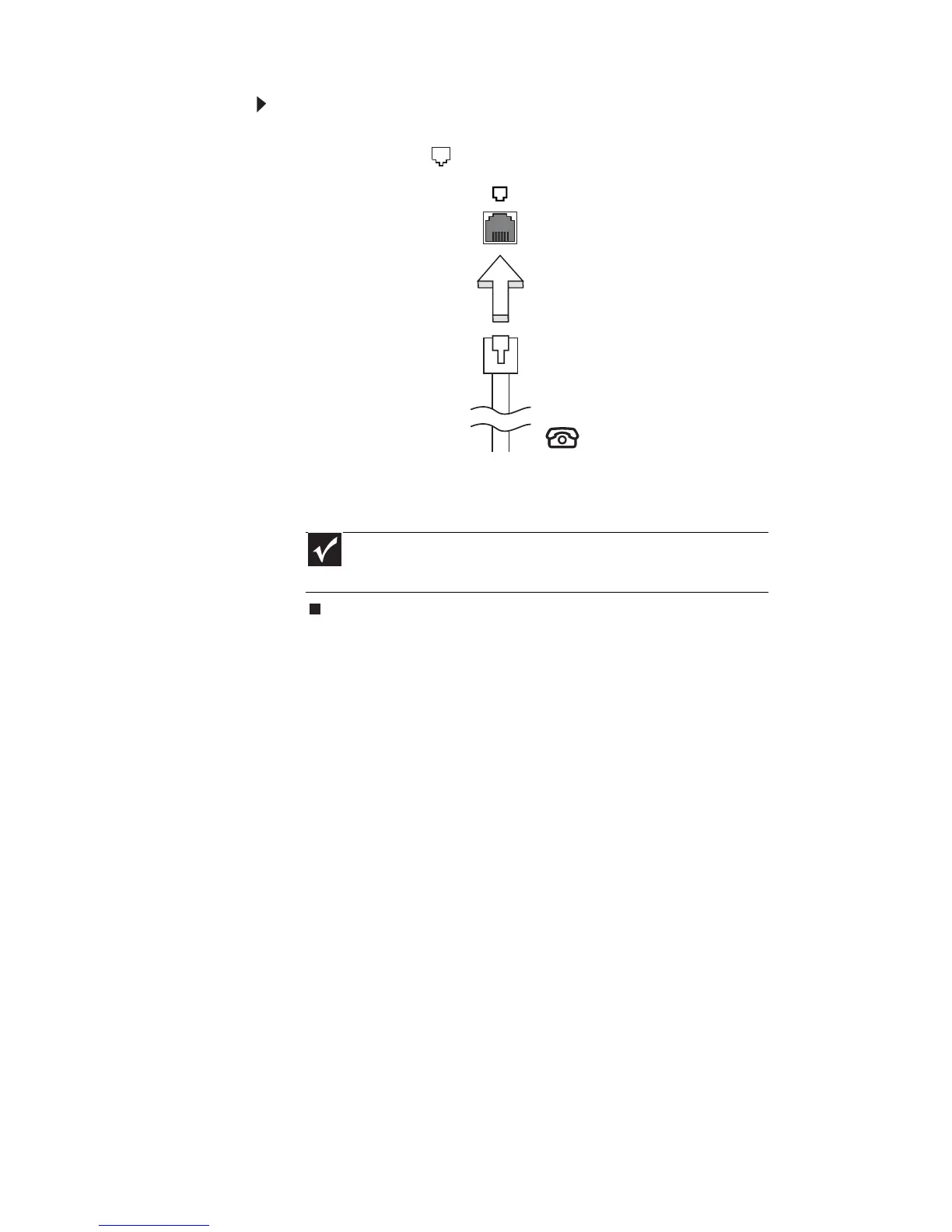
To connect the optional modem:
1 Insert one end of the modem cable into the
modem jack on your notebook.
2 Insert the other end of the modem cable into a
telephone wall jack.
Important
The modem will not work with digital or PBX telephone
lines.



 To Next Page