Instructions for SL500DCL/SL800DCL
www.gatexpertstore.com
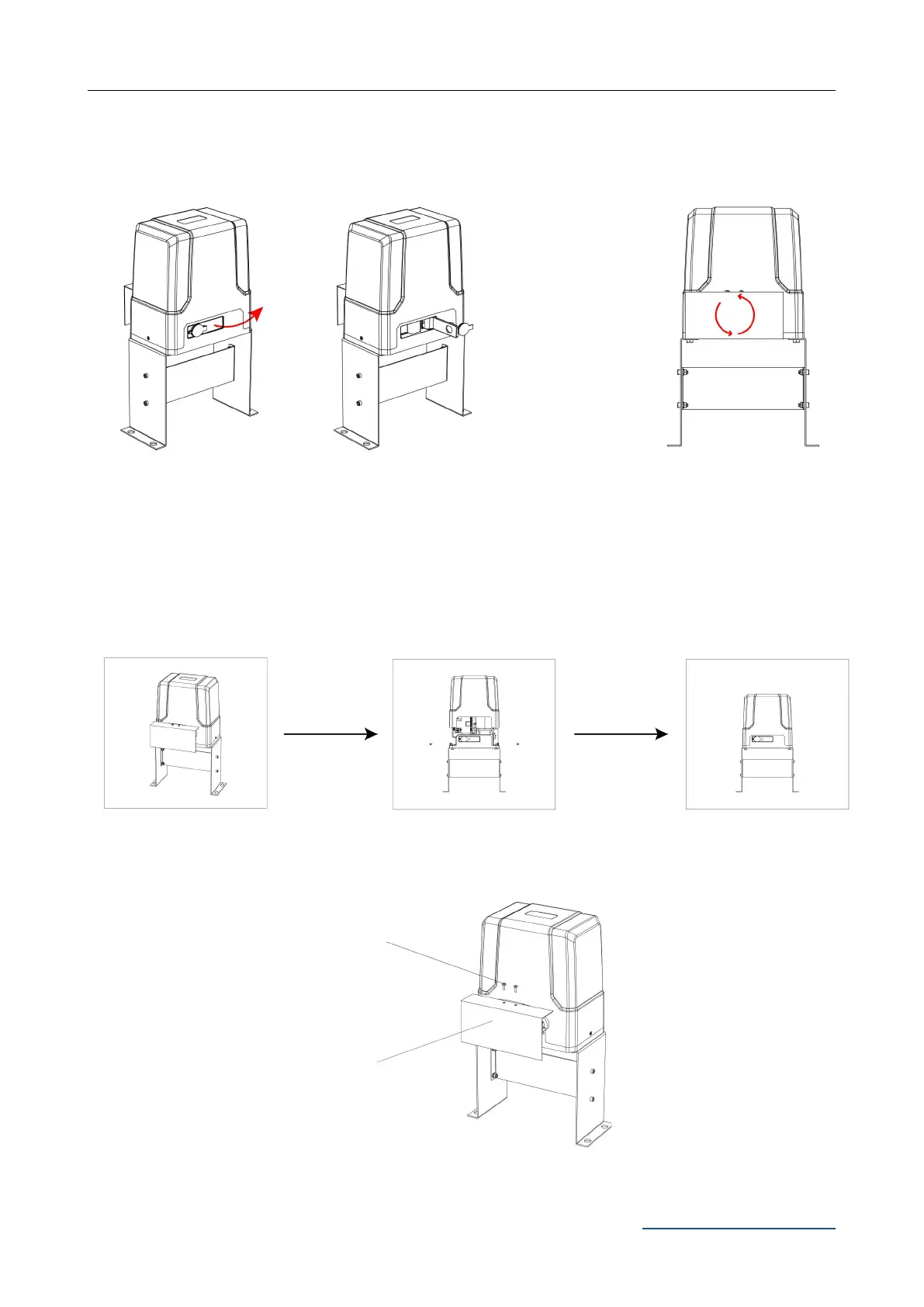
Step 2 - Checking Manual Release
· Insert the key and open the manual release bar to enable the motor get into manual mode and
check that the motor output gear rotates freely by hand (Figure 6).
Figure 6
Step 3 - Removing / Installing Motor Cover
· Unscrew the two cover screws located at each side of the motor cover.
Figure 7
· Sprocket cover installation as Figure 8
Figure 8
To make the motor into manual mode, insert the
key and open the manual release bar till it rotates
by 90°.
In manual mode, the gear
can turn freely and the gate
can be operated by hand.



 To Next Page