Instructions for SL500DCL/SL800DCL
www.gatexpertstore.com
A. Operation Instruction:
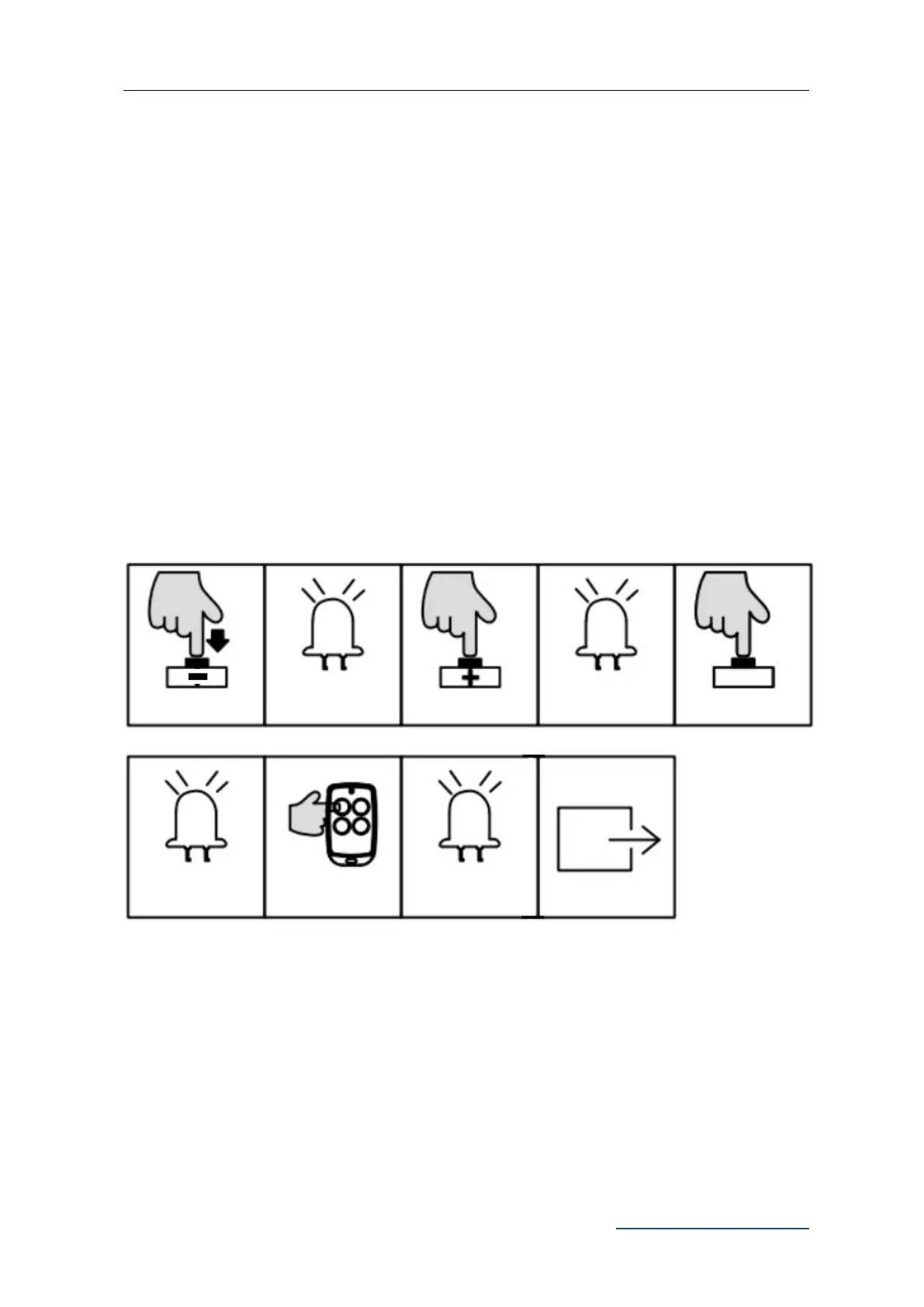
1. Press and hold “-” button for 3 sec. to enter into remote control management mode.
Indicator light L1 will be steady on.
2. Press “+” button twice to select pedestrian mode function. Indicator light L3 will be
steady on.
3. Press “SET” button once to enter into pedestrian mode setting. All indicator will
flicker repeatedly from L1 to L5.
4. Press the button which is to be paired on the remote control once. The indicator
lights L1-L5 will be on in sequence, then all will flicker once and off.. Learning is
complete thereafter.
B. Operation Graphic Illustration:
Remote Control Delete (L4)
This operation will delete all the remote controls that are paired to this control board.
A. Operation Instruction:
1. Press and hold “-" button for 2 sec. to enter into remote control management mode.
Indicator light L1 will be on.
Press the button to
be paired twice
L1-L5 will flicker
repeatedly
L1-L5 will be on in
sequence, all
together flicker once



 To Next Page