Instructions for SL500DCL/SL800DCL
www.gatexpertstore.com
current auto-close time. (The default is all indicator lights off)
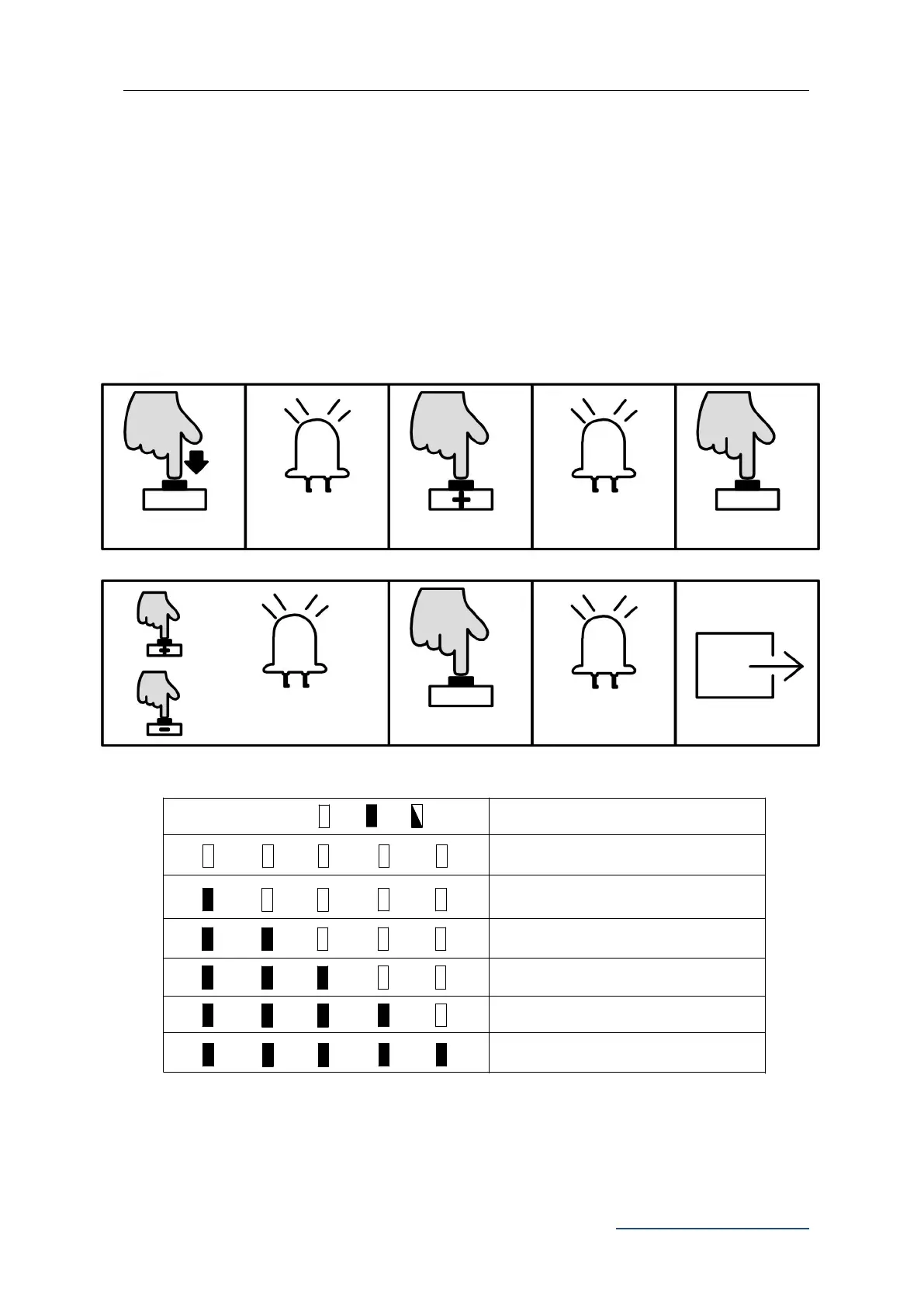
4. Press “+” or “-” button to set the auto-close time. The number of steady on indicator
lights will indicate the Auto-close time. (Table 1 Auto-Close Time)
5. Press “SET” button once to save and system will automatically exit. The indicator
lights L1-L5 will be on in sequence, then all will flicker once and off.
B. Operation Graphic Illustration
L1
L2
L3
L4 L5
Cancel Auto-close function
L1
L2
L3
L4 L5
L1
L2
L3
L4 L5
L1
L2
L3
L4 L5
L1
L2
L3
L4 L5
L1
L2
L3
L4 L5
Indicator light status:
Off
On
Flicker
Status Instruction
Auto-close after 10 sec.
Auto-close after 20 sec.
Auto-close after 30 sec.
Auto-close after 40 sec.
Auto-close after 50 sec.
Table 1 Auto-Close Time
L0 flicker once, L1
will be steady on
Press “+” or “-” to set, LED
will show the setting value
L1-L5 will be on in
sequence then all
flicker once and off.



 To Next Page