– 10 –
(Continued next page)
NOTE: Clean Speak CYCLE times out after
5 minutes. Pressing the power button will
refresh CYCLE and the LEDs no matter how
long it has been timed out.
Communication.
CleanSpeak
TM
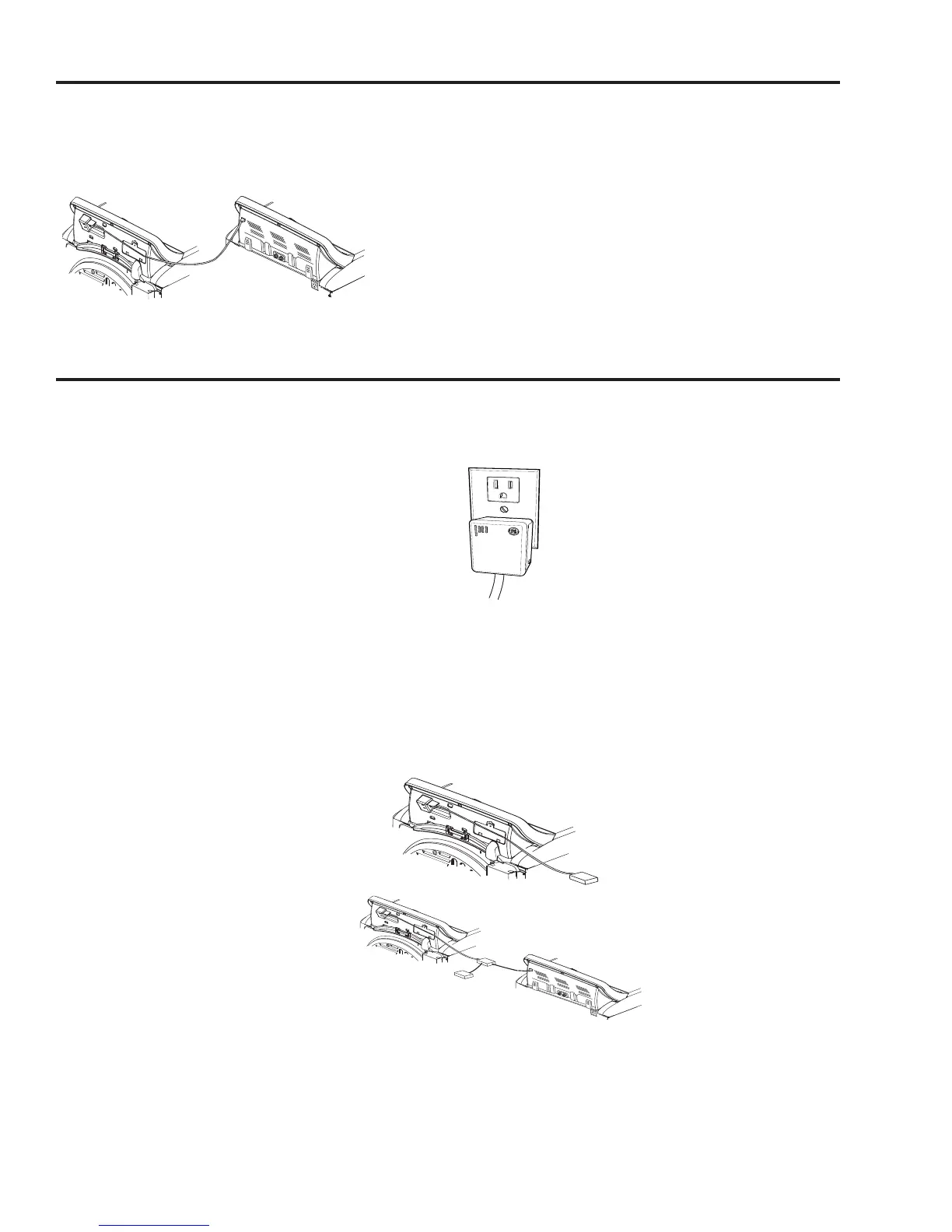
This dryer can communicate with a compatible
washer (one whose Owner’s Manual contains a
CleanSpeak description) via a cable between these
appliances. This cable comes with a CleanSpeak
dryer models or may be purchased separately.
At the end of the wash cycle, the washer sends a
signal to the dryer to indicated a preferred dry cycle.
When the dryer becomes idle (“End” display times
out - or- the door is opened) “CYCLE” will scroll
across its cycle time display, its current cycle knob
setting LED will be lit, and (if different) a second
recommended cycle LED will blink. If “CYCLE” times
out, pressing Power will refresh it and the LEDs. If
the dryer cycle knob is turned , the solid LED will
move accordingly. Pressing the dryer Start will
initiate the cycle knob setting (solid LED) and turn off
the recommended (blinking LED) if a different cycle
is started.
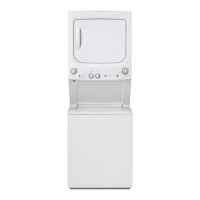
Dryer
Washer
Brillion Enabled Communication
This dryer (and/or compatible washer) can
communicate with your Home Computer and/or
iPhone
®
. By using the GE Nucleus™ Home Energy
Manager and Appliance Communication Module
(ACM) you will be able to see the following:
On your home computer or iPhone
®
:
:KLFKF\FOHLVUXQQLQJDQGZKDWLWVFXUUHQWF\FOH
segment is (example, “Cool Down”).
7KHHVWLPDWHGWLPHUHPDLQLQJRIWKHF\FOHWKDW
has been selected.
When a cycle has completed or if it requires
maintenance or servicing.
$OHUWVQRWLI\LQJ\RXLIWKHZDVKHUQHHGV
maintenance or servicing.
What your software allows you to do:
Cycle display will provide the current status of the
wash cycle:
'U\LQJ'DPS&RRO'RZQRU&RPSOHWH
Alerts will notify you of problems. Some examples:
,QOHW7KHUPRVWDWSUREOHP
2XWOHW7KHUPRVWDWSUREOHP
What you will need for two-way communication:
1XFOHXVKRPHHQHUJ\PDQDJHUPRGHO
$SSOLDQFHFRPPXQLFDWLRQ0RGXOHPRGHO
%URDGEDQGFRQQHFWLRQZLWKURXWHU:L)LIRU
iPhone
®
connection)
&RPSXWHU0DF
®
or PC) and/or Internet capable
iPhone
®
.
NOTE: If you also have a compatible Energy Smart
washer, see Installation Instructions for additional
parts.
Installation
Step 1: Install your Nucleus Home Energy Manger/
Cable - near your internet router.
Refer to the Quick Start Guide/Installation
Instructions included with this device for
information needed to download software to a
desktop and/or iPhone
®
.
Step 2: Install your Appliance Communication
Module (ACM) in your Laundry area. Determine
the most convenient location for your ACM. Install
the ACM according to the Quick Start/Installation
Instructions included with the device.
Step 3: Connect your ACM to your dryer or dryer-
washer.
The ACM comes with a splitter, two 6’ cables, and a
1’ cable (see Parts and Accessories section). If you
also have an Energy Smart washer, use the splitter
to connect both appliances. NOTE: If this dryer
did not come with a 6 foot cable, you will need to
purchase a second 6 foot cable (see Parts and
Accessories section).
For more information or questions, please visit:
www.gebrillion.com or call 1-800-220-6899.
Dryer
ACM
Dryer
Washer
Spliter
ACM
- OR -


 To Next Page