TOC–II MM300 MOTOR MANAGEMENT SYSTEM – INSTRUCTION MANUAL
Maintenance....................................................................................................................................2 - 40
In-service maintenance.......................................................................................................................2 - 40
Out-of-service maintenance .............................................................................................................2 - 40
Unscheduled maintenance (system interruption)...................................................................2 - 40
3.INTERFACING
WITH THE MM300
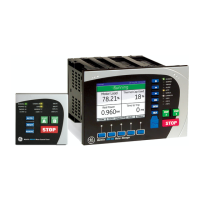
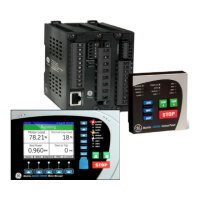
Graphical control panel.................................................................................................................3 - 1
Introduction to the graphical control panel................................................................................. 3 - 1
Graphical display...................................................................................................................................... 3 - 2
Keypad........................................................................................................................................................... 3 - 3
Control keys................................................................................................................................................. 3 - 5
LED indicators............................................................................................................................................. 3 - 5
MM300 graphical display pages ....................................................................................................... 3 - 6
Home display page.................................................................................................................................. 3 - 7
Default display........................................................................................................................................... 3 - 7
Actual values pages................................................................................................................................. 3 - 7
Status pages ............................................................................................................................................... 3 - 8
Setpoints pages......................................................................................................................................... 3 - 9
Diagnostics pages ..................................................................................................................................3 - 10
Control page..............................................................................................................................................3 - 12
Popup windows .......................................................................................................................................3 - 12
MM300 programming techniques ..................................................................................................3 - 13
Enumeration setpoints.........................................................................................................................3 - 13
Numeric setpoints ..................................................................................................................................3 - 13
Alphanumeric setpoints.......................................................................................................................3 - 14
Date, time, and IP entry .......................................................................................................................3 - 15
Security access........................................................................................................................................3 - 15
Basic control panel .......................................................................................................................3 - 16
Software.............................................................................................................................................3 - 17
EnerVista MM300 Setup Software ..................................................................................................3 - 17
Software requirements ........................................................................................................................3 - 17
Troubleshooting the USB driver .......................................................................................................3 - 17
Installing the EnerVista MM300 Setup software ......................................................................3 - 20
Upgrading the software.......................................................................................................................3 - 24
Connecting EnerVista MM300 Setup to the relay ...................................................................3 - 25
Configuring serial communications...............................................................................................3 - 25
Using the Quick Connect feature ....................................................................................................3 - 26
Connecting to the relay .......................................................................................................................3 - 26
Working with setpoints and setpoint files...................................................................................3 - 27
Engaging a device..................................................................................................................................3 - 27
Entering setpoints...................................................................................................................................3 - 27
File support ................................................................................................................................................3 - 29
Using setpoints files...............................................................................................................................3 - 29
Downloading and saving setpoints files......................................................................................3 - 29
Adding setpoints files to the environment ..................................................................................3 - 30
Creating a new setpoints file.............................................................................................................3 - 31
Upgrading setpoint files to a new revision .................................................................................3 - 32
Printing setpoints and actual values .............................................................................................3 - 33
Printing actual values from a connected device .....................................................................3 - 34
Loading setpoints from a file.............................................................................................................3 - 34
Uninstalling files and clearing data................................................................................................3 - 34
Upgrading relay firmware ..................................................................................................................3 - 35
Loading new relay firmware .............................................................................................................3 - 35
Power analysis.........................................................................................................................................3 - 38
Waveform capture.................................................................................................................................3 - 38
Data logger................................................................................................................................................3 - 42








 To Next Page