CHAPTER 3: INTERFACING WITH THE MM300 SOFTWARE
MM300 MOTOR MANAGEMENT SYSTEM – INSTRUCTION MANUAL 3–19
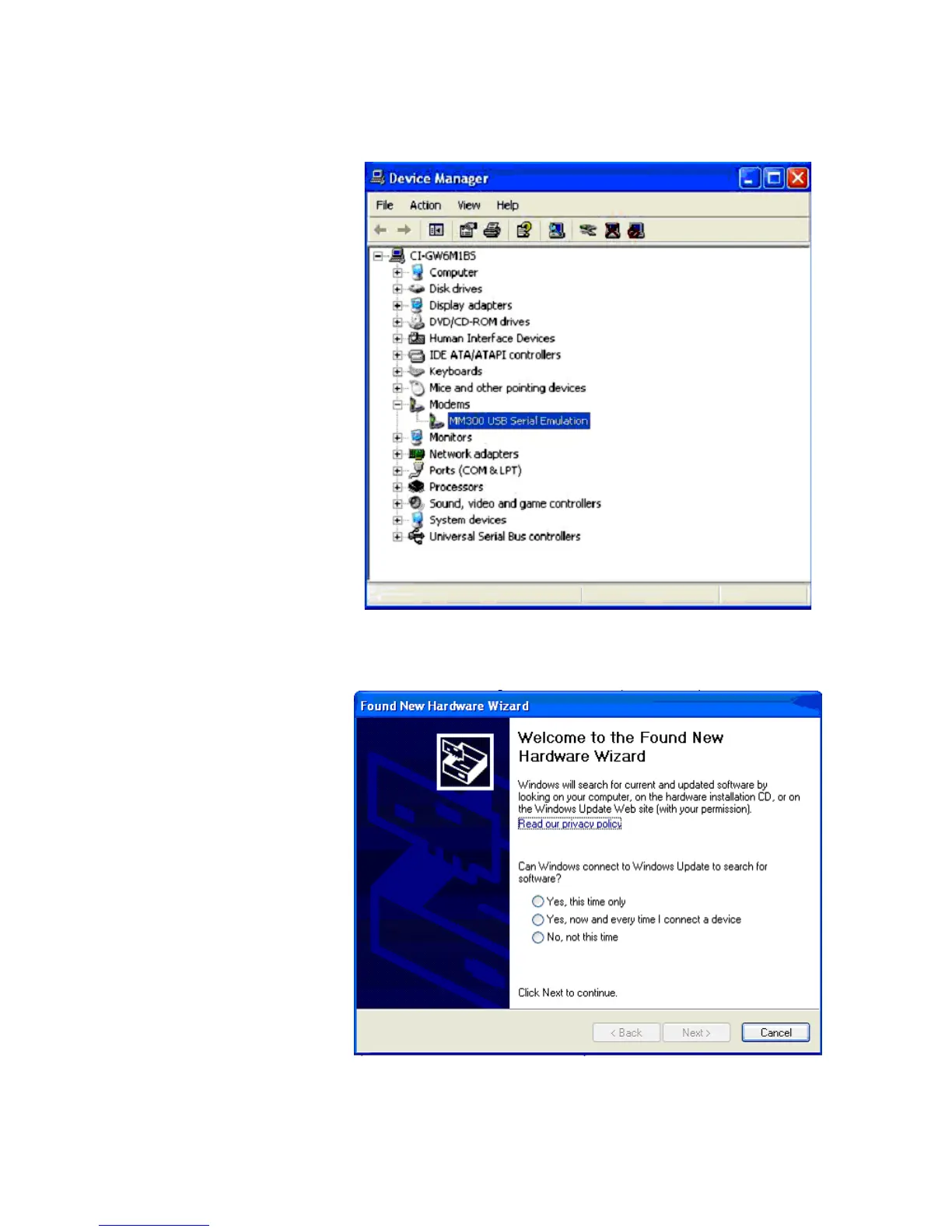
5. If problem still persists, uninstall the USB driver from Computer’s ‘Device Manager’
under tree-branch modems from the Installation folder. To uninstall it, right click on
MM300 USB Serial Emulation and select Uninstall.
6. After the uninstall, remove the USB cable from the Device’s native USB port, wait for at
least 10 Seconds and reconnect it.
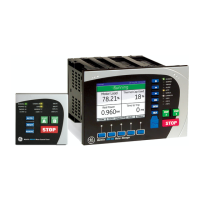
7. Now the ‘Found New Hardware Wizard’ will open, select No, not this time and press
the Next button.








 To Next Page