3–22 MM300 MOTOR MANAGEMENT SYSTEM – INSTRUCTION MANUAL
SOFTWARE CHAPTER 3: INTERFACING WITH THE MM300
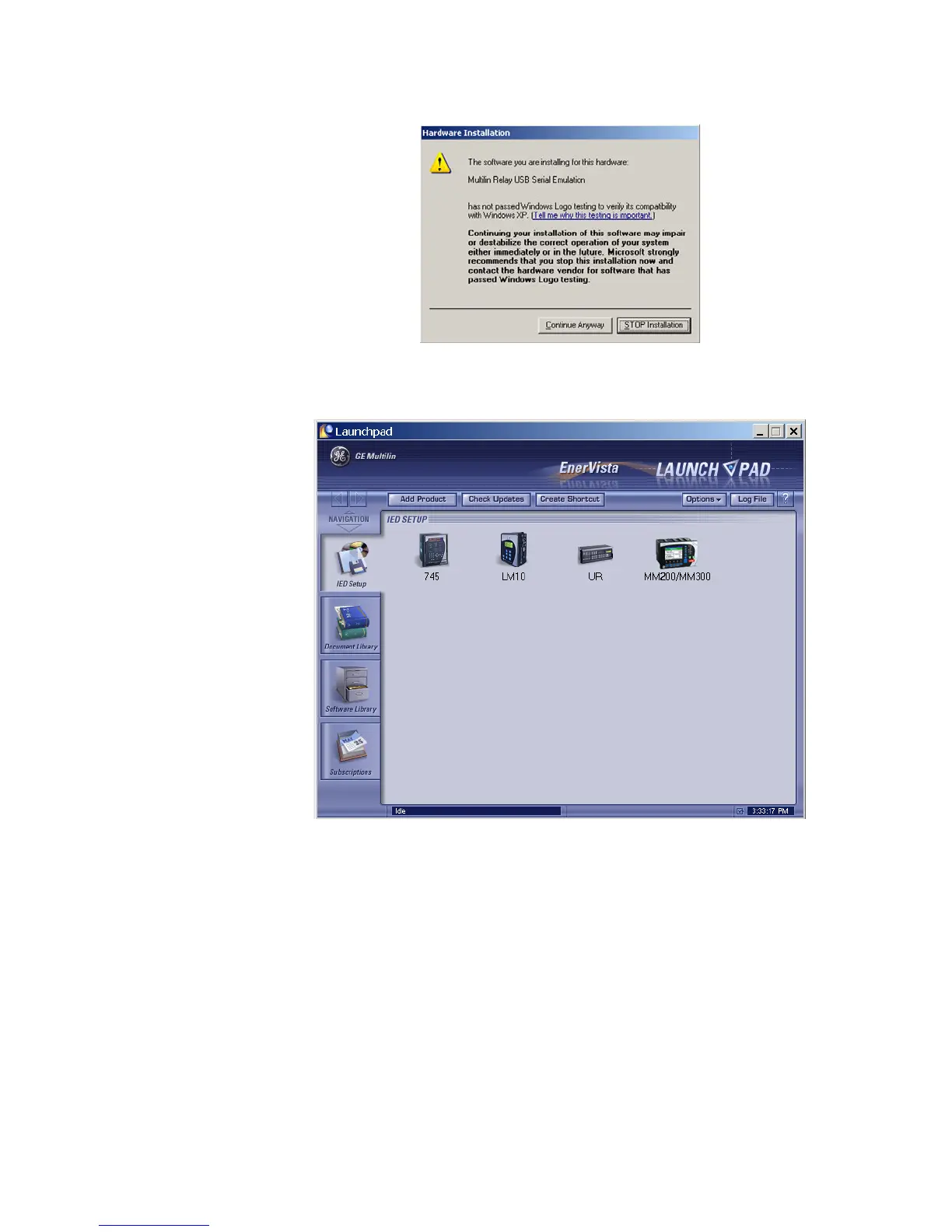
9. Press the Continue Anyway button, then click Finish to end the installation. The
MM300 device will be added to the list of installed IEDs in the EnerVista Launchpad
window, as shown below.
If you are going to communicate from your computer to the MM300 Relay using the
USB port:
10. Plug the USB cable into the USB port on the MM300 Relay then into the USB port on
your computer. The following screen will appear:



 To Next Page