Working with Setpoints and Setpoint Files745
Transformer Management Relay
Interfaces
http://www.GEindustrial.com/multilin
4–20
GE Multilin
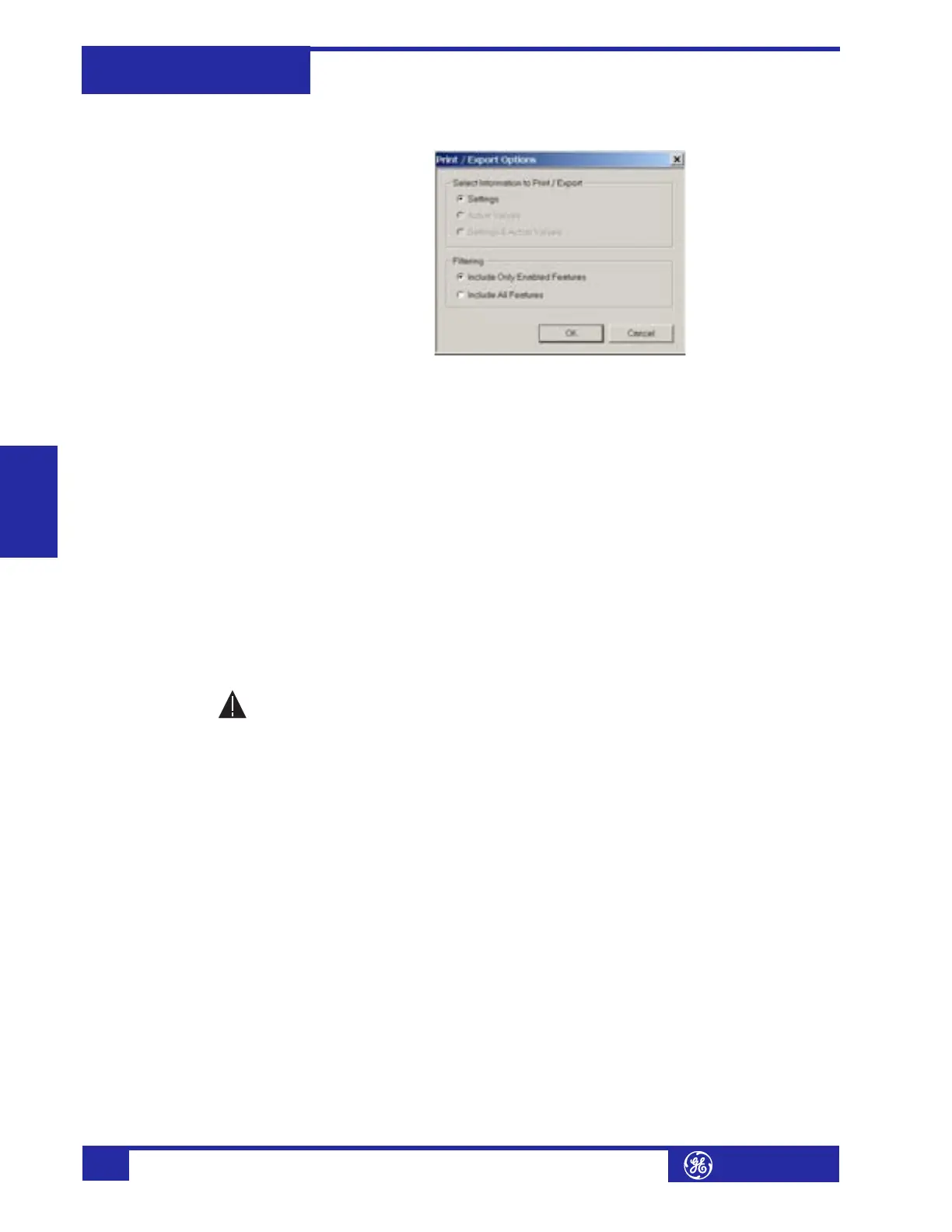
Only Enabled Features (for a list of only those features which are currently
used) in the filtering section and click OK.
4. The process for File > Print Preview Settings is identical to the steps above.
Setpoints lists can be printed in the same manner by right clicking on the desired
file (in the file list) or device (in the device list) and selecting the Print Device
Information or Print Settings File options.
A complete list of actual values can also be printed from a connected device with the
following procedure:
1. Establish communications with the desired 745 device.
2. From the main window, select the File > Print Settings menu item.
3. The Print/Export Options dialog box will appear. Select Actual Values in the
upper section and select either Include All Features (for a complete list) or
Include Only Enabled Features (for a list of only those features which are
currently used) in the filtering section and click OK.
Actual values lists can be printed in the same manner by right clicking on the
desired device (in the device list) and selecting the Print Device Information
option.
g) Loading Setpoints from a File
An error message will occur when attempting to download a setpoint file
with a revision number that does not match the relay firmware. If the
firmware has been upgraded since saving the setpoint file, see Upgrading
Setpoint Files to a New Revision on page 4–18 for instructions on changing the
revision number of a setpoint file.
The following procedure illustrates how to load setpoints from a file. Before loading
a setpoints file, it must first be added to the enerVista 745 Setup environment as
described in Adding Setpoints Files to the Environment on page 4–17.
1. Select the previously saved setpoints file from the File pane of the enerVista
745 Setup software main window.
2. Select the File > Properties menu item and verify that the corresponding file
is fully compatible with the hardware and firmware version of the target relay. If
the versions are not identical, see Upgrading Setpoint Files to a New Revision on
page 4–18 for details on changing the setpoints file version.
3. Right-click on the selected file and select the Write Settings to Device item.
4. If the relay is currently in-service, the enerVista 745 Setup software will
generate a warning message reminding the user to remove the relay from
service before attempting to load setpoints.
WARNING








 To Next Page