95
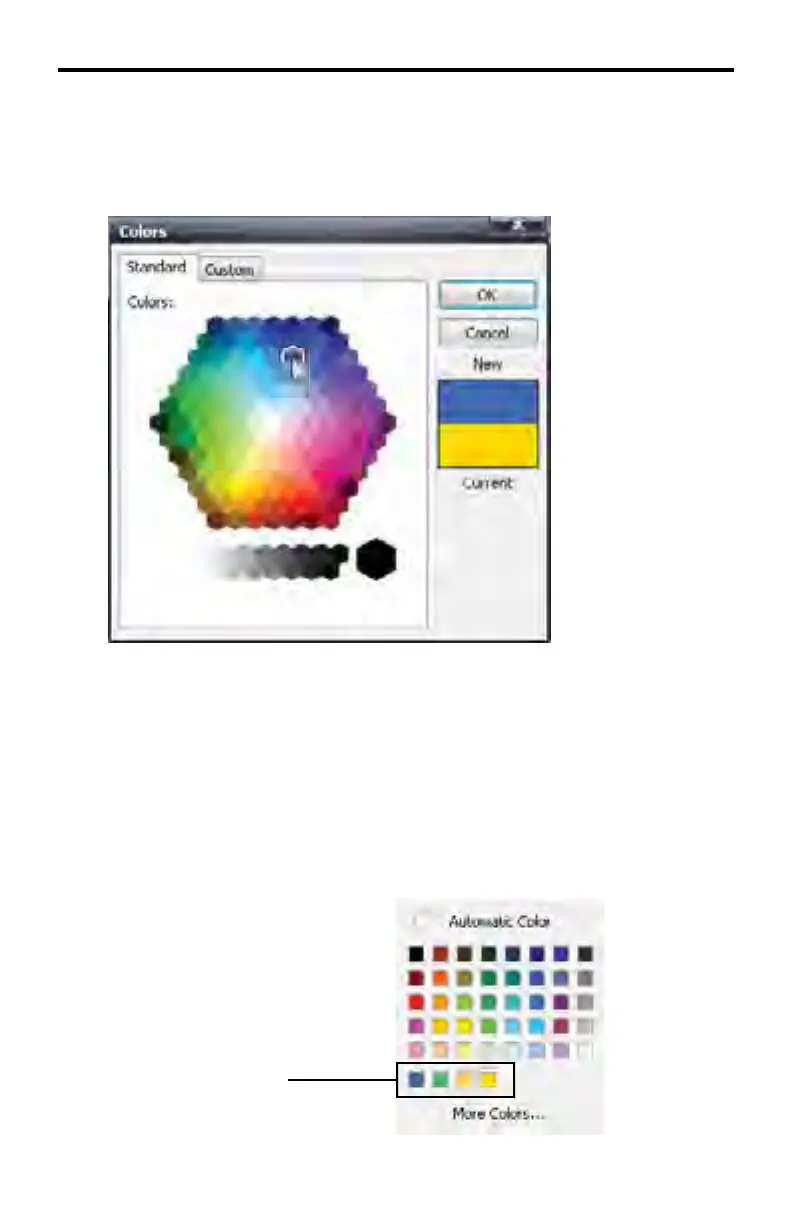
Using the mouse, click on one of the colors on the color swatch. Once a color
has been selected, it will be highlighted in the color swatch and the color will
be displayed in the box, above the current color. This method provides a color
comparison between the original color and the selected color.
Unlike the TextGroup color swatch pull-down menu, selecting a color from the
Standard colors swatch will not directly apply the color change to the text.
Click OK to apply the selected color to the text and close the Standard Colors
swatch.
Click the Cancel button to close the Standard Colors without making changes
and return to the Image Editor.
When a color is selected (after clicking OK) from the Standard Colors swatch, the
color is added to the text color swatch:
DSP DESIGNER TUTORIAL
Added colors



 To Next Page