96
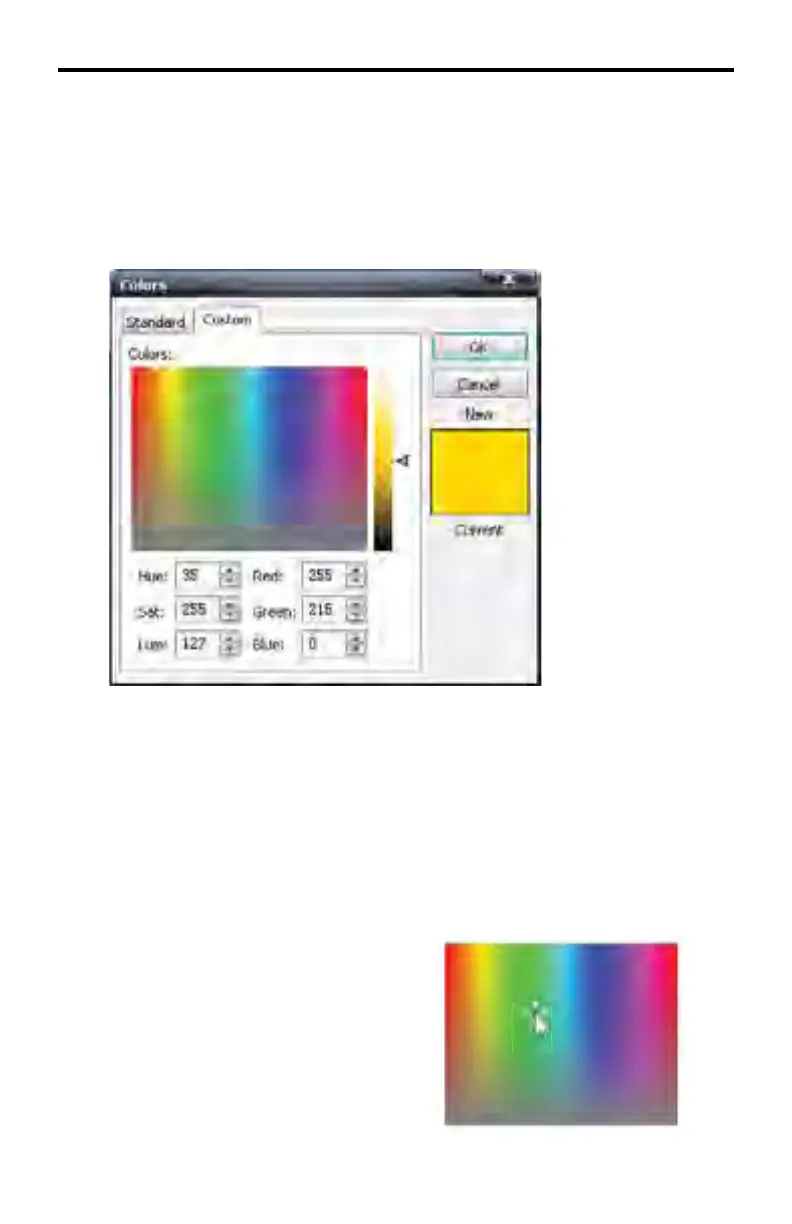
Custom Colors Swatch
The Custom Colors swatch is slightly different than that of the Standard Colors
swatch in that additional control over the color attributes are provided: Red,
Green, Blue, Hue, Saturation, and Luminance values can all be adjusted inde-
pendently. A slider bar to the right of the color swatch can be moved up or down
to allow swift adjustment of the Luminance value of the current color.
A particular color can also be selected directly from the color swatch. The at-
tributes can then be adjusted to the desired color.
Click the mouse in the color swatch window. A cross-hair will indicate the cur-
rently selected color. Click and hold the mouse button while moving within the
color swatch window to quickly browse through colors and compare them with
the current color.
Click the OK button to apply the color to the text, close the Custom Colors swatch
and return to the Image Editor.
Click the Cancel button to close the
Custom Colors swatch without making any
changes and return to the Image Editor.
DSP DESIGNER TUTORIAL



 To Next Page