117
DSP SERVER SOFTWARE
Gefen DSP Server Login
In order to log into the server, you must have direct Internet access. The use
of a proxy or other restrictive protocols will prevent connection to the DSP
Server. Please contact your network adminstrator for further information.
Log on to http://www.gefen.com/signage/player to create additional
usernames and passwords for the customization of individual systems.
Confi gure the IP settings for the DSP. A valid IP address must be provided
in order to connect to the DSP. Please see page 18 for details.
Double-click the Gefen DSP Server icon on the Desktop. The Gefen DSP Server
icon can also be found under Programs menu under Gefen DSP Server Pro.
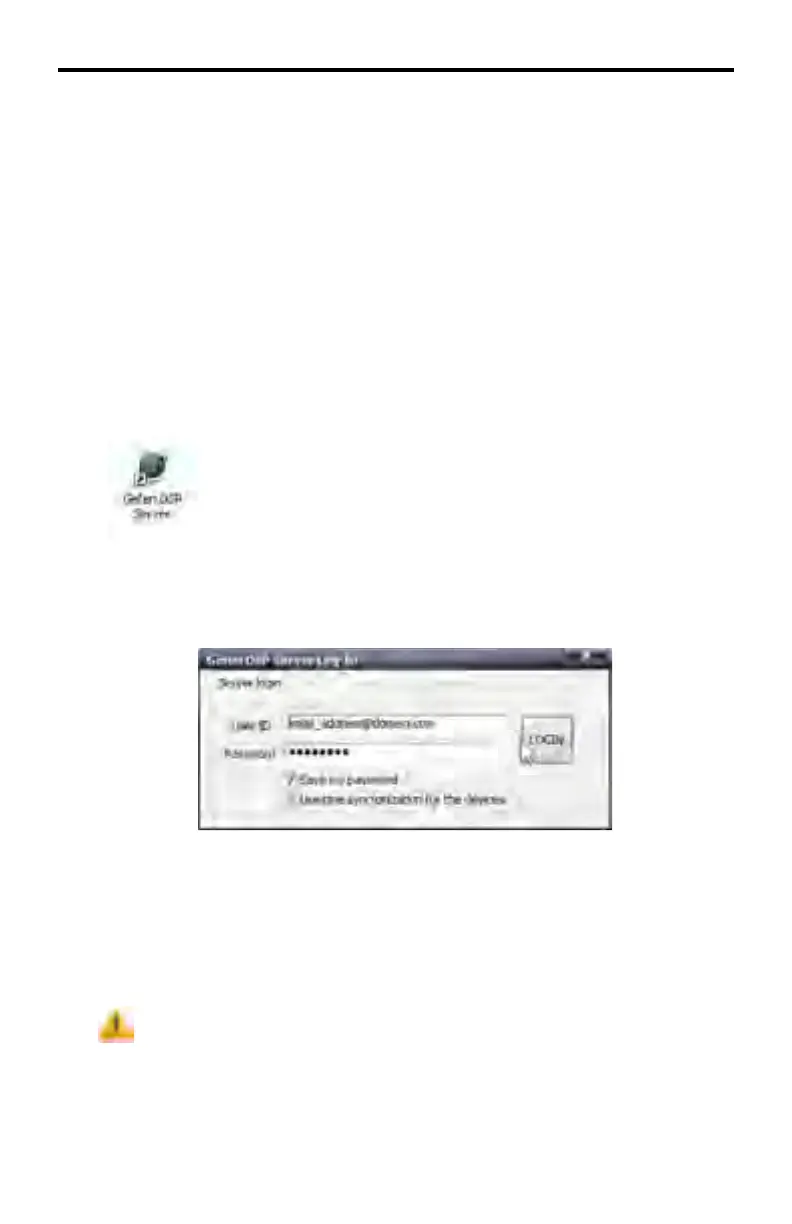
After launching the Gefen DSP Server software, the following dialog is displayed:
Type in the User ID and Password which were provided after
registration. Click the Login button to log on to the DSP Server.
When logging in, the password can be saved for a future log in by clicking
the Save my password checkbox.
Enabling Save my password is a less secure
method of logging in to the DSP Server. This option
should never be used in a multi-user environment.



 To Next Page